

4 Ways To Master Instagram For Your Remodeling Business
As with any social media network, Instagram is about connecting people. In the case of Instagram, it’s about connecting people with pictures. So how can a home remodeler connect with Instagram users? In short, tell a visual story.
With the reach of Facebook consistently going down, home remodelers have been turning to Instagram to up their social media game. It’s no surprise, wIth over 800 million daily active users, Instagram has become the go-to photo sharing platform for all ages.
As with any social media network, Instagram is about connecting people. In the case of Instagram, it’s about connecting people with pictures. So how can a home remodeler connect with Instagram users? In short, tell a visual story.
There are several ways you can use Instagram, including the recent addition of IGTV, Instagram’s newest feature aimed at longer length video content. Here are specific ways you can use right now to master Instagram and get more remodeling leads.
What Types of Instagram Content Can I Create
Instagram Posts
First and foremost, you must post to Instagram, regularly. How often should you post to Instagram? As often as possible. This can be daily, or multiple times per day. Each post has a certain life span. There are over 95 million photos and videos posted per day on Instagram. So, chances are that a photo you post today, will reach its lifespan by the end of the day. Get into a rhythm of posting at least once per day.
Try to keep a consistent look and feel for what you are posting. Feel free to mix up the types of posts as well, but stick to a rhythm. Think like a magazine publisher. If a magazine were to publish different style editorial every month, people wouldn’t read it. People like reading a certain publication because they’ll know what to expect next.
When building a following on Instagram, keep within a particular style. This way, your followers will be in anticipation of your next post. They’ll know what to be expecting.
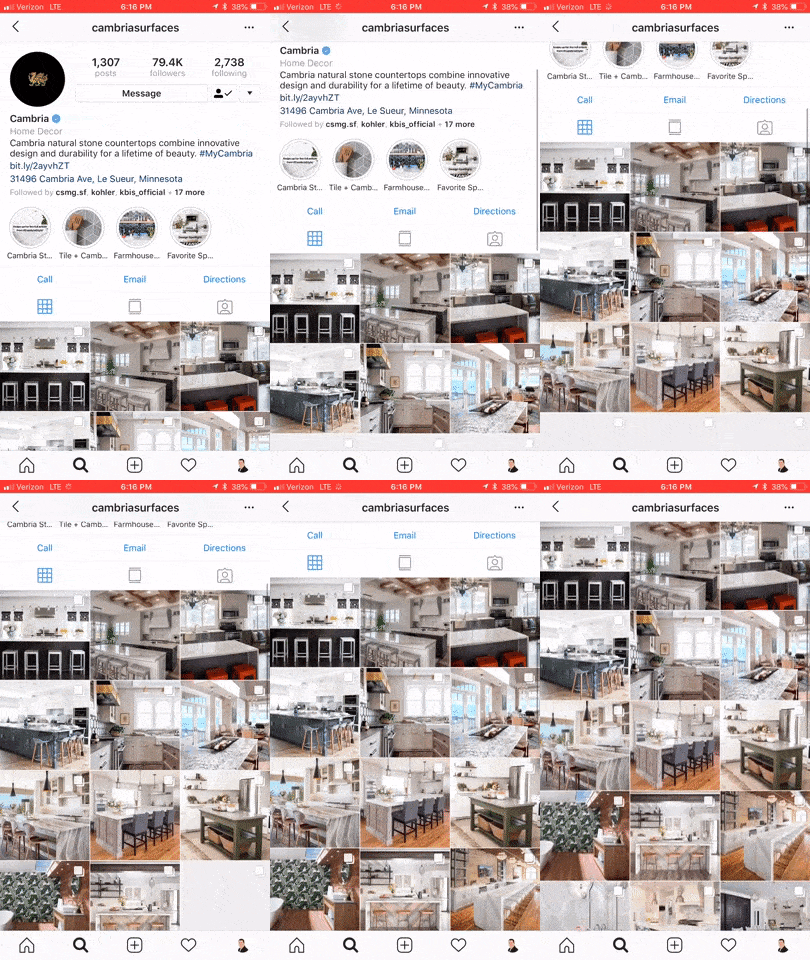
@Cambria has a consistent visual style to their posts
Instagram Stories
In August 2016, Instagram released their stories function, taking a stab at the popular Snapchat platform. SInce its inception, over 300 million people are using Instagram Stories every day. 70% of those folks watch with the sound on. Instagram is constantly adding new features to Stories. Back in May 2018 you now can natively take an Instagram post and reshare to your Story.
Normally stories only last for 24 hours and then they disappear. You can, however, setup Highlights which saves the story to your specified highlight for as long as you want it to stay there. You can create as many highlights as you want, and save as many stories to each highlight as you want.
Think of highlights as blog categories. You can create a separate highlight for bathrooms, kitchens, accessories, and perhaps one called showroom. In each of these highlights, you’ll want to save your best Instagram Stories that relate to that highlight, or rather, category.
Highlights are accessible at any time to your followers and potential followers, until you delete them. Between posts and stories and story highlights, you can just about create your entire website from just Instagram. Though for obvious reasons, we don’t recommend it. You get the point of its power though.
You can add to your story one of two ways. One option is to go to your profile and tap your profile picture to add a new story. Note, this only works if you currently have no active stories. So the best way to add any new content to your story is by going to the home screen, then swiping left to open up the story composer. Just snap a pic, record a video, or use existing media on your device to add to the story.
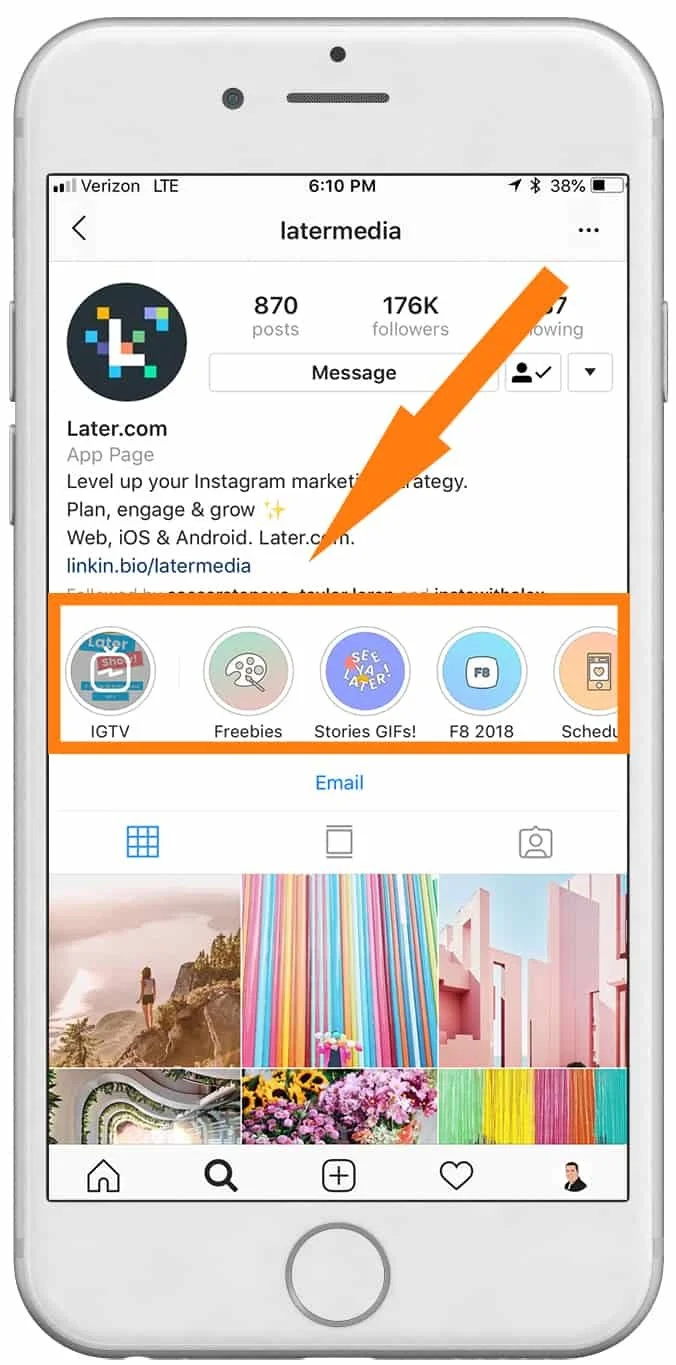
@latermedia Instagram Stories & Highlights
👉 BONUS: Get more strategies like this straight to your inbox each week. 👈
Instagram Bio
You only get one chance to make a great first impression. Think of your Instagram Bio as your company’s about us page on your website. Except, you have a limited amount of space available to you. Right now, Instagram gives you 150 characters to work with in your bio. That’s less than a twitter post so get crafty.
Here’s a nifty Instagram Bio hack for you, two actually. You can (now) insert #hashtags into your bio. So now, your entire account becomes more discoverable when users are browsing or following their favorite hashtag.
The second hack is in your name. Your name is the only thing that is searchable on Instagram, besides your actual @userrname. Your Instagram display name can have up to 30 symbols, including emojis and punctuation. Consider placing your number keyword in your display name. For instance you might put something like: “Company - Kitchen Remodeling”. That’s a total of 28 characters right there, so if your actual business name is longer than 7-9 characters, you’ll want to consider removing extra spaces or coming up with a different keyword.
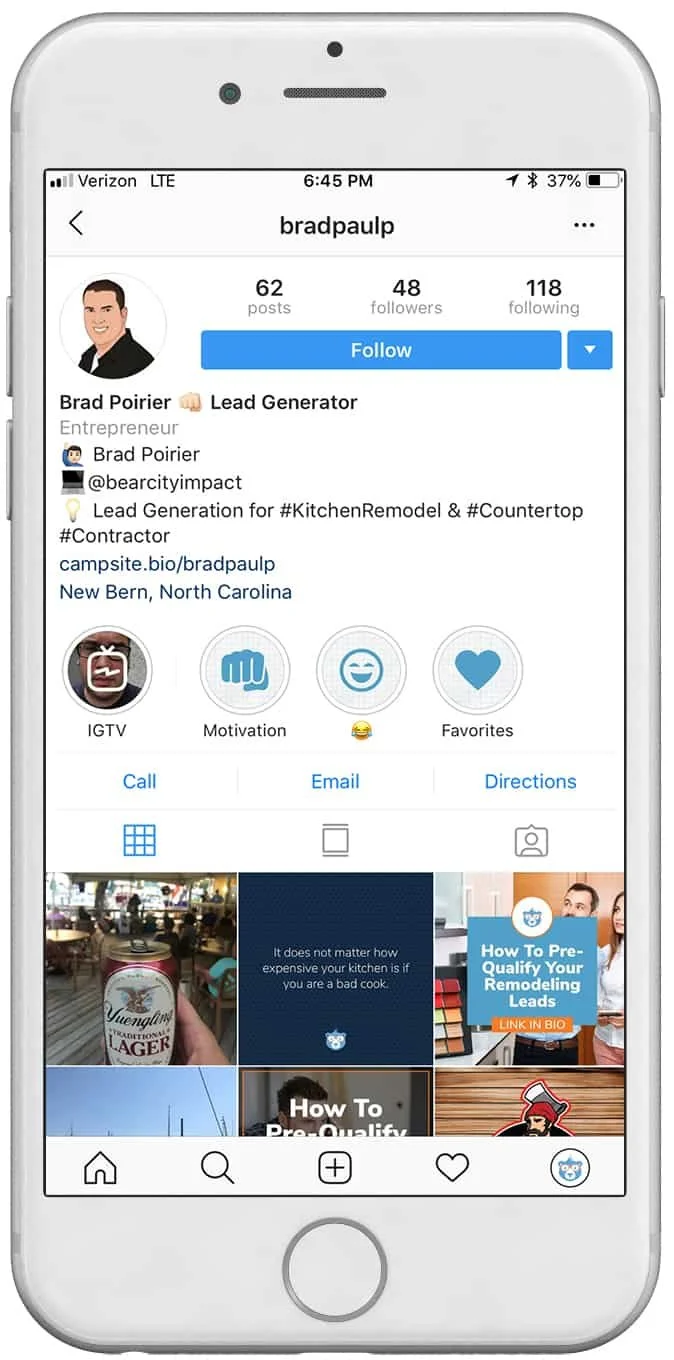
Instagram Bio Hacks - @bradpaulp
New: IGTV aka Instagram TV

On June 20th, Instagram changed the world of online media once again. They released IGTV. IGTV is aimed at content creators who want to upload videos longer than the current 60 second restriction on posts and the current 7 second limit on stories.
Of major importance to know: It’s vertical or bust for IGTV. Instagram is doubling down on vertical oriented video with IGTV. Videos can be anywhere from 10 seconds to 10 minutes in length, but the company is rumored to increase the maximum length in the future.
When a user first “turns on” their IGTV by tapping the IGTV icon in the upper right of their news feed, it starts off with a blank static screen, much like turning on an old television set before it was tuned to a station. As with any new feature, Instagram is going to heavily promote new content uploaded to IGTV. In fact, if an account you follow uploads a new video to IGTV, you’ll get a subtle alert in your news feed.
You can get started with IGTV one of two ways. Instagram has developed a completely separate app for IGTV, which is a free download on your app store. When you open the IGTV app, it will already know who you are based on your login with the Instagram app. From there, you will need to create your “channel”. A channel is simply your TV feed. Each time you upload a new video, it’s like a new episode to your channel.
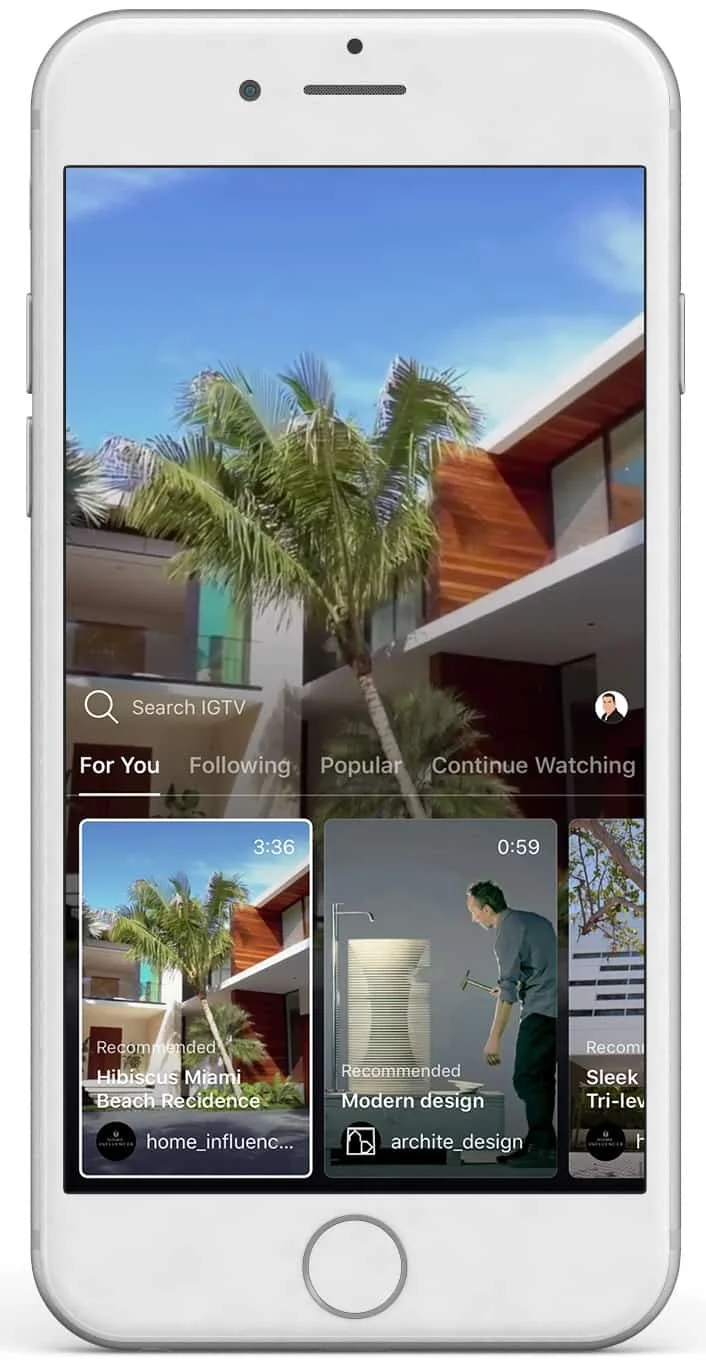
New IGTV by Instagram
Creating content for Instagram isn’t hard, it’s barely even time consuming. Considering the fact that you can snap, upload, and go – there’s no excuses. At minimum you should be optimizing your Instagram bio for your keywords and hashtags. If you want to master Instagram for your remodeling business, try working on each of the other three areas week by week. Get into a regular rhythm of posting content daily. Next, work on your stories content. Finally, dive into IGTV and explore the possibilities.
Want to learn about our upcoming article on How To Use Instagram Like A Boss? Click here to get an email alert when it’s published.

Fully Automated Social Media Content with Promo Republic
“I don’t have the time”, “I don’t know what to post”, Those are the two most common responses I get when I ask a potential social media client about their current social media business habits. Here's a great app to help you with BOTH.
Stop me if you’ve said this before:
“I don’t have the time”
“I don’t know what to post”
Those are the two most common responses I get when I ask a potential social media client about their current social media business habits.
In the past, I’ve preached to many of my clients to use social scheduling tools like Hootsuite or Buffer, or even just the built in scheduling tool from Facebook. These are indeed great options.
Basically what should be doing is dedicating some time each week to plan out a content schedule and create several posts to go out through the week, so you don’t have to post it one by one.
However, that still doesn’t solve the “what do I post” dilemma.
I’d like to think that if most people didn’t have a creative block, they would find the time to schedule out these posts.
So, the real ‘time’ issue, is actually the time it takes to think of content to post.
Enter Promo Republic
Amongst other great features, Promo Republic will suggest content to you based on topics that are most relevant to your business.
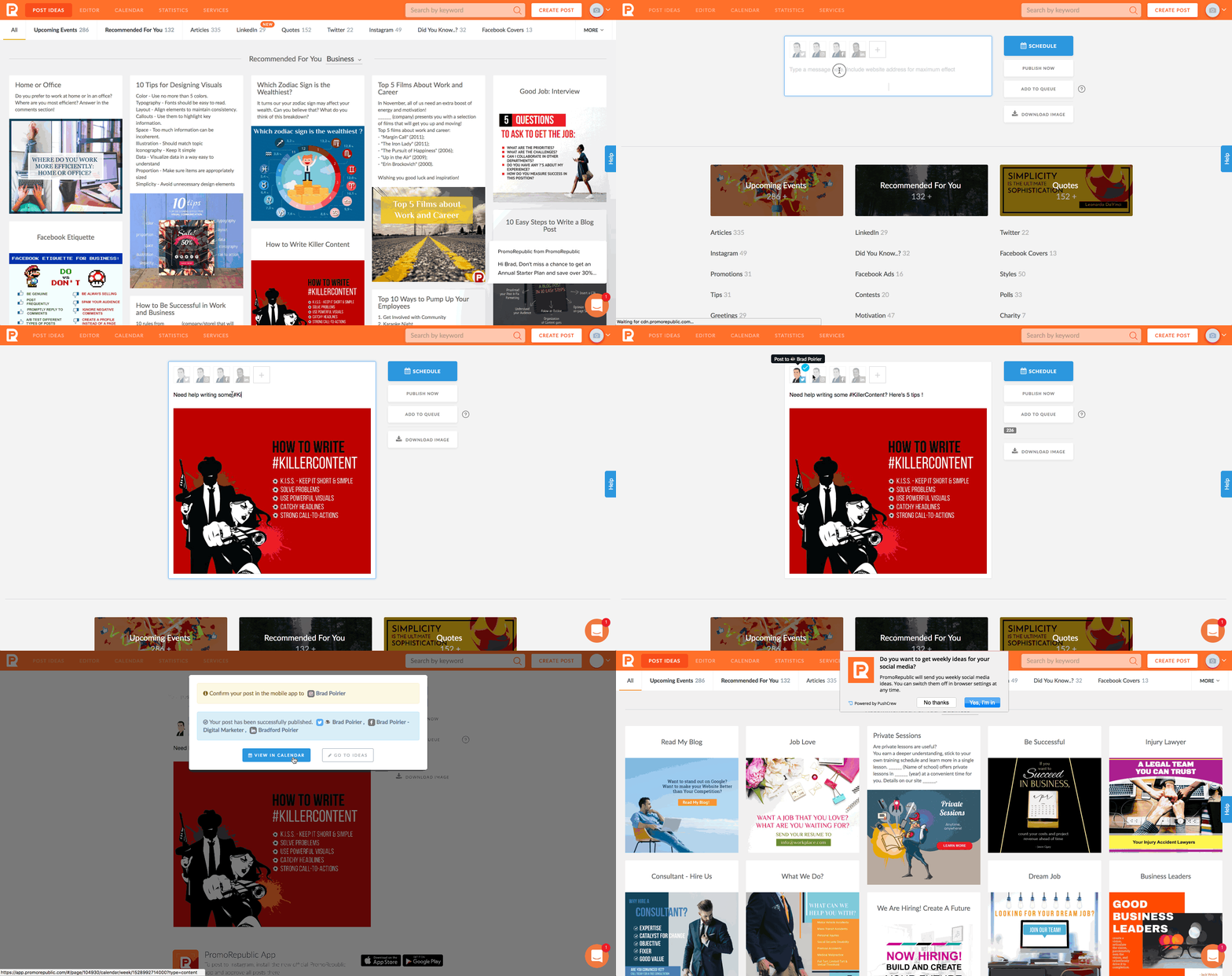
There are 20 different types of posts Promo Republic can suggest for you. Think of it like the Netflix for social media management. You can also search by keyword and it will pull from the 20 different content buckets.
Depending on which plan you choose, you can connect your Facebook page, Instagram, Twitter, Linkedin, Pinterest, and also Snapchat.
Promo Republic’s starter plan will give you the first four social networks, which are the most common anyway and with the highest active users.
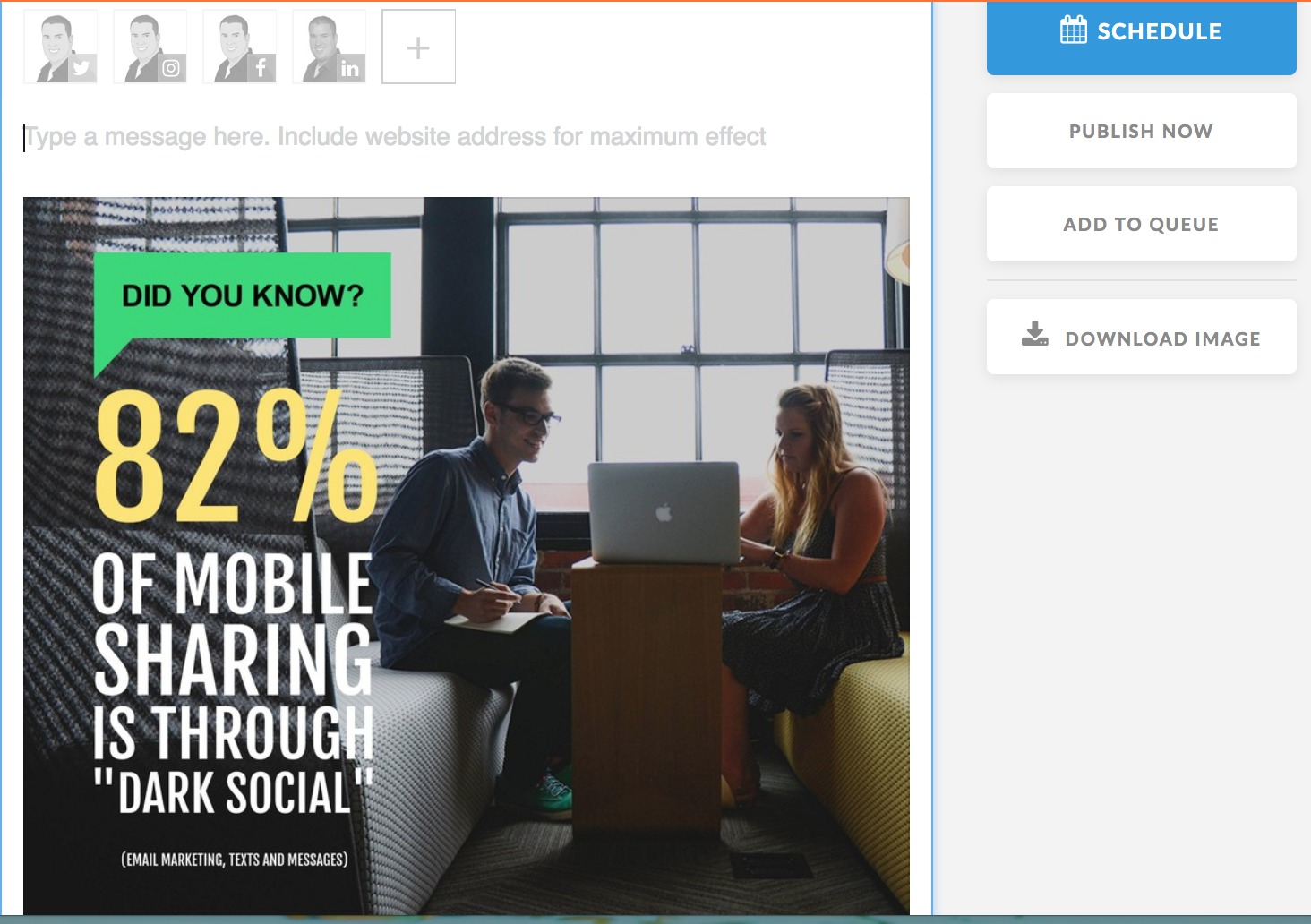
Once you find a certain post you like, you can click on it to optionally customize it.
Promo Republic has a built in photo-editor that will allow you to edit the suggested text, colors used, background images and more – if you want to. It’s completely optional.
Some of the post types will already have a suggested caption included, others will not and you can place one yourself. You can use the text from the image itself to use as the caption if you really don’t want to do much work!Once you get it the way you want, which is just a few clicks, you can schedule it to post on any of the networks you have connected. You can also immediately publish it if you’re ready for it to go out.
Promo Republic currently does not have Instagram direct publishing, but I’m told they are working on that.
Instead, you can download their iOS or Android app, will push a notification to your phone when the post is scheduled. From there, you it will copy the image and caption to the clipboard and you just have to open Instagram to post it.
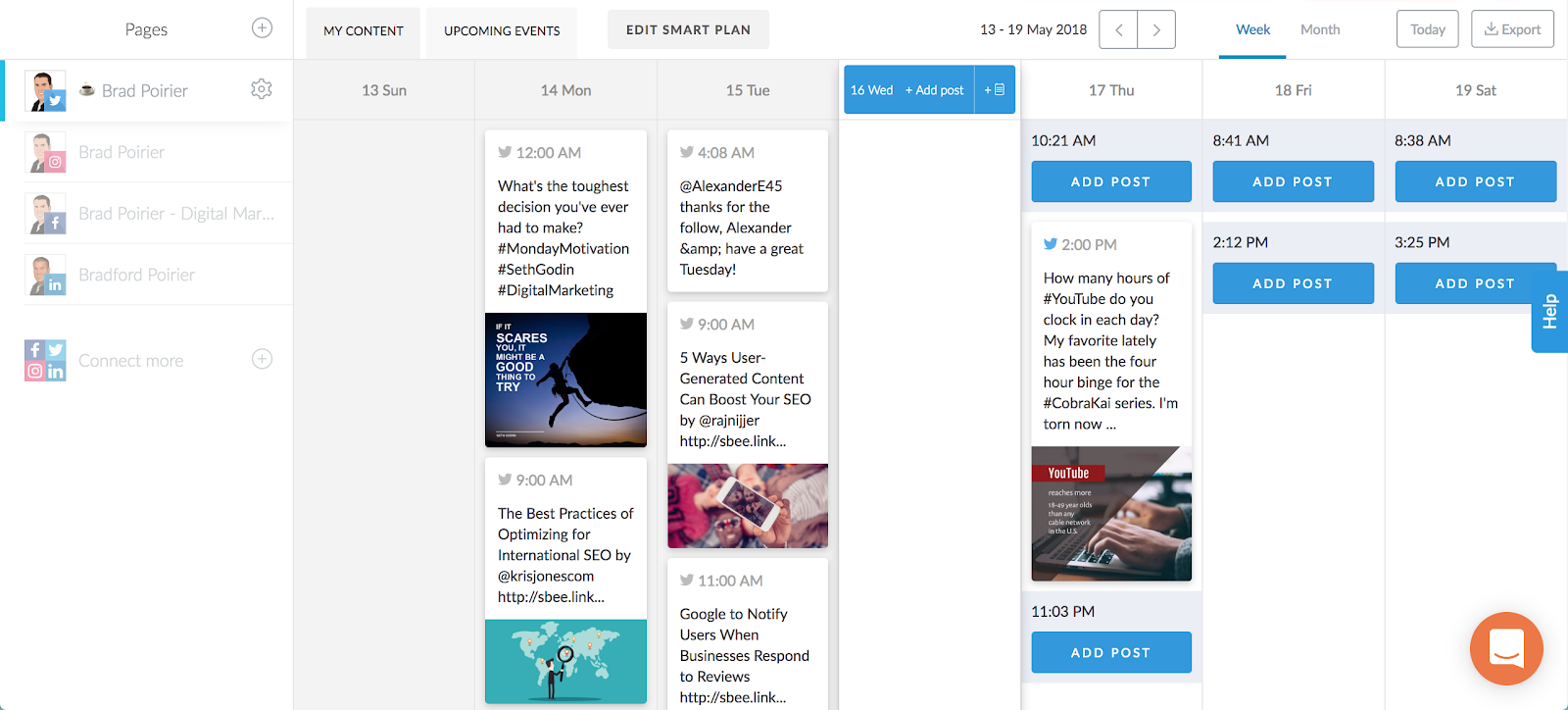
Additionally, you have a great content calendar included. Promo Republic will suggest time slots for you based on your industry category and the social network itself. You can quickly see upcoming posts for each network through the week. If you see that there are some suggested time slots with no posts scheduled, you can quickly add a post and it will search through the suggested buckets.
Analytics are included too. Tab over to the statistics tab and get a bird’s eye view of each networks performance. You can see the engagement for each post and each network.
If you notice that a particular post did really well, you can click on repost, and schedule it for another time.
If you want to eliminate the time and lack of creativity excuse, Promo Republic is a perfect fit for you.