

Creating Service Pages that Rank and Convert: A Step-by-Step Guide
Get the step-by-step guide to creating service pages that rank and convert. Learn how to define a target audience, conduct keyword research, optimize service page structure, and craft SEO-friendly landing pages.
Before your website can convert visitors into customers, it needs to attract those visitors. Creating service pages that rank on Google is a critical step to getting that done.
Creating high-converting service pages is actually a lot simpler than you might think. You just need to do it step-by-step. Think of it like a construction checklist. You wouldn’t build a house by just randomly doing construction tasks out or order and whenever you felt like it.
I’m going to take you through a 4 step process to creating service pages that both rank – and convert
Step 1: Define Your Target Audience
First off, you need to know your target audience. For instance, if you’re reading this article – you probably are: A small business owner that has a website but is looking to increase your rank on Google so you can land more jobs. Am I close? Of course I am! That’s the intended audience for this article. Literally everything I’m typing is FOR YOU, Mr. Contractor.
First you need to create a buyer persona. There’s plenty of in-depth articles available all over on creating buyer personas, try this one from HubSpot – so we won’t cover it in detail here. What you need to know is that people buy for different reasons.
Say you’re a landscaper. You can have two people who both spend $20,000 on a new landscape but for two different reasons. Customer A is spending the money because he wants to one-up his neighbor who just installed the koi pond in the front yard. Whereas, Customer B just has disposable retirement income and wants to lower his tax bracket before the end of the year.
You can gather that speaking to these two groups will require a different pitch if you will.
You’ll need to first identify your target audience, and then write your service page copy for that audience.
One caveat: Let’s say you want to appeal to both the younger professional dad and the retirement grandpa - you’re better off writing content blogs for each of them and then directing them to your service page.
Step 2: Conduct Keyword Research
This cannot be stressed enough. You have to research the keywords you’re going after. Here’s the thing - not all keywords are ranked equally.
For instance – ”Landscape design” will be MUCH harder to rank for than “Landscape architect in New Bern”.
While the second keyword is easier to rank for, it probably will have far fewer monthly searches than the first. It’s a balancing act of:
Keyword volume vs. Keyword strength
Well how do you do all this research? How do you know which keywords to rank for?
Here’s a few primers on how we do this in our Search Engine Optimization for our clients:
Identify existing keyword searches that you are coming up for, but not being clicked on in Search Console.
Find other keywords that are related using a keyword tool such as AHREFS or SEMRUSH
Place all those keywords in one of their tools, and it will tell you the monthly search volume and keyword strength
Find other service pages that already rank high for the top keywords
If you’re going to target the highest strength keywords, be sure to create service pages that offer a unique perspective than the competing service pages that already rank
Remember, the higher the search volume – the more precise your service page will need to be.
Step 3: Optimize Service Page Structure
Keep all of your service pages with the same 5 part structure I’ll explain below. Bonus, if you’re using a CMS platform such as Webflow, all you need to do is create ONE service page template, and all of your services will follow the same structure! This is exactly how we build all of our custom website designs.
Here are the 5 parts to a great service page structure:
Long form, focused on the benefits (not the features)
Proof in the form of testimonials or reviews
Images and/or Illustrations
Hierarchy of typography - don’t make everything a big paragraph. Break it up.
CALL TO ACTION - this cannot be overstated. You’ll want to guide them to the next step
Discuss the importance of writing compelling service descriptions
Provide tips for writing effective service descriptions
Provide examples of effective service descriptions
Step 4: Write SEO-Friendly Landing Pages
It should be noted that the term service page, webpage, and landing page are used synonymously. For this purpose though, we’re calling them landing pages - because ideally your individual service page is where they should have landed on from Google.
To make your landing page SEO friendly, you’ll want to make sure it has the following components:
Optimized Title
Optimized meta description
Open graph image
Proper H1, H2, H3 heading structure
Use of bullet points, numbered lists, and pull quotes if you can
The title and meta description are the blue link and summary that will show up on a Google search result page.
So now what?
Well, by now you should know how to create service pages that rank and convert. If you missed some of it though, here’s the steps laid out in order:
Define your target audience
Conduct keyword research
Optimize service page structure
Write SEO friendly landing pages
It’s truly simpler than it seems. Of course, in 2023, there are tons of AI writing assistants to help you out. NOTE that I said ASSISTANT. Google has been clear about not using an AI tool to just spit out a full blog. It’s not original content, and it’s generally not very helpful - it’s too bland.
I’ve found that using AI as an assistant works best. I used two different tools to help me write this article.
Copy.AI to help create the outline.
It gave me 6 steps, I narrowed it to 4.
Then I took each step and had it write a bullet point for each step.
From there, I wrote the entire article
It’s sort of like a journal prompt but for long form content
Then I used StoryChief.io to write the article.
There was no AI used from StoryChief (though they do have that now)
StoryChief is a blog editor, it helps you keep the structure of the article SEO friendly
Plus it offers several other tools for readability, and other optimization tips.
Another option you can do is just outsource the copywriting to someone else.
Copywriters are dime a dozen though. You can literally find a copywriter for $5 on sites like fiverr.com - but you WILL get what you pay for.
In other cases, I’ve seen articles written for as much as $300-400 per article.
We’ve worked with many different copywriters over the years, and have a good list we use. If you need help managing your SEO, give us a shout.

5 Marketing Strategies for Local Service Providers
Every local business owner has the same concern; how do I get customers? It is a common problem because with no customers you have no income. Below I want to highlight 5 marketing strategies that local service providers should consider implementing.
Every local business owner has the same concern – how do I get customers?
It is a common problem because with no customers you have no income.
Revenue = barbeque on the patio. Less revenue = less barbeque. You know where this is going...
Below I want to highlight 5 marketing strategies that local service providers should consider implementing.
1. Provide a service people need.
The first step to success is making sure your product or service is a necessity. When someone needs something, they will be more likely to pay for it.
If you provide a service that people can't live without and have no other way of obtaining, then you'll have a better chance at building a successful business.
In addition to providing a useful service, it's also important that the service be valuable in some way. People need many different things throughout their lives: from laundry services and pest control solutions to plumbing repairs or real estate consultation services.
There are plenty of opportunities out there if you're willing to put in some hard work and creativity!
2. Establish a target market
Before you can start marketing, you need to know who your target market is. This will help shape the types of marketing strategies you use as well as how much effort and money is spent on each strategy.
Start by determining who your customers are. Are they single mothers in their 20s? People between the ages of 35-45? Business owners? Seniors? Once you know this, consider what services they need and how often they need those services (for example: once a month or every six months). That’s when it gets tricky: You have to figure out who your competitors are!
Competitors include other local businesses providing similar products and services, but also people within the same community offering complementary products/services or even other industries that might cross over into yours (such as restaurants serving food). Don’t forget about online options too—your competition could come from anywhere!
3. Create a professional website and online identity.
It's not enough to be on the web. Your website design needs to be professional, and it should reflect your brand.
In a few steps, you can turn your website into an online identity that will help customers find you easily and build trust in your company:
Use a professional email address – like name@companywebsite.com.
Use a professional phone number.
This could be your business line or a dedicated cell phone number for marketing purposes only. Make sure this is listed on the site so that customers can call if they have questions or concerns about service before they schedule an appointment.
Make sure there is consistent messaging across all of your channels.
It should be clear what they can expect when they interact with you online or in person through communications like social media posts, blog articles or newsletters.
4. Build a reputation.
The next step to building a thriving business is to establish your reputation. Your customers need to know they can trust you, and that's why it's important to give them reasons why they should both love you and keep coming back. There are many ways you can do this:
Quality: Make sure your work is always done right the first time around.
If there are any problems with a job, fix them immediately so that no customer will have cause for complaint.
Reliability: If someone needs something taken care of by a certain date or time, make sure it gets done on schedule
And if there are any delays along the way (e.g., weather or other factors), let your client know immediately rather than leaving him hanging in suspense while waiting around for his lawn service guy who might never show up at all!
This helps build credibility by proving how reliable and trustworthy you truly are as an individual or business owner/operator—which in turn will attract more potential clients over time (and probably make current ones happier too!).
5. Get involved in the community and local organizations.
In order to be successful in any local business, you have to be a part of the community. Just like a person cannot run for public office without first establishing their credibility within their district and earning the trust of voters, a service provider must also establish themselves as being committed to helping out in some way before they can expect people to consider buying from or referring them.
The best way for local service providers to do this is by getting involved in events that have nothing whatsoever with marketing or sales.
A great place for this would be volunteering at local schools; many teachers are short-staffed and could use help on field trips or at school functions outside of class time.
Another option would be joining one of your city's business associations, such as a chamber of commerce.
This gives you the opportunity meet other professionals who work in similar industries and learn about upcoming opportunities such as grant programs or tax breaks that may benefit your business (but which won't usually come up during general conversations).
These marketing strategies can help bring new customers to your local business
When you're starting out, it can be hard to find new customers. The good news is that there are a few things you can do to help bring them in.
Identify your target market. You need to understand who will be interested in what you provide, and why they'd want it. If you're selling hot dogs on a street corner for $0.50 each, then everyone should have hot dogs! But if you're selling luxury cars for thousands of dollars each, then maybe only wealthy people will buy from you.
Provide a service that people need (or think they need). If no one needs your product or service enough for them to pay for it, then no matter how many ads or marketing campaigns or promotional events (like parties) you throw at them—they won't care about coming over!
Create a website that is professional and has a clear message
Build your reputation, be known for quality work and being reliable
Get involved in your community
Conclusion
When it comes to marketing your local service business, the key is to be flexible and creative. You’ll need a solid marketing strategy in place before you can implement any specific tactics.
If you want to find new customers, then it's important that your company finds ways to connect with them by partnering with the right marketing agency.

Five Features Your Website Homepage Should Have
A website homepage serves as the first impression and is the ultimate key to the site's success and visitor retention. Hence, it should contain all the essential elements. Your favorite site follows similar rules.
You may have noticed how many of the elements on your favorite websites' homepages look quite similar. Well, that is the drill! They are, by no means a mere coincidence but a deliberate choice. This is because a website homepage serves as the first impression and is the ultimate key to the site's success and visitor retention. Hence, it should contain all the essential elements. Your favorite site follows similar rules.
It is very important that your homepage, within a couple of seconds, delivers concise information about your product or service. Using this technique, you grab visitors’ attention.
If you are wondering what top features make a homepage effective, keep reading to find out.
Straightforward navigation
Besides the logo, the next element on your priority list should be to-the-point navigation. To put it simply, the site should always have a search tab if the website is highly content-driven. Considering that navigation serves as a guideline or road map, it should be easy and not a hassle to locate. In addition to this, try and have descriptive navigation as it proves to be beneficial when it comes to reducing bounce rates.
Headline
Ever since technology has taken over, attention spans have greatly reduced. Therefore, while designing your site's homepage, make sure it is able to leave an impact and tell what you offer within a couple of seconds.
This is where a headline comes handy! A headline, coupled with a sub-headline, should be able to describe your business and its offerings clearly. You should be able to wrap up everything in 2-3 powerful sentences.
Visuals
Nowadays, people care about visuals and aesthetics.
A photo that demonstrates how users can benefit from your product is always better than a stationary photo. Our brains are wired in a way that we automatically feel a connection when we see a human face. Moreover, visuals, as in photos, add credibility to a site and give it a unique appeal.
Call to Action or CTA
An effective homepage is one that instantly piques customers’ interests and compels them to dig deeper into the site. To make this possible, it is important to include a hooking call to action (CTA) as it can really draw visitors to the interior pages and initiate some sort of contact. Make sure these CTAs are easy to click so that visitors feel like investing their time and exploring your site.
Logo
Your main goal is to make sure your visitors leave with a sense of familiarity; you’re your product or service. Hence, it is important to give your logo placement a major thought. A logo is a direct representation of your brand, product, or service and core values. This is why you should always place it at the top where it is visible. This will allow you to form a bond with customers. Moreover, the logo on a website is often a direct link to the homepage. So, naturally, you should place it in the header for ease and convenience.
By the way, it is no mistake the logo was placed last in this list. As in, this is the least important part of your homepage. It should most certainly include a logo, but the focus should be on user experience (navigation) and conversion (headline, visuals and CTA).
What's On Your Homepage?
Would you like a free audit of your homepage? Get in touch below.

How To Develop A Content Strategy
Marketing is so important when it comes to building a successful company; the world of business is incredibly cut throat, so no matter what you do or sell, you will be up against competitors.
Marketing is so important when it comes to building a successful company; the world of business is incredibly cut throat, so no matter what you do or sell, you will be up against competitors. Clever marketing in general gets your name out there to the right customers, and shows them why they should choose your business over other, similar companies. But it’s not easy to do this, a good marketing strategy should be multifaceted and utilise lots of different methods to sell your project. Content marketing is one element of this, which is complex within itself.
What is a content strategy and why do you need one?
Creating great content is one of the best ways to reach out to prospects and generate leads, and content strategy is the planning, development and management of content. This not only includes the words on the page, but also images and multimedia such as infographics, videos and more. The goal of content strategy is to create meaningful, cohesive, engaging, and sustainable content that people genuinely find useful and want to share. This helps your content to snowball and in some cases, even go viral. Some of the principles to remember when it comes to content marketing include:
Create quality content to attract customers, engage and build trust.
Don’t be tempted to produce low quality work because it’s quick and easy, tactics like keyword stuffing are banned and easily picked up by Google- this will hinder your progress rather than help. Cheap article writing gigs can be found on any freelancing site these days, but always choose quality over quantity. Either hire writers yourself, or work with freelancers with a proven reputation, who can create the high quality content you need.
Quality content avoids blockers
Research shows that ad blocking software is used by around 30% of Internet users, meaning a third of people will never see the paid advertising messages that are targeted to them. It goes to show the way we need to market our businesses is evolving, no longer is a flashing banner on the screen enough to grab an audience’s attention or sell a product. We have to be smarter- and good quality and valuable content is one example of this. It’s not simply an ad or an annoyance, content marketing provides value to the reader and promotes a product in a way that isn’t pushy or forceful.
Pleases search engines as well as the user
To be successful in marketing, you need to please the user (your audience) as well as search engines. Users will expect high quality content that’s informative, and perhaps even humorous and witty. Search engines algorithms use things like proper backlinks and correct keywords to rank your content. By producing high quality content you can appeal to your user as well as rank highly within search engines.
Getting to know your customers
In order to solve your customers problems through your marketing strategy, you firstly need to fully understand them. Modern marketing now relies less on traditional market research methods such as surveys or focus groups, and pays close attention to things like smart online platforms and tools that tell them everything about their customers’ demographics, online behaviors, and conversations. When you understand how users think and speak about a subject it puts you in a powerful position to tailor content towards them. Some of the ways you can go about this are by:
Developing personas
Buyer personas are semi-fictional representations of your customer, based on market research and real data that you have about your users. This involves gathering insight from different platforms such as website analytics, social media channels, customer reviews as well as actual conversations with prospects and customers. They help you better understand and get closer to customers, as real humans as you understand who your buyer is. Personas help us to understand what customers need, where and when they need it, how you can help and what solutions you can offer to their problems. They can also give you an idea about location (are they local or global customers?) their age (certain age groups respond better to certain marketing methods) and even if they’re likely to be married with a family. All of these things can play into the way you target your content.
Analysing the market and your competitors
If you want to succeed in business, you need to have expert knowledge into what’s happening in your market which includes how your competitors are doing. It’s important to know what’s working for them and what’s not so you can either emulate their successes or avoid their mistakes. Keep your ears and eyes open for what’s happening in your industry which helps you to identify gaps in the market such as needs that aren’t being fulfilled, common frustrations, or trends. It’s crucial that you stay up-to-date and and remain factual based on what’s going on in the world to avoid putting out outdated information. When new information becomes available, update your content or archive it.
Determine marketing strategy objectives
Objectives specific measurable outcomes that will be achieved within a particular time frame and they help individuals evaluate the success and effectiveness of a particular marketing strategy. They aid marketers to align expectations and plans, coordinate efforts, and hold teams accountable for achieving results
Types of content marketing and their effectiveness
There are a number of methods of content marketing you can utilise, but there’s no ‘one size fits all’. It will all depend on your business and your audience, and finding the best methods can often be trial and error. Here are some of the things you could consider incorporating into your content strategy, and why they could be effective for you.
Blog Posts
Blogging allows you to constantly refresh the content on your site, which search engines value. It establishes authority in your given area and builds trust, and a stream of new and fresh regular content gives your audience a reason to visit your site and keep coming back. Blogging is an opportunity to offer more value to your readers and enables you to promote what you do without simply spamming links to products on your social media. For this reason, research shows that you'll generate 3x more leads via blogs than through ads and it’s the perfect opportunity for SEO too, which is why it provides 4x the likelihood of being found in organic search (source). As well as publishing content on your own blog, incorporate guest blogging into your strategy as this can be incredibly beneficial. If you work with bloggers who are well established, the backlink will improve your own domain authority and the content will be seen by the bloggers own network which can help you to expand your own.
Infographics
Infographics are a mix of design, writing and analysis- they are ideal for an age of big data and when users are wanting fast, snappy and relevant information. People love facts, figures and statistics but in a bite size and easy to understand format which makes infographics perfect. They’re easy to scan, view and process and as a result, they’re more likely to go viral than other forms of content. They show an expert understanding of a subject but without having to go into as much depth as you would with typical written content.
Videos
Video is an incredibly important part of your content strategy and is something that most businesses will need to utilise. No longer just one piece of your overall marketing plan, it’s central to your outreach and campaign efforts, particularly your social strategy. Video has absolutely dominated society. According to a research, four of the top six channels on which global consumers watch video are social channels (source). From entertainment to ads, to landing page videos and how-to tutorials for your products, there are plenty of ways this can, and should, be incorporated into your content strategy.
Ebooks
The popularity and perceived value of eBooks has made them a favourite of online marketers; instead of feeling like yet another blog post or video, a downloadable eBook feels far more like a real object of value. Writing an eBook also gives you the ability to showcase your authority on a subject in greater level of depth than a blog post allows. One of the main things that people look for when buying from a brand (especially when buying from them for the first time) is that they’re reliable and genuine, and an eBook can certainly help you to gain that authority. However, eBooks aren’t for every business and audience, so it’s important to know if this is the right direction for you to go in. This is because writing an eBook takes time, you don’t want it to be wasted if it’s simply not a good fit for your audience.
Podcasts
There has been a rise in audio content, it is becoming more and more popular over time. While it’s unlikely to ever overtake video, it’s still an excellent medium to advertise in some cases. It provides an opportunity to engage people- but only if this suits your type of product and audience. One thing to be aware of is the research- it shows that listeners of podcasts tend to be more educated and have a higher income. If your research on personas shows that your audience is likely to be a good fit then this is something you could try. The downsides to using podcasts as a content marketing method are that metrics can be difficult to measure (since you can see downloads but not engagement) and you need to have lots of information to make them work. As with anything you’ll want to be consistent, and consistently releasing podcasts will require a lot of time, effort and information. However, if they’re right for your business they could be an excellent way to engage your audience.
Social Media
Social media is a powerful tool to engage your audience and turn them into leads or buyers. The key to good social media marketing is to use your platform as a way to be social, and not go for the hard sell. It’s best for building up trust and brand awareness, as research shows it doesn't tend to be people’s favourite platform for buying. 2 billion people per month use social media yet conversion rates remain low which is interesting. This being said, it’s a highly important part of your content strategy as building up a following is one of the most valuable things you can do for your business. Use your platform to engage, find out information about your audience that you can then use to target your content. Share blog posts which in turn will hopefully be shared by your followers.
Publishing schedule
It’s content which fuels online marketing- but if you don’t have a content strategy, you will struggle to generate leads. An effective content strategy requires a well planned editorial calendar which is a schedule of content to be produced and delivered to your prospects through different channels. This includes your blog, social media channels, email newsletters and more, all over a specified timeline. As a brand, it’s important to be consistent, your audience will expect this of you and it also helps you to look more reliable and trustworthy. Following style guides for things like language and design helps people understand and learn what you are trying to communicate, and doing so on a consistent schedule lets them know what to expect. Here’s how you can go about it;
List the content that should be published based on your content strategy.
This can include everything from yet-to-be developed content to existing content, or content that will be repurposed for your audience. Certain pieces of content you already have can easily be changed up and republished, allowing you to get the most out of it while keeping to your schedule. For example, seasonal content can often be repurposed each year with a few tweaks.
Content creation and publishing dates
This includes when the content should be created and when it will be published. It can be useful to use an editorial calendar to ensure the right content is being delivered in a timely manner without the hassle of manually going through everything.
A list of channels for delivering your content
You might for example want to deliver part of an eBook and then distribute other relevant content through social networking sites, newsletters and other channels. Think about the way your audience uses their platforms and how best to grab their attention.
As you can see, developing a content strategy is no mean feat; it’s incredibly complex with lots of room for error if you don’t know what you’re doing. Working with an expert or marketing agency can save you time, effort, stress and money. It’s not something you can just guess at.

Content Strategy vs Content Marketing
Contrary to the opinion of many, content marketing and content strategy are not the same thing. In fact, they are interrelated but serve separate purposes. Something essential to understand if you are to be as effective with your business's marketing as possible.
Contrary to the opinion of many, content marketing and content strategy are not the same thing. In fact, they are interrelated but serve separate purposes. Something essential to understand if you are to be as effective with your business's marketing as possible.
Robert Rose writing for the Content Marketing Institute uses the great metaphor that content marketing is like drawing on the wall with magic markers. Whereas content strategy is like writing things down in a fine nib pen.
What he means is marketing takes a more macro view, whereas content strategy is focused on the micro, a subject that will be explained further in the post below.
Content Marketing in the MACRO
Content marketing takes a macro approach because it is concerned with three main things:
Telling the story of the organization or product
Engaging an audience
Using content to change behavior.
Telling a story
There are two critical aspects of telling a story that content marketers focus on. The first is who they are speaking it to. That is the specific demographic of people that they are looking to appeal too. Something fundamental to get right, if the marketing they create is to be effective.
Additionally, the ‘why’ of telling a story is important here as well. That is why you are creating the content, who it will help, and why your business is in the best position to offer something to customers that no one else has.
Engage an audience
Another part of the macro content marketing approach is a focus on engaging the audience. That is, getting the demographic that you want to appeal to, to sit up and notice what you are trying to say.
Of course, there is a range of techniques that content marketers use for this purpose, including things like using engaging and emotive language or images, ‘and hooking’ consumers in with controversy or subversive content. Many content marketers also use more traditional storytelling methods for this purpose.
Additionally, content marketers need to stay ahead of the critical trends of how consumers access the content they are creating. For example, the rise of subtitled soundless videos is enormous at the moment. The reason being that many people watch them as part of a social media feed without actually clicking to fully open them.
Content to change or enhances a behavior
Finally, content marketers are concerned with the way content can be used to modify the behavior of those that consume it. In fact, in most cases, this is a matter of either enhancing a current behavior or changing a behavior entirely.
A great example of the latter being the governmental health warnings on Covid-19 behavior, as these are designed to reinforce social distances and enough people to stay in their homes. These being things that quite obviously fulfill the overall goal of why the content has been created.
In summary, therefore, content marketing can be described as a form of strategy in itself. That is an approach that uses content to engage, appeal, and create a relationship with consumers. A condition that can be used to change or enhance behavior as the business in question requires.
Content strategy in the MICRO
On the other hand, content strategy is a much more micro approach. It is the bread to the bakery of content marketing if you will.
Creation
To that end, content strategy is concerned with the actual creation of content. Of course, as you would expect from such a well-established tradition, there is a recognized process used to do this.
Generally, such a process will start with the organization working out what they want from their content. That is what the overall goal of creating it is. Whether that is to save lives as in the example above, increase sales, or anything else as defined by the parties involved.
Once an organization has defined its goals, it must then do the work of getting to know their audience. This means market research and lots of it. Something that should help to inform you of the type of content to use. Of which there are many, including podcasts, videos, silent videos, blog posts, articles, games, and images. Additionally, your market research should also inform the platform that it is best to publish on.
The next stage is to actually start to craft the content your business will be releasing. Something that should include reaching the right keywords, tags, and long-tail phrases that are most likely to get your content in front of the people you wish to target.
Publication
Next, it's time to publish the content that you may choose to do organically through one of the social media channels mentioned below, or by paying for its display. In fact, many organizations use a combination of both of these tactics. Although, whatever they choose will be backed up by research into what will most appeal to their target demographic. With some of the most popular platforms for content publication, including Twitter, YouTube, and Google Images.
Managing content as an asset
Finally, another micro aspect of content that strategists concern themselves with is helping organizations to manage content in the right way.
This is because to be as effective as possible, your content needs the correct metadata classification for you to be able to access and use it right away. That is, you need to know what consumers its aimed at and what is within the content. Then you will be able to deploy it most successfully. Something that the content marketers will thank you for because it will make their more macro tasks easier to complete.
Next Steps
In summary, content marketing and content strategy are linked, but definitely not the same thing. In fact, content strategy is concerned with the finer points of creation, publication, and management of content.
While content marketing, on the other hand, is all about the macro functions of telling an organizations' story, engaging an audience, and using content to change behavior.
Yes, they are inter-linked as we have seen, but they are most certainly not identical. A fact that it's well worth knowing if your organization needs to utilize content effectively, as most in the current market do.

How To Create Content For Your Business in 2020
If you're tired of hearing people say "you need to create content for your business" but then leave you high and dry without actually explaining WHAT TO ACTUALLY CREATE, then this video is FOR YOU my friend
How can I go about creating more content for my business? What the heck do I even post on social media?
These are the questions that I get from business owners constantly. Most of the time, most people just don't know what to post.
In this video, I'm going to show you three quick and easy steps to creating content left and right for your business so it can explode.
Step 1 - Set A Plan
The first step is to set a plan and this cannot be overstated.
Here's what I want you to do:
Take your service or product and then break it down into categories
Then break those down to micro topics.
Under those micro topics, you're going to create a problem, you're going to agitate it, and then you're going to provide three or four tips as solutions to that problem.
This is known in copywriting as the Problem-Agitate-Solve copywriting formula.
But for you to make this really simple so you don't have to overthink it, you're just going to take categories, micro topics and then break that down to a problem and solutions.
As an example, the video that you're watching right now, the micro topic in this case would be how to create more content and the category would be content.
Right now I'm showing you those three ways to help solve the initial problem that I presented in the beginning of this video.
Step 2 - Don’t Overthink The Content
Step two is do not overthink the content that you're creating. It does not have to be a super high production. In fact, I'm going to show you a quick behind the scenes here of how I'm filming this.
All I'm using is my iPhone set up on a tripod and I do have a microphone system and lighting system.
However, for you to get started right now, all you need is your phone.
Even if you don't have a tripod, what I've recommended to people, just prop your phone up on something, prop it up against a book, prop it up against a mug or your computer. Just prop it up against something and just start filming.
The second thing I'd recommend you do is just get yourself a good microphone. You can get a really good microphone by Deity Microphones for $50. This is not sponsored by them, but I use their products religiously. I'm very, very pleased with them. They have a wired mic that's about 50 bucks and it gives you like 20 feet worth of cord.
It will make your video sound a lot better, which arguably is much more important than the quality of the video itself.
Now, if you want to put on a tripod, I'll leave a link in the description in the caption here with one that I've recommended to many clients. It's under 30 bucks, and it gives you a phone holder plus a tripod that can go on your desk or can be floor mounted. It gives you a lot of versatile options.
The other thing you'll notice here as I'll show you in the behind the scenes, I'm swapping up posted notes here. As I've planned out this content, I just wrote down the outline as kind of like bullet points so that way I could just reference the Post-it Note right below my phone every now and then as I'm cutting the video.
Step 3 - MAKE THE CONTENT!
Step three is to just start making the content without overthinking it.
I would recommend using stories as a starting line. They're 15 seconds long, they disappear after 24 hours, so you don't have to worry about it living on your feed. Just start with Instagram Stories to kind of get yourself familiar with video if that's the route you're going to go.
You don't have to create talking head videos like this by the way. You can just create a video showing the service that you're doing or showing a product. You don't have to be in the video. You do not have to do a talking head style video.
If you are going to do any sort of video, even if it's just you narrating over something that you're just kind of showing people, what I would recommend doing, starting with just a one take video.
That basically just means you hit start, you talk for a bit, and then you hit stop and that's the thing you post. You do no editing to that at all
You can make that successful if you follow the outline that I just showed you, which is one sentence, one problem, one sentence, one agitation equals one sentence, and then provide three tips or three solutions, and each of those are about one sentence.
You can pretty much get 60 seconds of video from basically those five sentences that you're going to talk about if you plan it out correctly. Now, if you do want to take it to the next level and start producing and editing videos, then you could do something like what I'm doing right now.
I'm taking each bullet point or each step and I'm hitting stop, start, and stop on my iPhone and then I'm going to take that into Premiere and edit it right after.
Now, video editing does not have to be complicated. It does not have to be overwhelming. In fact, you can use things like Premiere Rush, which is my go-to for beginners. It's super easy.
You can just take your iPhone footage, put it right into Premiere Rush, and start editing a whole bunch of these clips together.
If you want a personalized one-on-one session on how you can do that, wink, just drop a comment and then I'll reach out to you. But otherwise, you do not have to have a highly produced video. You can just literally hit start, stop, and then you're good to go.
BONUS STEP
Okay, those are three steps. But now as a bonus step, as a fourth bonus step, I'd recommend leaving a CTA at the end of the video, which is a call to action.
This is basically the next step you want your viewer to take. Again, whether you're doing a talking head like this or you're doing kind of a product overview video that you've talked over, either way, at the end of that video, you want to let people know what the next logical step is to take.
The CTA would look something like this:
"Hey, if you've enjoyed this video and you want to learn more or perhaps have a one-on-one video coaching session, then reach out to me in the comments and I'll get back to you and show you how you can easily produce more video content this year so you can explode your business and your goals."
That's it. That was my call to action. That was both a demonstration, but also an actual call to action.
If you wanted more help, reach out to me. But otherwise, that was how you're going to structure your video so that way you can make a whole bunch of these videos.
Again, what I want you to do, create a plan, create a plan of a whole bunch of these micro topics, write an outline for them, and then just start recording, hitting start and stop, and do not overthink it.
Just make the video. Throw spaghetti on the wall, see what sticks. As it starts to stick, then start adding stuff to it, such as editing extra B-roll footage, just this behind the scenes stuff, titles and all that kind of fun stuff. But for now, just start, stop, and post.
That's basically it. If you saw value in this video, go ahead and hit a like button, and I'll see you in the next one.

Why You Should Update Your Google Hours
NOTHING is more frustrating than going online to see if a business is open and then going to that business, only to find out they're actually CLOSED because the hours were wrong online. Here's HOW and WHY you should be updating your hours on Google.
Hey, good morning, everyone. So this is kind like a bonus of Facebook live episode we're doing here. So just wanted to talk to you about updating your Google my business hours. So what? Google my business basically, as is your Google map listing for the business. So if I go look up right now, Bear City Impact and I just Google that it's going to give you my address, phone number and then the current hours for Friday and then you can see more hours. So nothing is more frustrating than when I go to visit a business. And I looked up to see if they're open currently. And I see it says, oh, hey, they're open till 6:00 p.m. on Friday. And so I go there perhaps at 5 0 5 and they're closed. And this is because that business has not updated those business hours on Google. Perhaps those are old hours. Maybe they took the business over. Who knows? Who cares? The hours are wrong. And what's even more frustrating is when I've talked to different business owners about this to help them out. Often the comment that I get back is like they're very frustrated with Google or oh, that's just what Google. It's wrong. And that's true. So fix it. It's not super complicated. It's actually not complicated at all. Basically, all you need to do is just go to business, dot Google, dot com. I'll leave it in the descriptions business that Google dot com and you go there and you may need to claim your business, which basically means there is an auto-generated version of your business on Google that you just need to claim as, hey, I'm the representative for this business, or you may have already claimed it some time ago, but you've just neglected to look at the current information and just need to update it.
In either case, you want to log into business that Google dot com and update those hours. Now on the other side to it. So that was the first example where you're saying you're open later, but you are really closing earlier. So that creates a super frustrating experience for people on the other side. You might be losing out business because you might say that you're only open till 5:00, but in reality, up until 6:00. So I might have looked up your business and go, oh, while they close at 5:00, I'm not going to have a chance to get there. In reality, you're open for a whole nother hour, twiddling your thumb, waiting for people to come in your store. But you've told Google and Yelp and Facebook and Apple Maps and all these other places that you're not open told, you know, the time that you're actually open, what it says on the window of your store. So Google Maps is by far the most important one to get updated and get accurate. But you can update other ones like Apple Maps, Yelp, Super Pages, Yellow Pages, Foursquare, those different directory listings. It's kind of a pain in the butt to order them each individually, one by one. You can use different services. Bear City Impact does this as well, where we'll go through a client's business and do a kind of a sweeping update across all the directories or the ones that they choose to update business information across the board. This is known as creating a universal name, address, phone and business info across Apple Maps, Google Maps, super pages, all those different directory listings. But the most important one to do right now is business that Google dot com, which is your Google map location.
You know, there's about 12 days left in the holiday shopping season, so it's probably too late to talk about this. But since there is a couple of weeks, I thought it was important. Anyways, you really don't want to miss out on people that might want to be coming to your business later in the evening. If you're open later, you know, for your holiday hours and certainly you don't want to irritate people that are looking to shop during the holiday season and they find that you're closed even though it said you're open. So that's just a quick little tip. Hope you enjoyed that and hope that was beneficial. If you did find it beneficial, feel free to share this post on your feet or your business page feed. That would really help me or tag another friend in the comments here that owns a business. And don't be afraid to do like a shameless. Hey, your hours are wrong. This is how you can fix them. So, you know, some fun banter is always good. But otherwise, again, I hope that was valuable to you. And if you did like this, by the way, just drop a quick comment if you like this. You know, I'm considering doing these like a little mini live sessions that are like two to three minutes with just like a really quick like. Just one tip. You know, I could perhaps do this every day. It's just a couple minutes or just a couple times a week. But just let me know if this was something that was interesting or not. So I don't certainly waste my time. I just want to be able to help you. That was it. That was your morning impact for Friday. December 13th.
For a more complete article on Google and SEO, check out the article 9 Tips To Rank Number One On Google Maps.

How To Create Web Forms Easily and Quickly
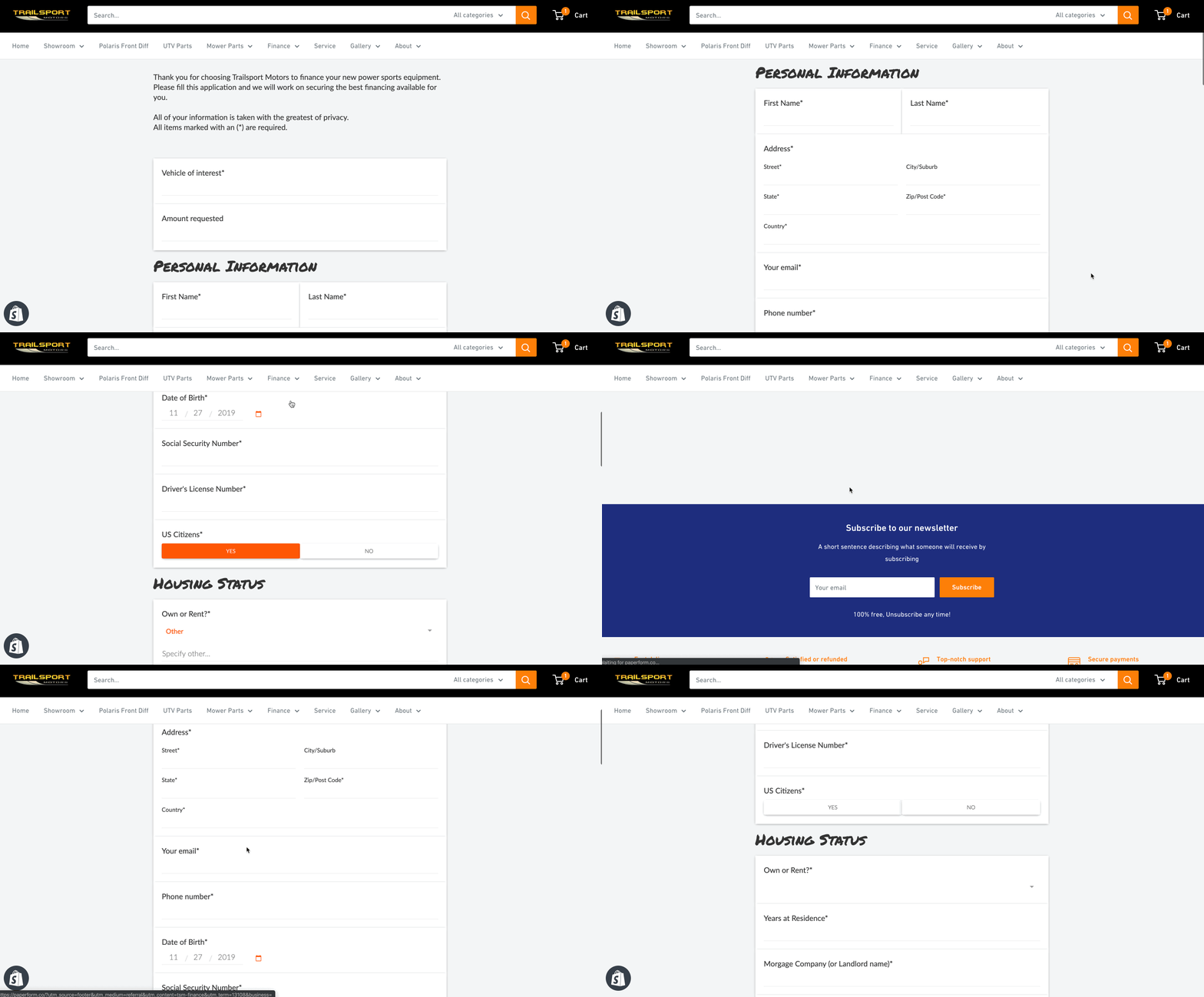
I recently had a chance to dive into Paperform, an online form creator that allows you to create beautiful forms, that according to them, is as easy as writing a word doc. They’re right. I made an entire finance application for a client in less than 15 minutes.
Name, Email, Phone, Message.
How many times have you seen this on a website?
That’s probably the most vanilla way to get information from your visitors.
The world wide web needs more birthday cake ice cream and sprinkles.
I recently had a chance to dive into Paperform, an online form creator that allows you to create beautiful forms, that according to them, is as easy as writing a word doc.
They’re right. I made an entire finance application for a client in less than 15 minutes.
Including customizing the style to match their branding, and placing it on their Shopify website.
In this article, I’m going to show you:
Why you should use an online form builder
How to use Paperform as a marketing and sales tool
A step-by-step guide to creating a form
Why use an online form builder
It’s quite possible that your website platform already includes a form builder. Popular sites such as Squarespace, Wix, Weebly all have their own. Rocket Websites by Bear City Impact also include a form builder, that’s native to our platform.
However, almost all form builders are very basic, eh hem, vanilla. Usually, there’s no customization, and it’s limited to just simply adding a form field and letting the visitor enter information.
An online form builder, such as Paperform will not only let you customize the look-and-feel of your form but also include powerful tools to use it as a marketing and sales tool.
Basically, it lets you turn your vanilla form into a pint of Chunky Monkey Ben & Jerry’s.
Here’s what Paperform will let you do instead.
How to use Paperform as a Marketing and Sales Tool
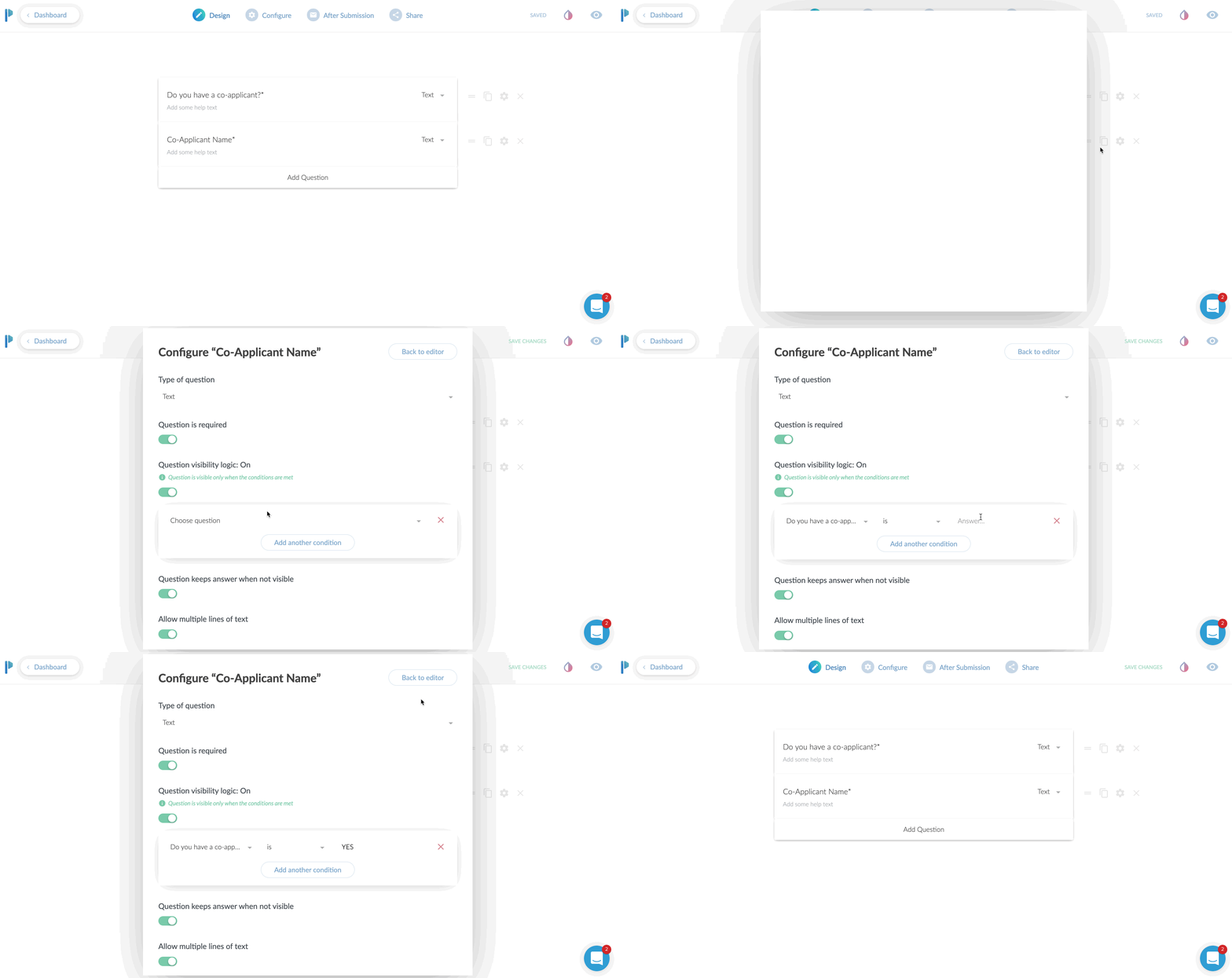
Use conditional logic
This is an extremely powerful feature. In short, what this does, is only show a field based on the input of another field.
Case use: Ask a Yes or No question such as “Do you have a co-applicant”, and if the user responds YES, then and only then, do you ask for the co-applicants information.
Why even do this? Well, long forms can be super intimidating. So the less information you can show to someone, the more likely they are going to fill the entire form.
Even if your form is relatively short, it still makes the form less intimidating. Create as little friction as possible.
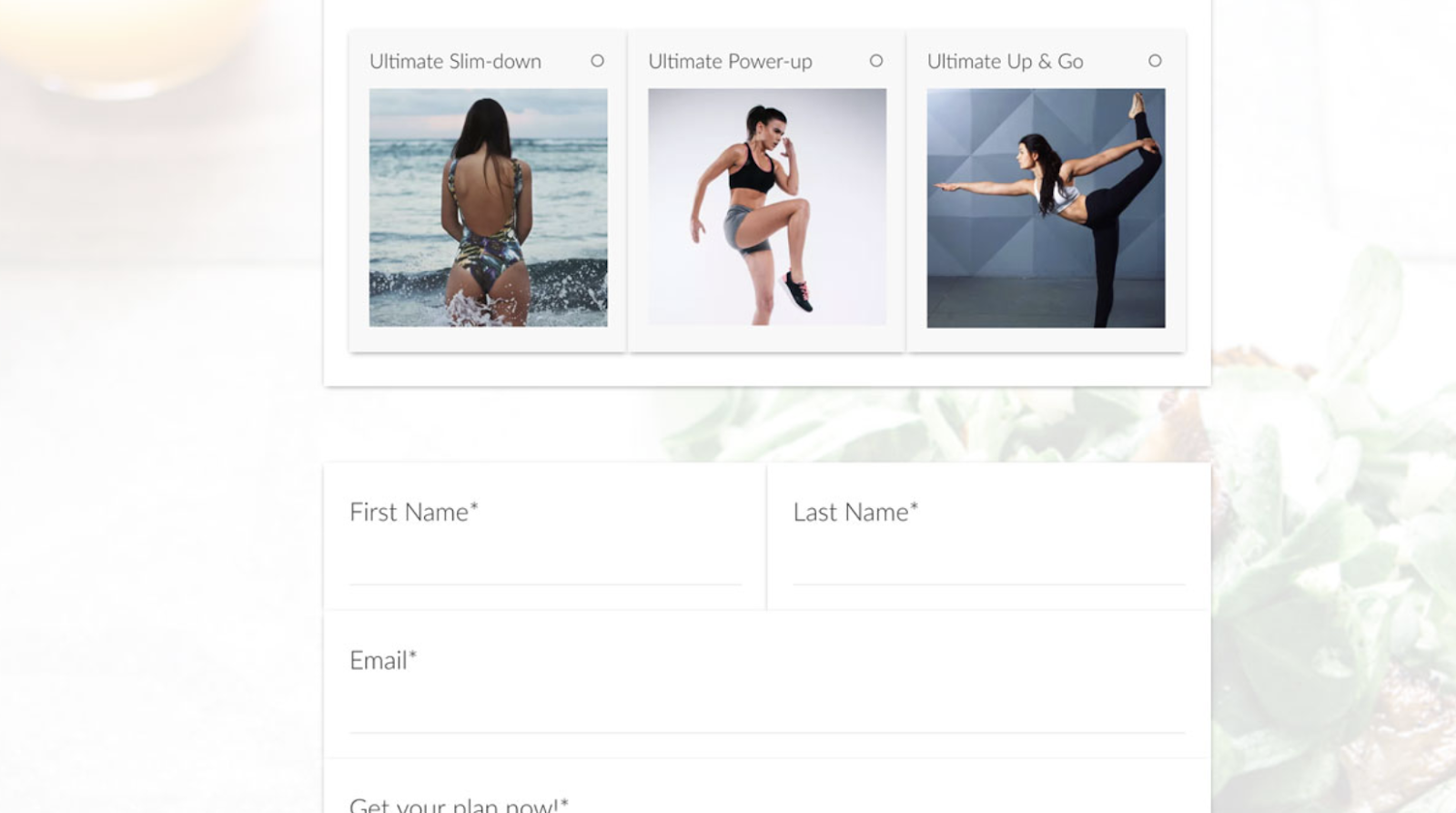
Take Payments
YES! You heard that right. You can use Paperform as an online order form, or to take donations or create subscriptions right from within the form. They have claimed to take over $10,000,000 so far in credit card payments.
You can have a form that sells just one product or a menu list of products to order.
Or, set the form up to create a subscription service.
Taking donations, but want to let your donors pick their own amount? Perfect. Just leave the field blank and let the donor enter their own dollar amount to charge.
They integrate with all the popular services, Stripe, Braintree, PayPal, and Square.
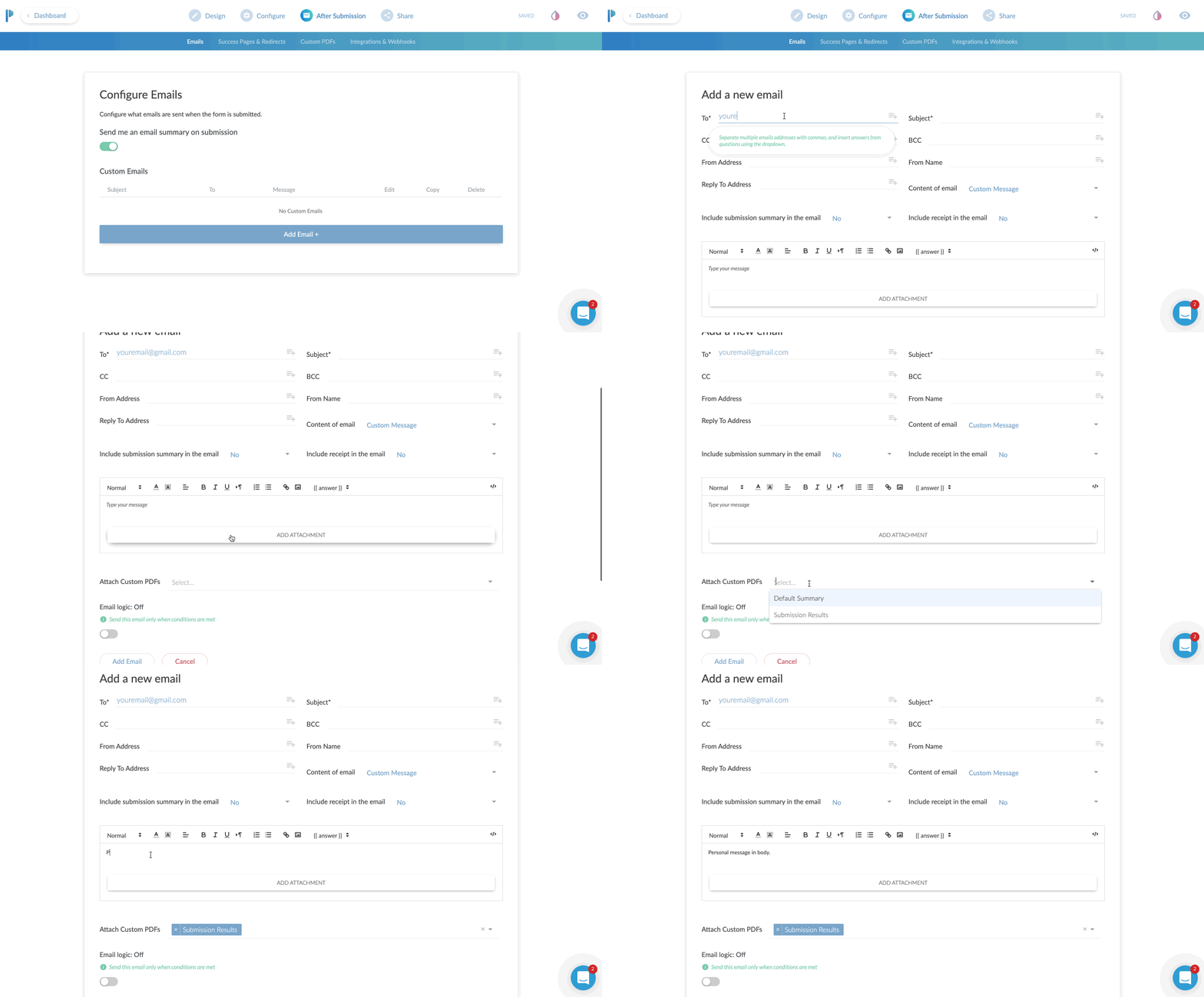
Custom Email Notifications
I think this is a fantastic benefit to using Paperform.
99% of the forms I’ve ever used only allow me to adjust the email address the form details should be sent to. You get what you get.
With Paperform, you can set a primary recipient, plus an additional CC AND a BCC recipient.
This is very useful for sending to multiple team members.
If you had a lot of fields on the form, you can have a PDF version attached in the email.
Here’s a super nerdy hack-use-case for this:
Most printers today have the ability to print from the cloud or email. For instance, if I send an email to my printer’s email address, it will print that email or document!
Set your form to email yourself, and then CC your printer’s email so it can automatically print out all new leads for you and give you a personal notification!
You can also specify the “reply-to” address. Why do this? Well, you can actually use an email from the form itself to reply to.
Case use: Using as a lead gen form, after getting the form submission sent to you, when you hit REPLY on your email, it is replying to the new lead directly!
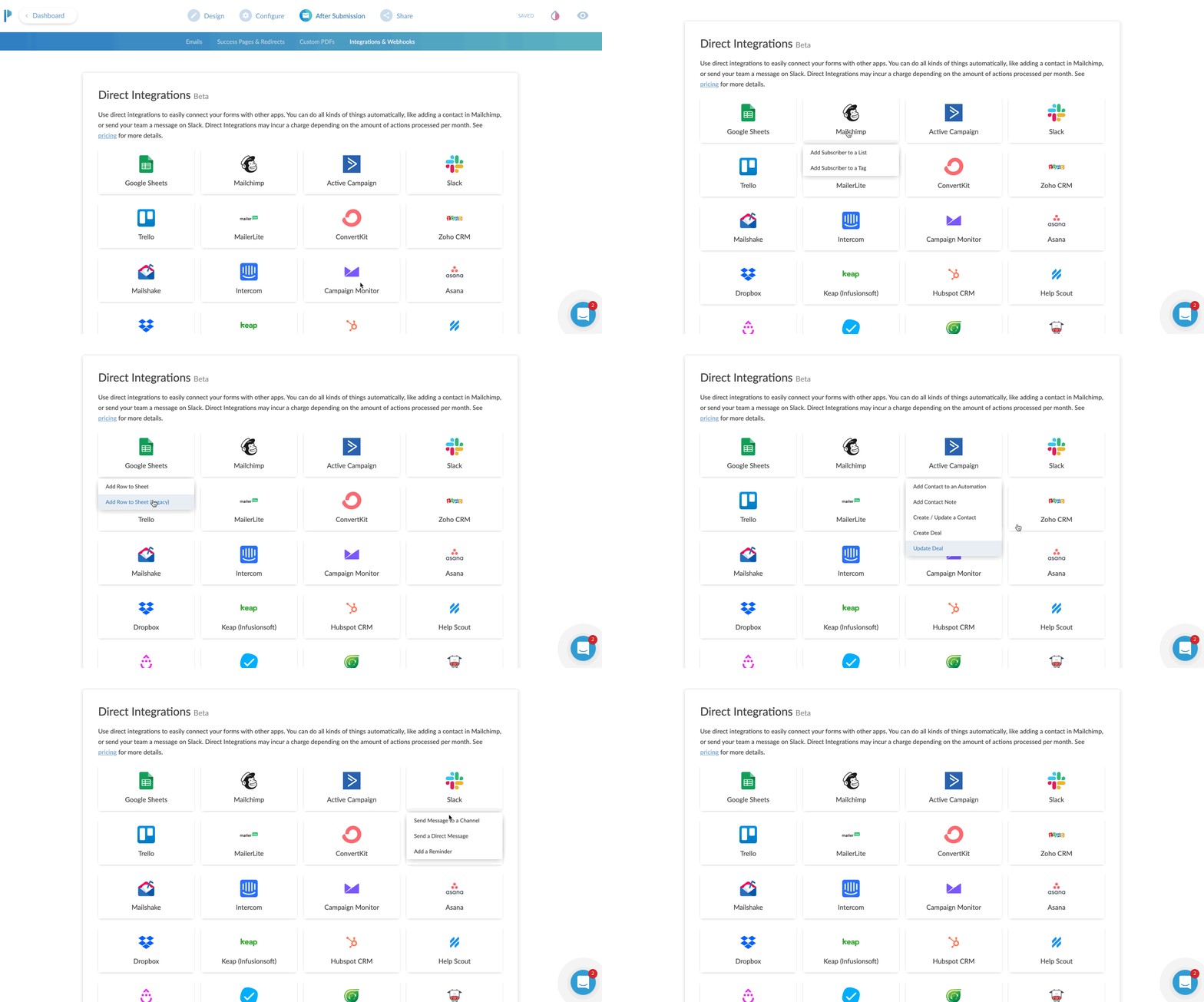
App Integrations
Everything is more fun when you play nice with others.
Sure, it’s cool that you can send the details of the form to your email.
Buttt, what if you could send all of the data, or even just some of it, to an app that you already are using.
Case uses:
You’re collecting survey data, and you want to send it all to a Google Sheet
Create a newsletter signup form, and send the data to your favorite email app such as Mailchimp or Hubspot
Use Zapier to send the data to 1,500+ apps
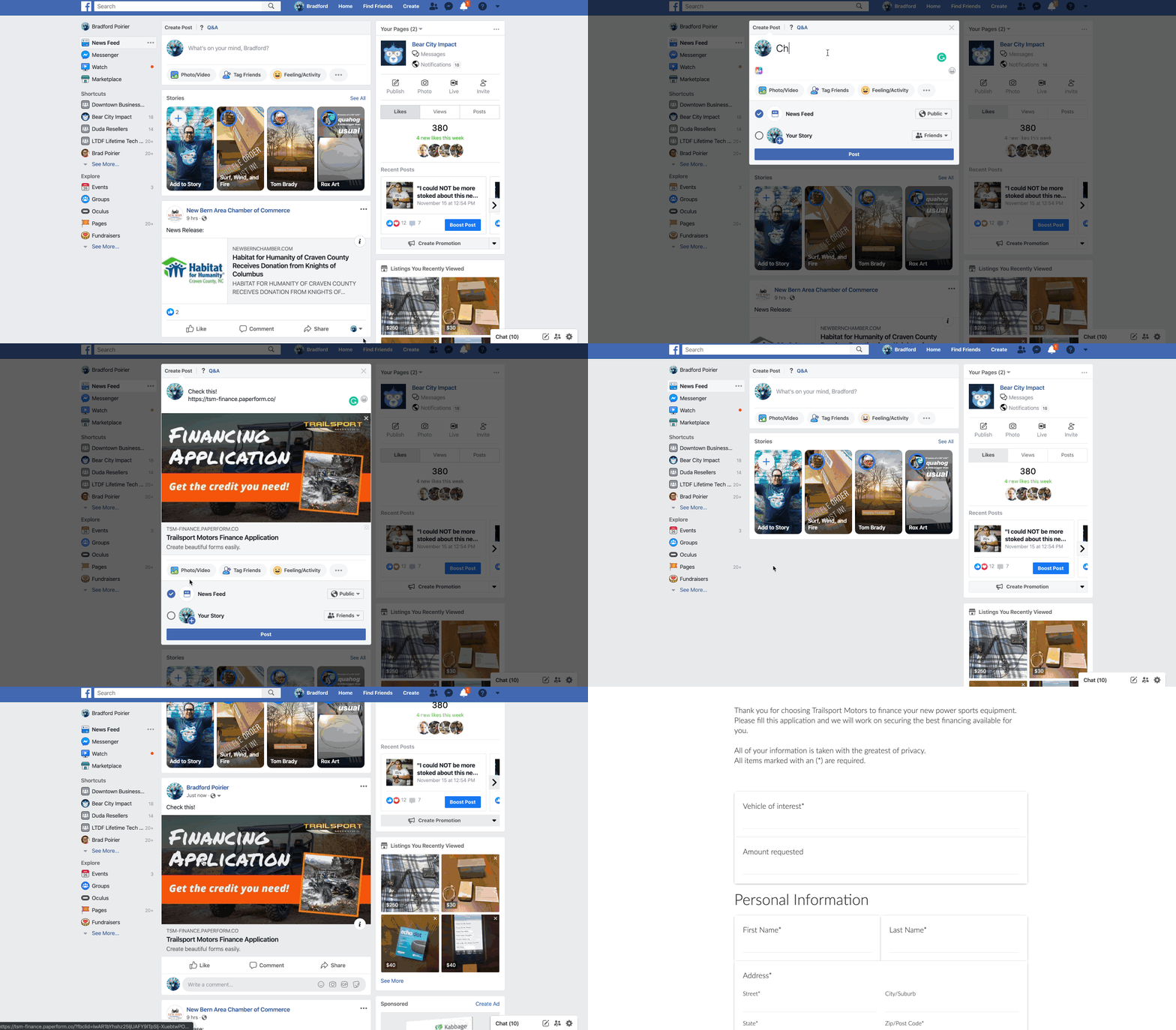
Share as URL or Embed
Once you create the form, you’ll need a way to get it in front of people.
The most common method will be to embed this into your website. In other words, you want the contents of the form to seamlessly live on your website’s contact page or somewhere else.
Here’s another method. Just share the direct URL. Every form you create on Paperform will have its own unique URL. You can customize the URL to your liking as well.
It will look something like this: https://your-form-name.paperform.co
This is awesome because you basically don’t even need your own website to capture new leads or sell products. All you’ll need is the URL of your form, and then share it on social media, send it in email newsletters, text it to your grandma, whoever!
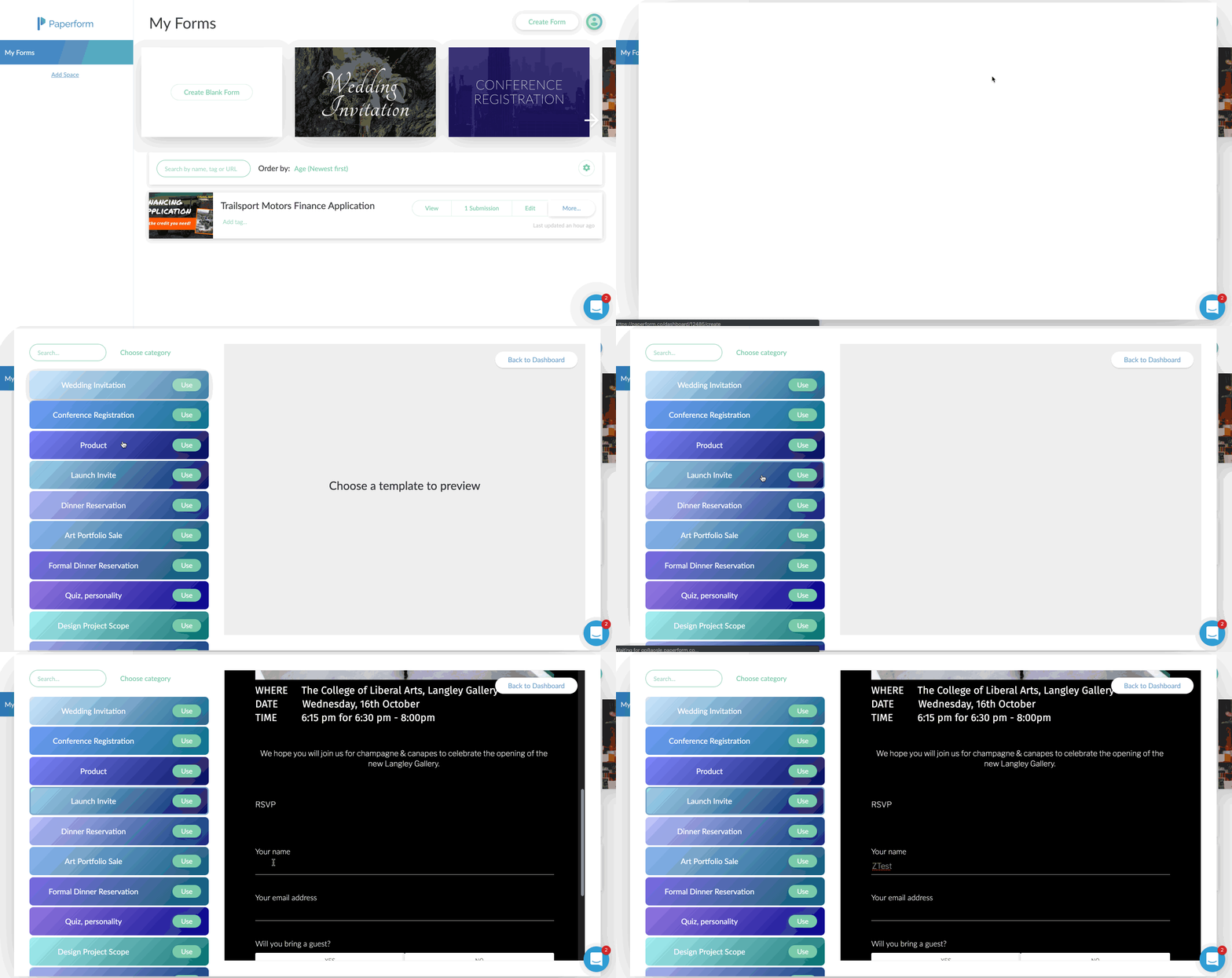
Templates
Personally, I’m not usually a template fan. I feel like templates are just soooo generic. Aka, vanilla. (Notice a trend here?)
Here’s why I really like Paperform templates though:
There’s a wide variety to choose from
You can interact with the template before using it
They feature rich content including images and video
They’re free and included on all plans
Using the templates by Papeform will be very helpful if you’re planning to use this as a direct sharing URL, or basically as a mini-webpage.
By using one of the templates, you can create a highly engaging visual experience that feels like a webpage, because well, it is a webpage.
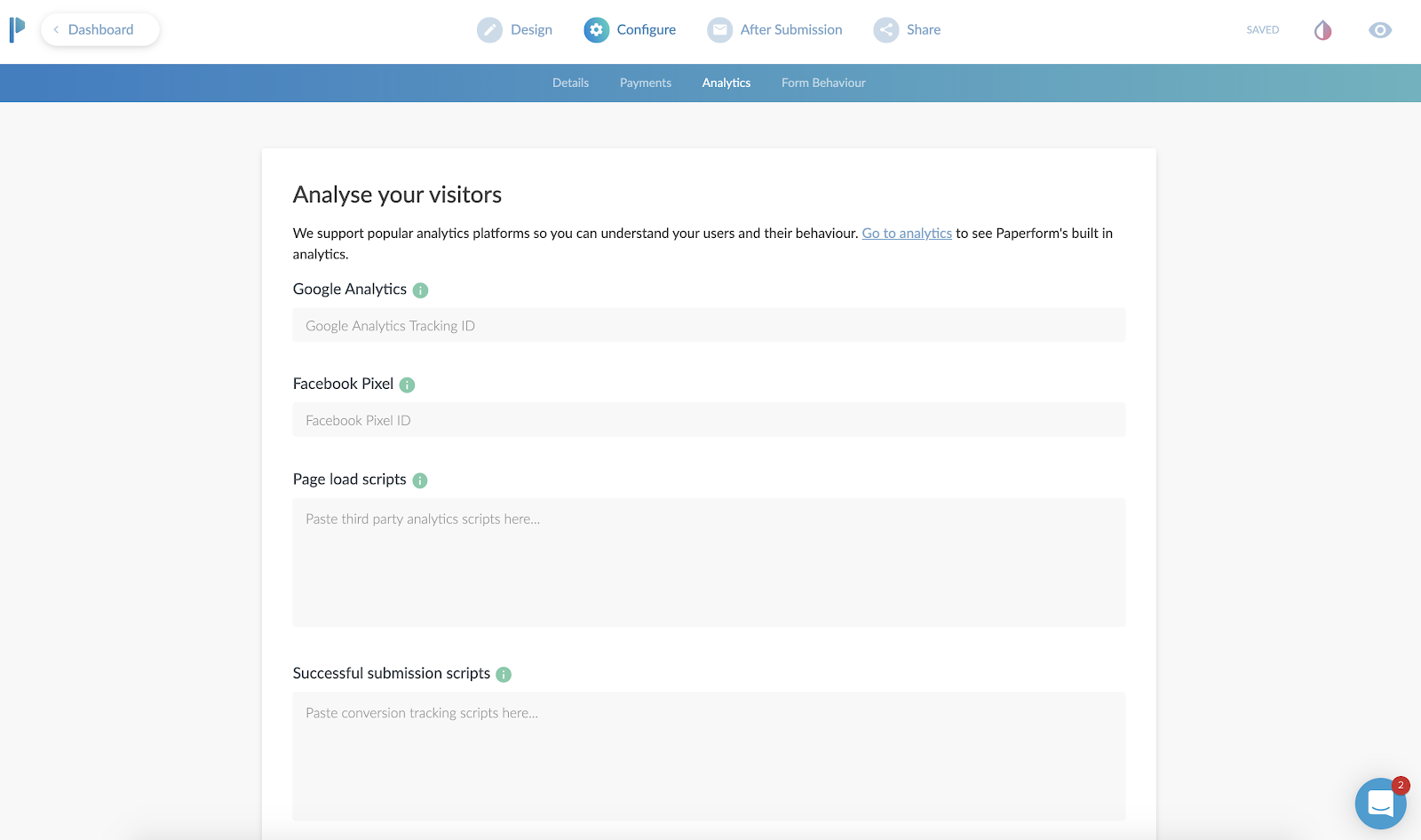
Analytics & Tracking
Going along with the theme here of using Paperform as a mini-webpage, you can actually track the entire form still!
First, you’ll add your Google Analytics ID and Facebook Pixel.
Then, you can add scripts (or tag events) after the form is “submitted”.
Case use: You can send the Facebook or Google event “Lead” after a user completes the form, so you can track the return on investment of an ad.
This is also beneficial to use, even if you are going to embed (integrate) this on your website. Your website might not have the ability to add a tracking pixel to it, or you might not have control of this. By adding the tracking code to Paperform, you can ensure you are tracking the results.
Ok, now here’s the meat and potatoes of how to create a web form using Paperform.
A Step-by-step Guide to Creating a Form
First, you’ll create an account, utilizing their free 14-day trial. You won’t even need to put your credit card in to try it out.
After that, you’re in the dashboard and ready to create your first form.
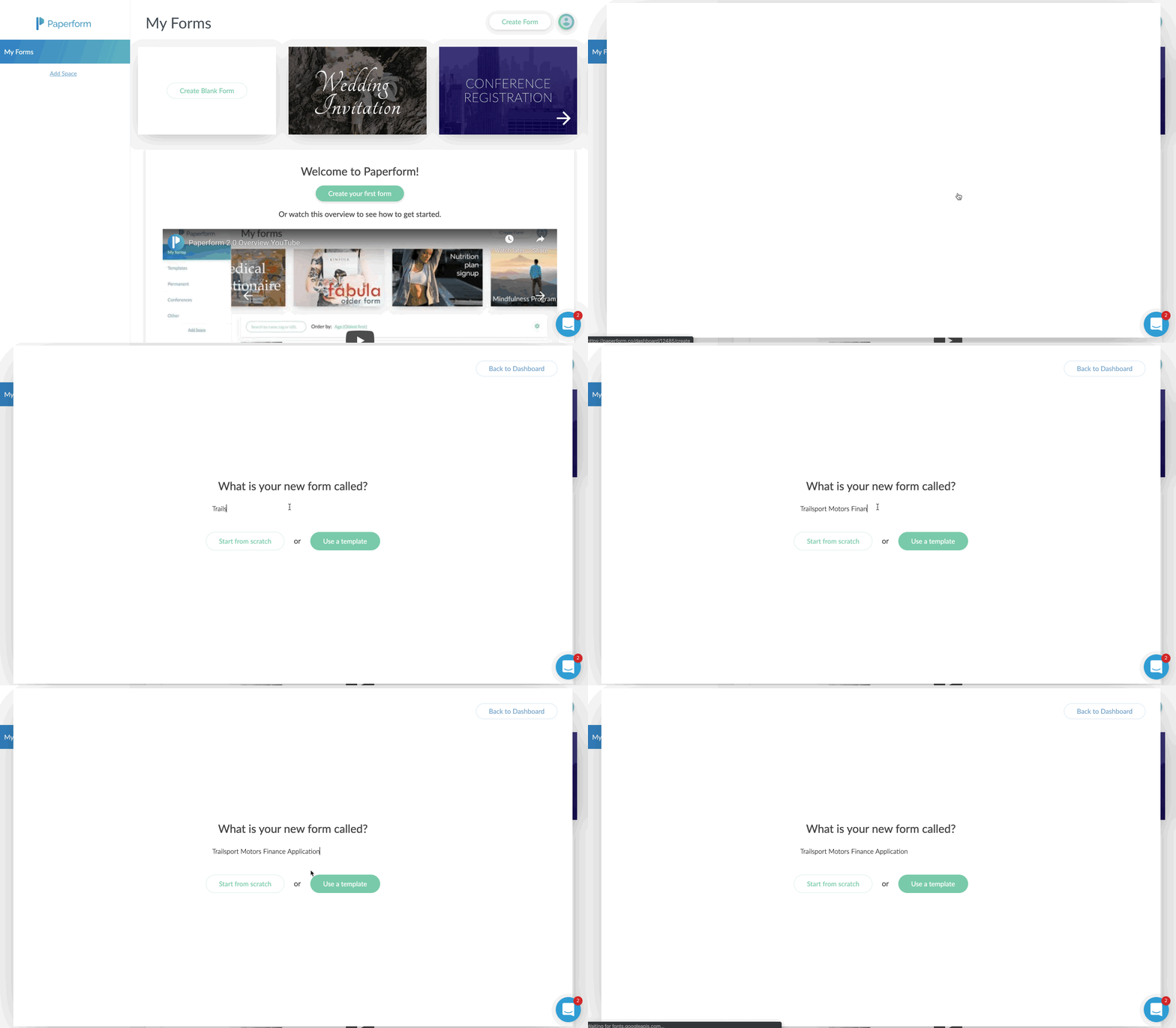
You’ll just click on the Create Form button in the upper right corner.
Give your form a name, and then choose to either start from scratch or use the built-in templates.
In my case, I chose to start with a blank form. I sort of wanted to see how long and potentially difficult it would be to do this without the option of a template.
I was pleasantly surprised at how easy it was, albeit a few learning curves.
Probably the biggest learning curve for me was that you just sort of start typing. Or you can hover over the tiny icons to the left to indicate what you are adding.
For example, the icons on the left allow you to add a form field (question), an image, a video, or a break point, which splits the form into multiple “pages”.
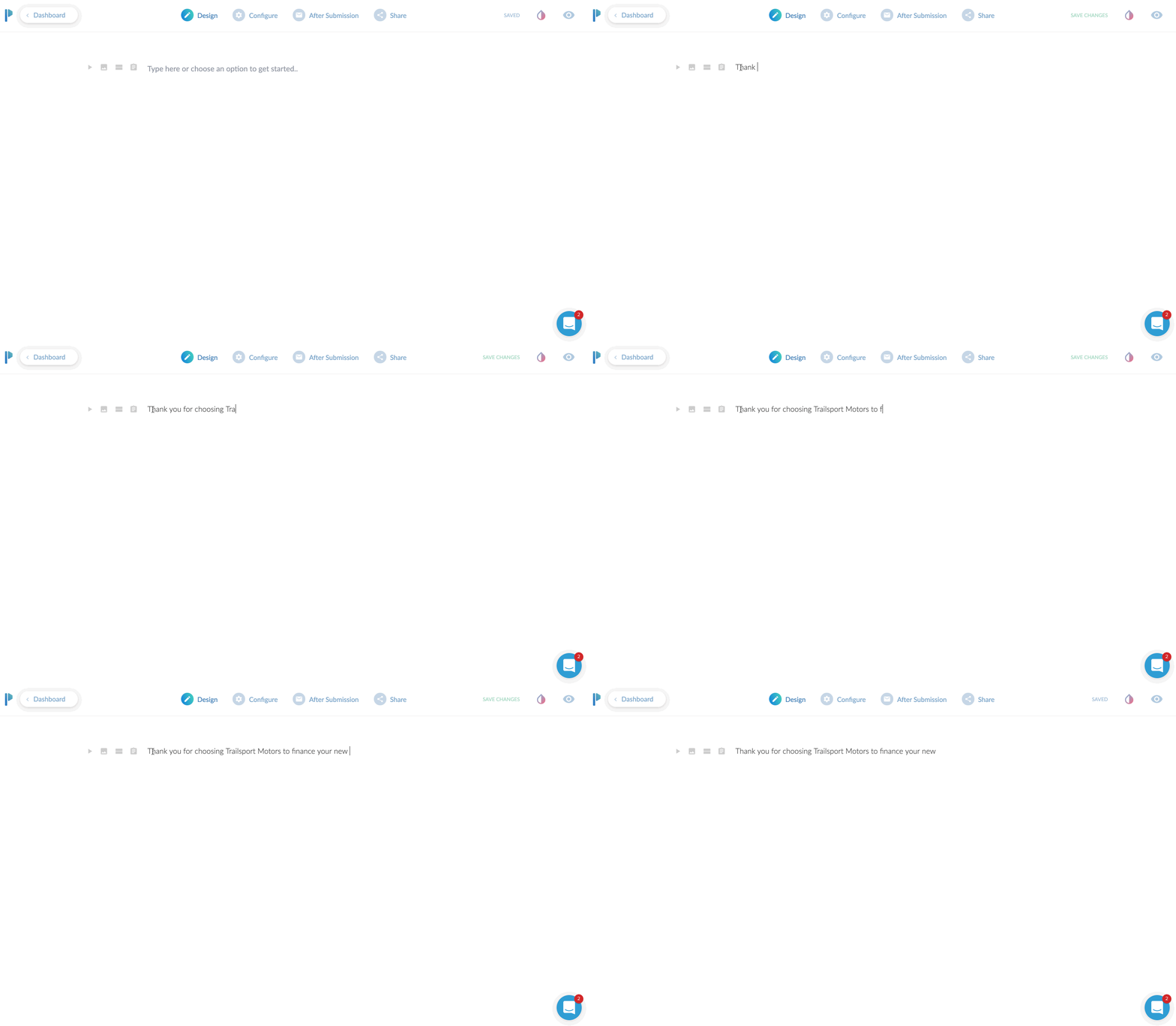
If you only start typing, you’re basically just putting in text. This is useful to preface what the form is about. I would say this is even more useful if you plan to use the form as a landing page, since you can pretty much put all your sales copy at the top and then build out the form.
If you’re planning on embedding (integrating) this onto your website, you might be able to just skip adding headings and paragraphs here and jump right to adding form fields.
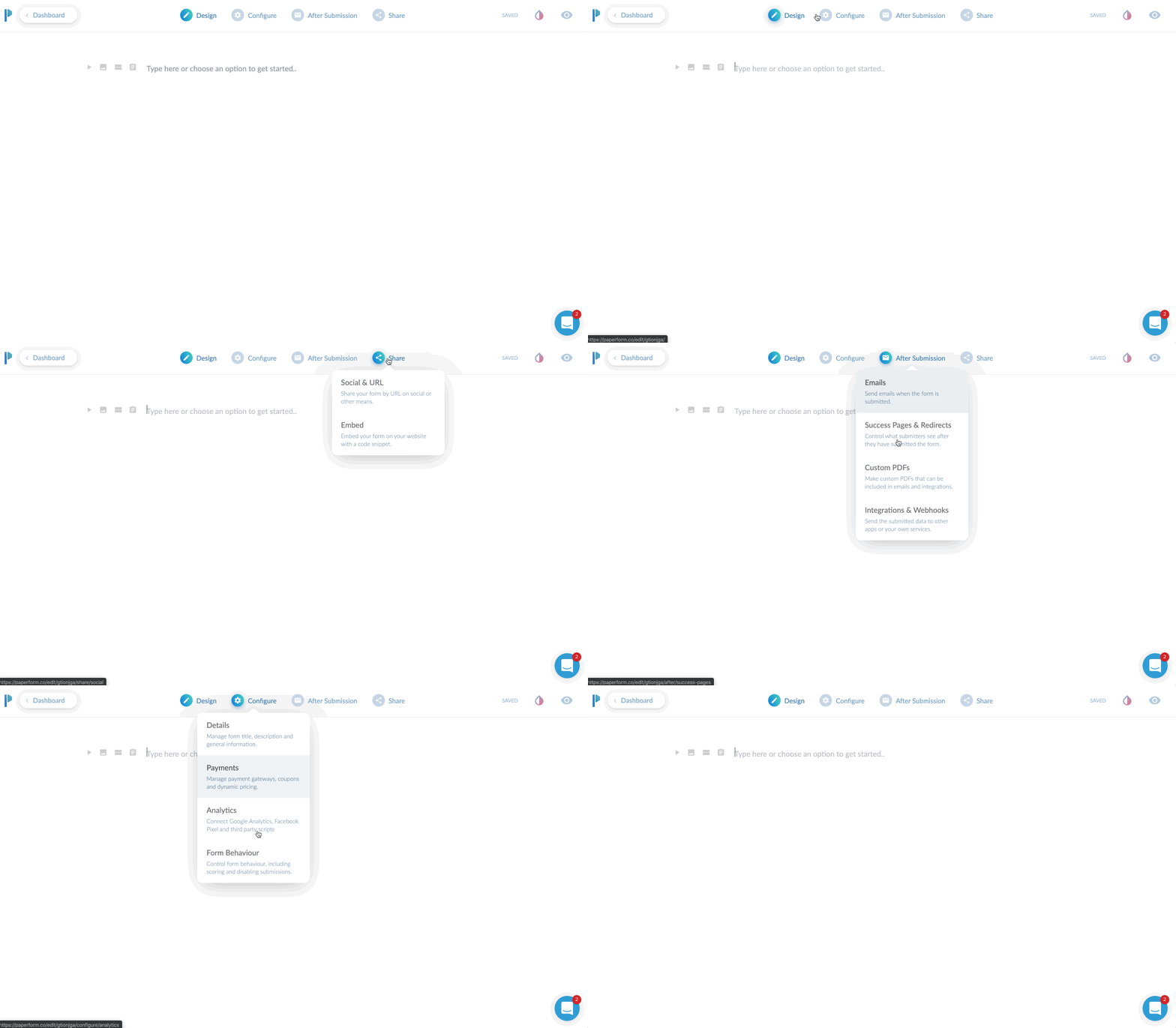
I’ll give a brief overview of the top toolbar area. Currently, you start in “DESIGN” mode. This is where you’ll lay out your form with all of the input fields, headings, images you want to use etc.
There are three additional main tabs at the top after that. CONFIGURE, AFTER SUBMISSION, and SHARE. We’ll dive into each of these.
The Design Tab
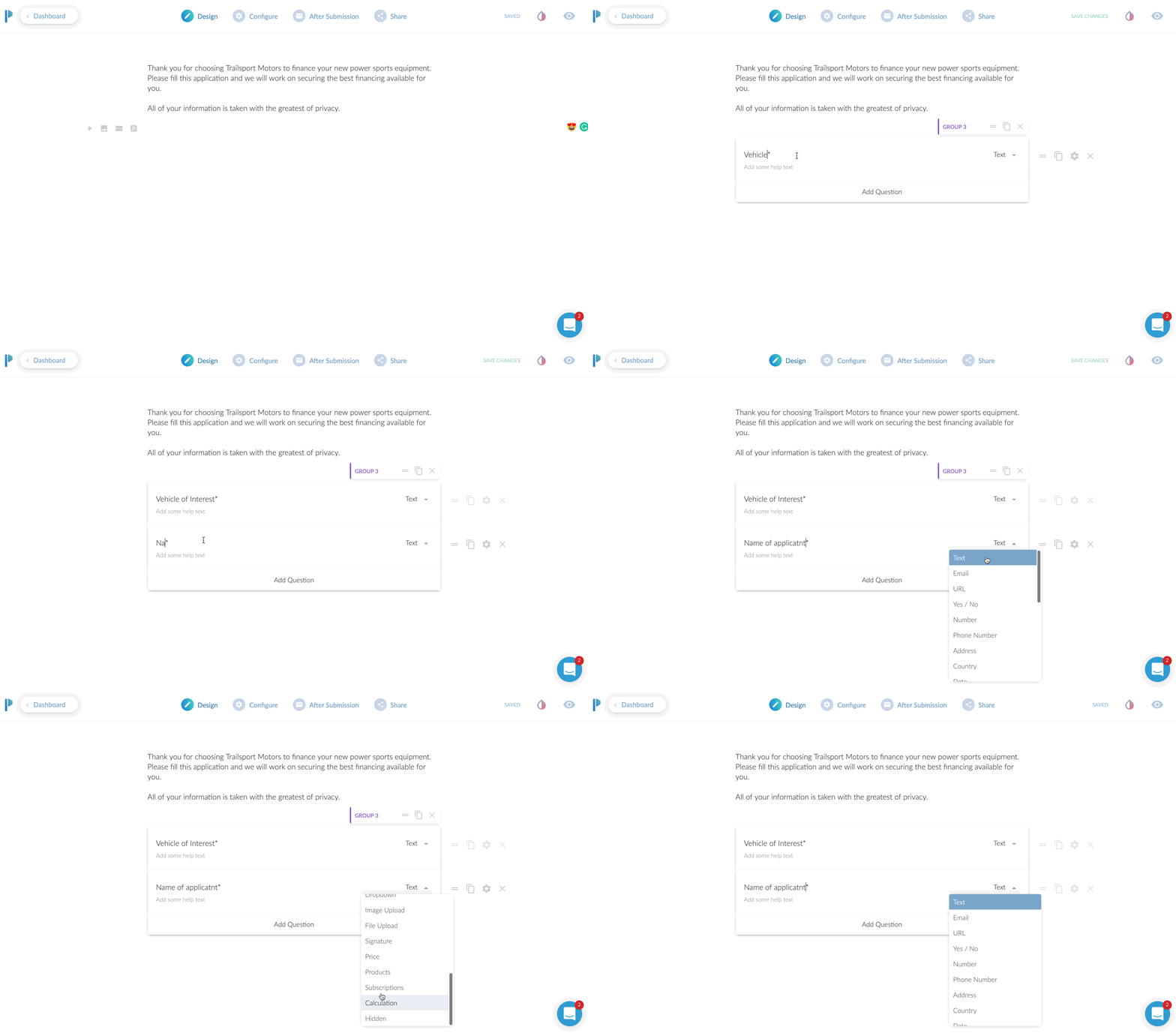
We’ve already added an introductory paragraph here. In this above screen play, you can see me clicking on the “questions” icon so I can add my first input field.
In this case, we’re asking for their “Vehicle of Interest”. To add a second field, I just click the “Add Question” at the bottom here. Super easy!
You’ll notice you can change the field type from “text” to a variety of options. You can choose from other common fields such as address or phone. There are some advanced fields you can do like multiple choice, dropdown selection, or a very handy signature input!
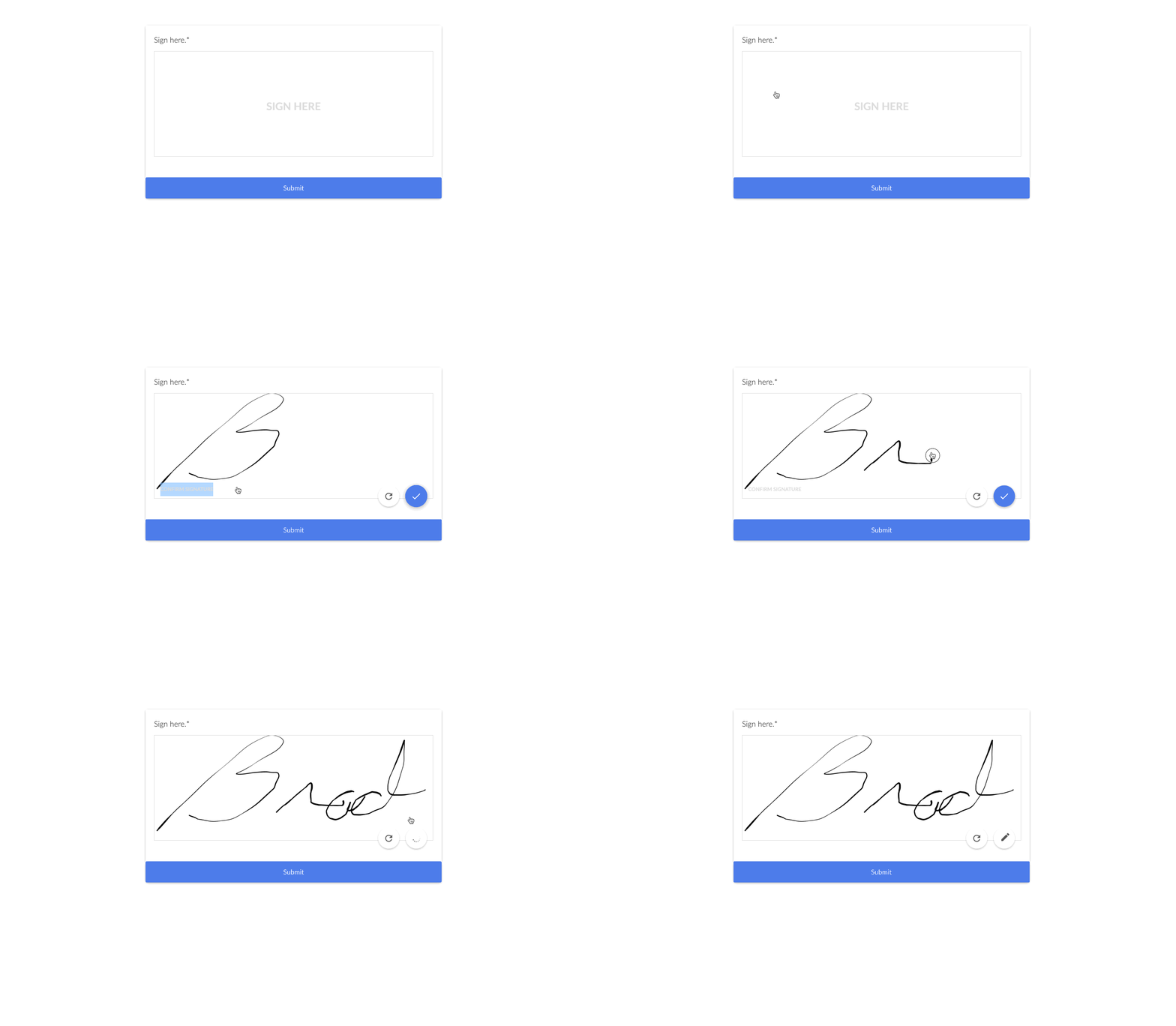
The signature input is very handy if you need to have people sign contracts here, or just need a signature for proof of submission as well. From a desktop computer, it was easy to sign by moving my mouse. On a tablet or phone, they can just do it with their finger. Or a stylus if you’re one of those people that carry a stylus around to use on your phone.
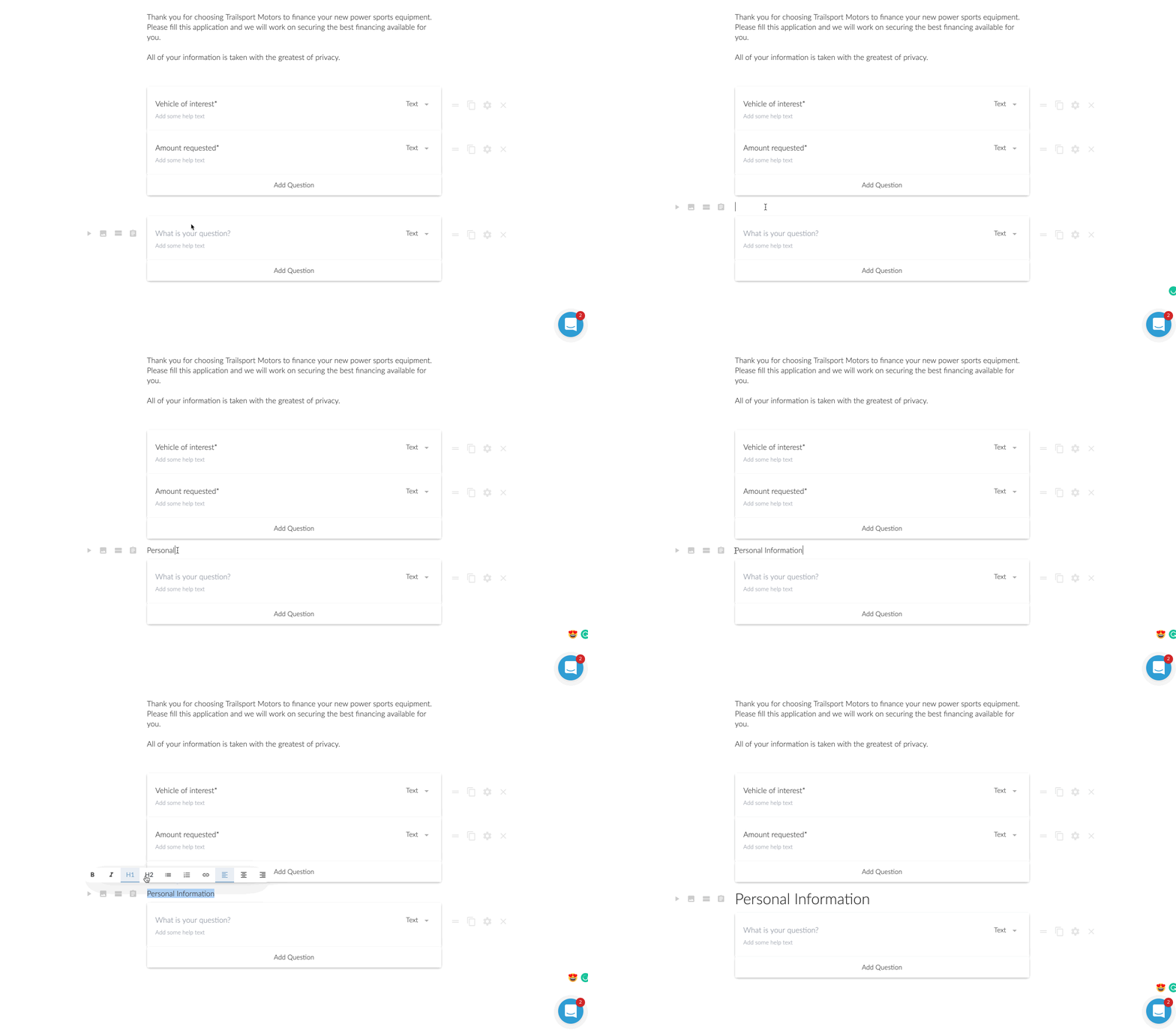
Now in this next step, I wanted to add a heading in between the different groups. This might be a little specific case use, but I was creating a longer loan application. I wanted to break up the sections. Another option I could have done was to add a ‘break’. This would make it so after those first two questions were answered, there would be a “next >” type of button.
For the loan application, I opted for to break it up by using headings. However, is this was a lead generation form, I am a huge fan of multi-step forms. It was one of my conversion trends for 2019 that I laid out on YouTube. Multi-step forms are perfect for lead generation because they assist with micro-conversions.
A micro-conversion is someone just only typing in their zip code for instance and clicking next. Once they type in their zip code, they’ve already micro-converted ONCE. Now you just need them to do a few more micro-conversions until they reach the end.
It’s far less intimidating to enter a zip code real quick than to be presented with 7 questions for a lead.
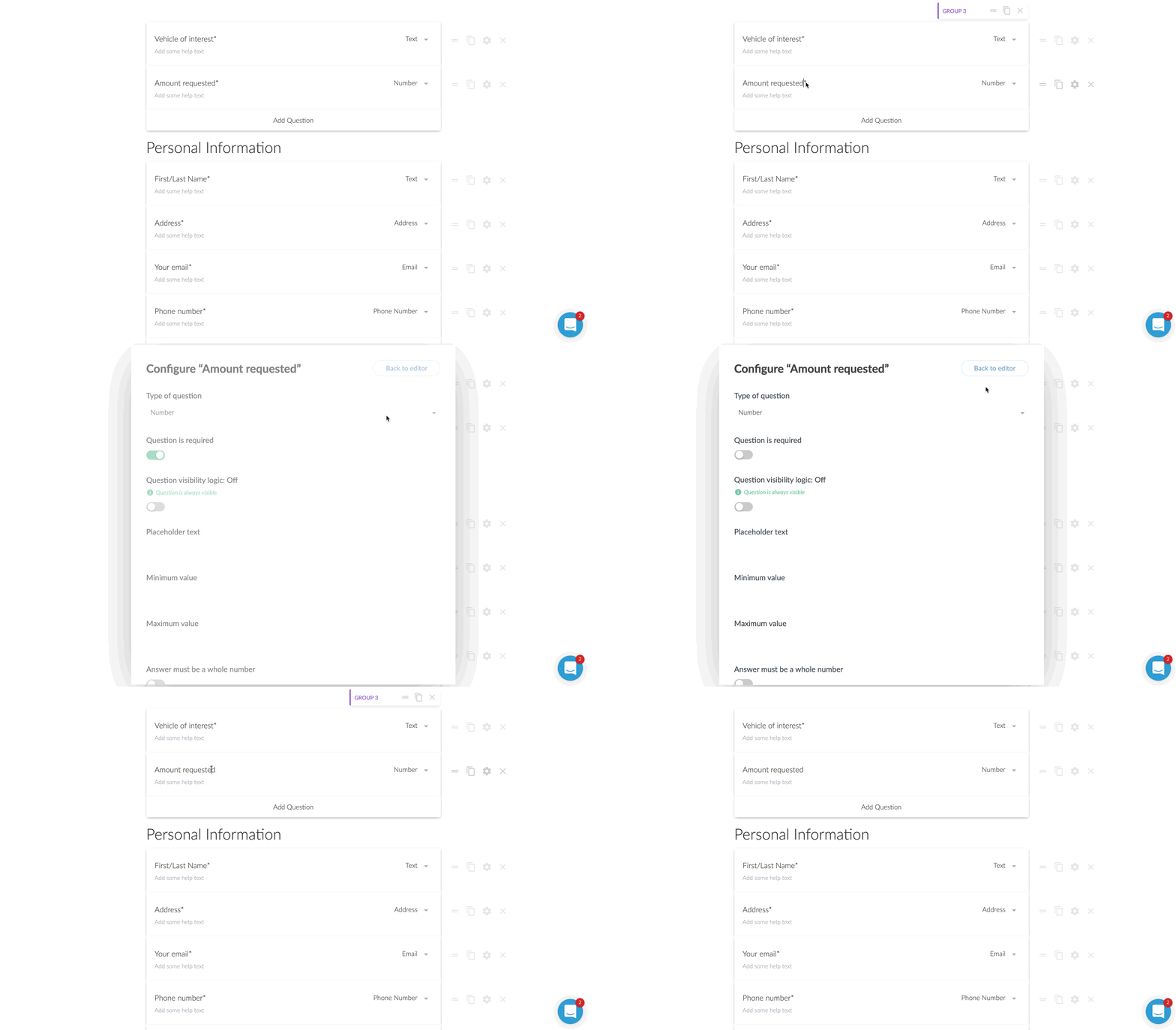
Question is Optional
For some of the questions, I wanted to make them optional to answer.
This was probably the first thing I had to think about for a moment on how to do. I then realized there was a little gear icon next to each field. Clicking that brings up a host of options to consider. One of those being “question is required”.
By default all of the questions are required, but unchecking that box makes the question optional.
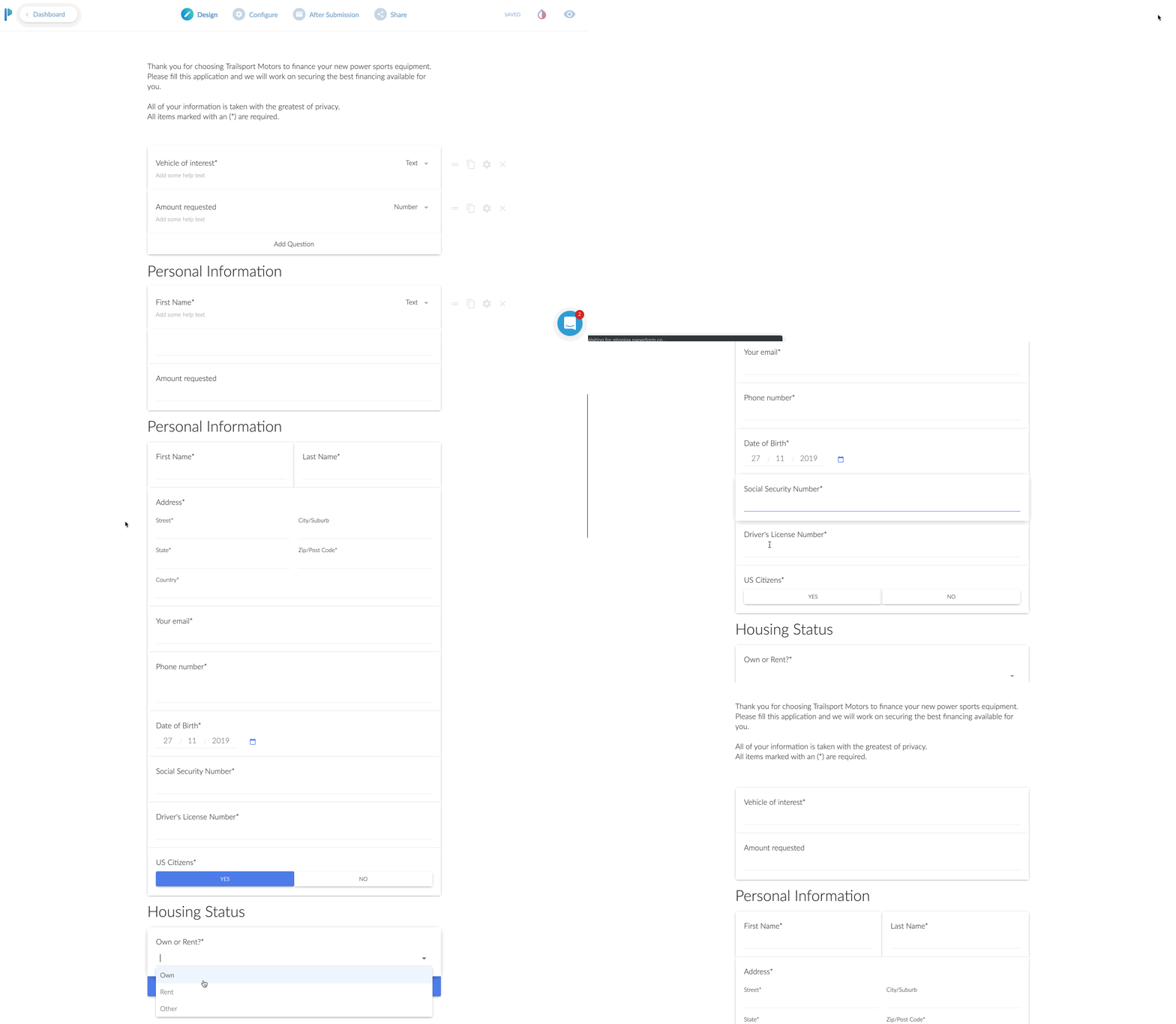
Previewing Your Form
At this point, I was feeling pretty good about how my form was shaping up, but I wanted to see it in action.
This was no sweat at all. You just click on the little “eye” icon to preview it for real. You can even enter in the fields and click the different buttons on the page. It was here that I realized I wanted to change the stock blue buttons to match the branding of my client.
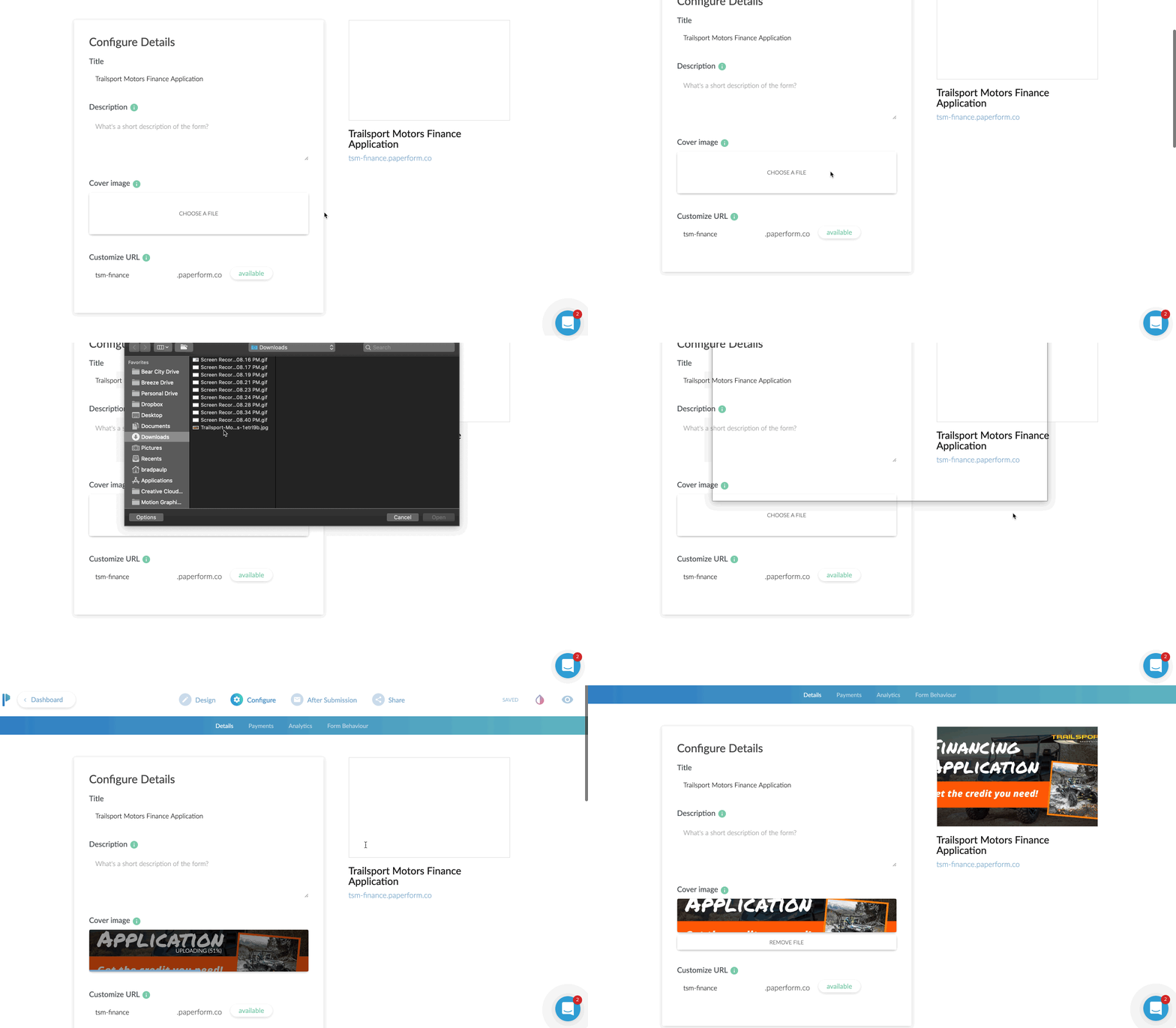
The Configure Tab
First up is the URL. If you are NOT planning on embedding this to your website, I’d highly recommend changing the URL. It will make it easy for you or someone else to remember.
From this first configure tab, you can also adjust the title, description, and cover image. This is excellent because if you plan to share the URL directly, those three elements will come up on Facebook when sharing the URL.
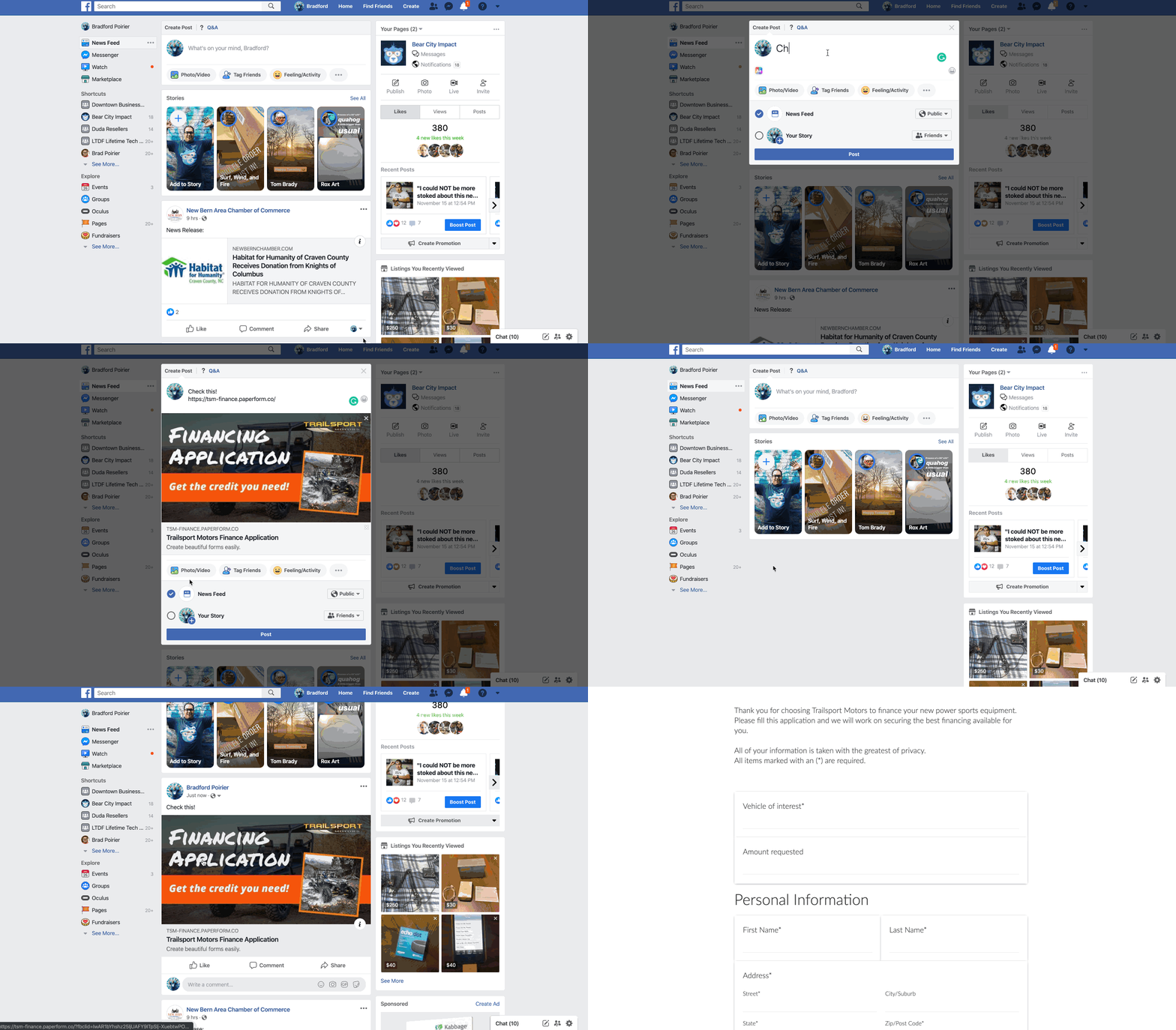
When I drop in the URL for this form, you’ll see the cover image I put in comes up as the share image on Facebook, automagically. In addition, the title (bold area) automatically pulls in as well.]
Now, if you are going to take payments here, you can just click on the payments options of the configure tab as well. In this area you’ll also be able to put in your Google Analytics ID and Facebook Pixel ID. This is very helpful again if you are using this as a stand alone landing page to track conversions.
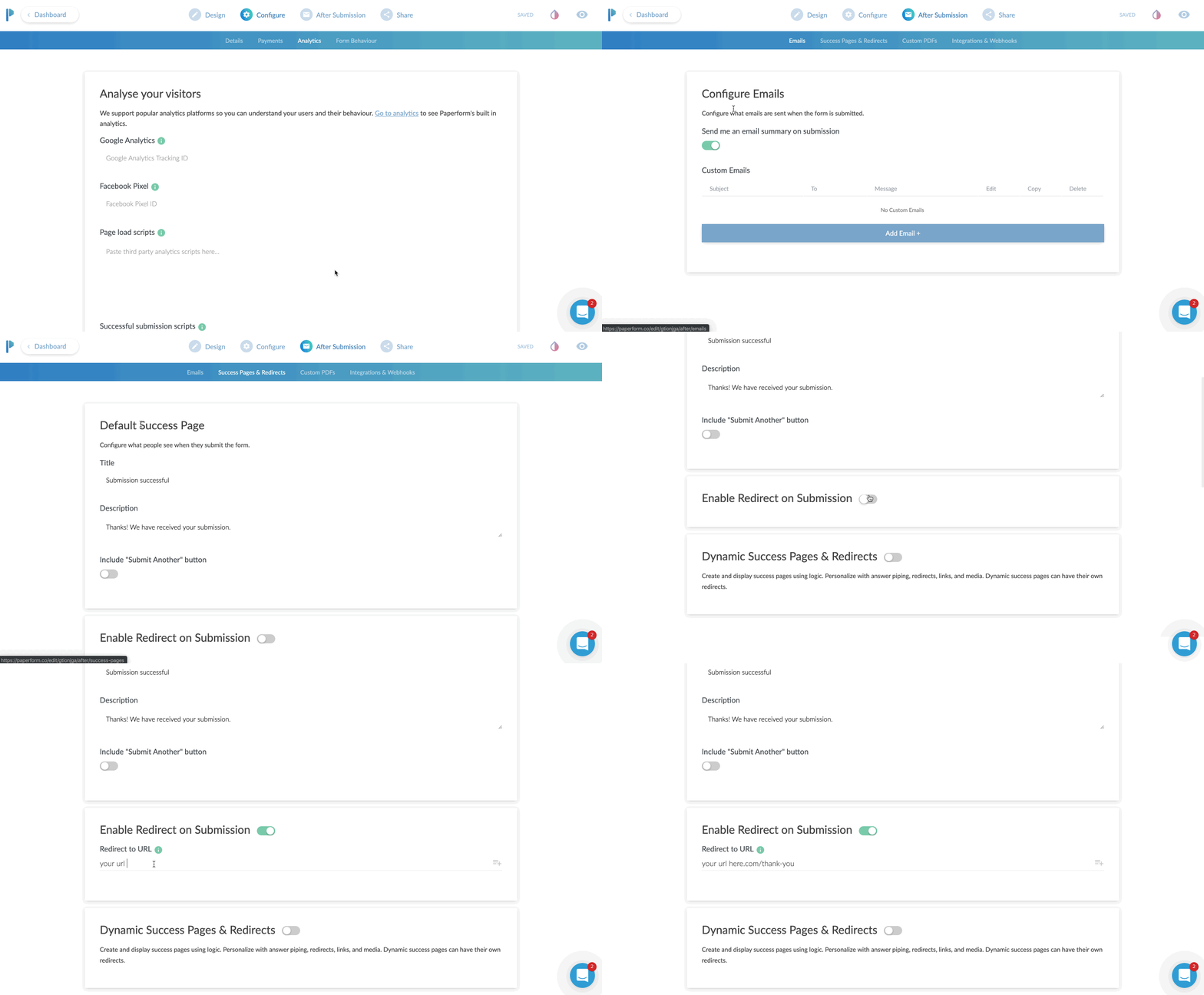
The After Submission Tab
I absolutely love this tab. Here you can configure the email that goes out when someone submits the form completely. It can be just a simple “Hey you have a new lead and here are the details”. Or, you can get a bit fancy and customize the email. This is where you can tell Paperform to attach a PDF copy in the email. Or set the “reply” address as the person who filled out the form, so that you can literally just click “REPLY” and reply directly to the lead from that email.
By the way, we’re almost done here.
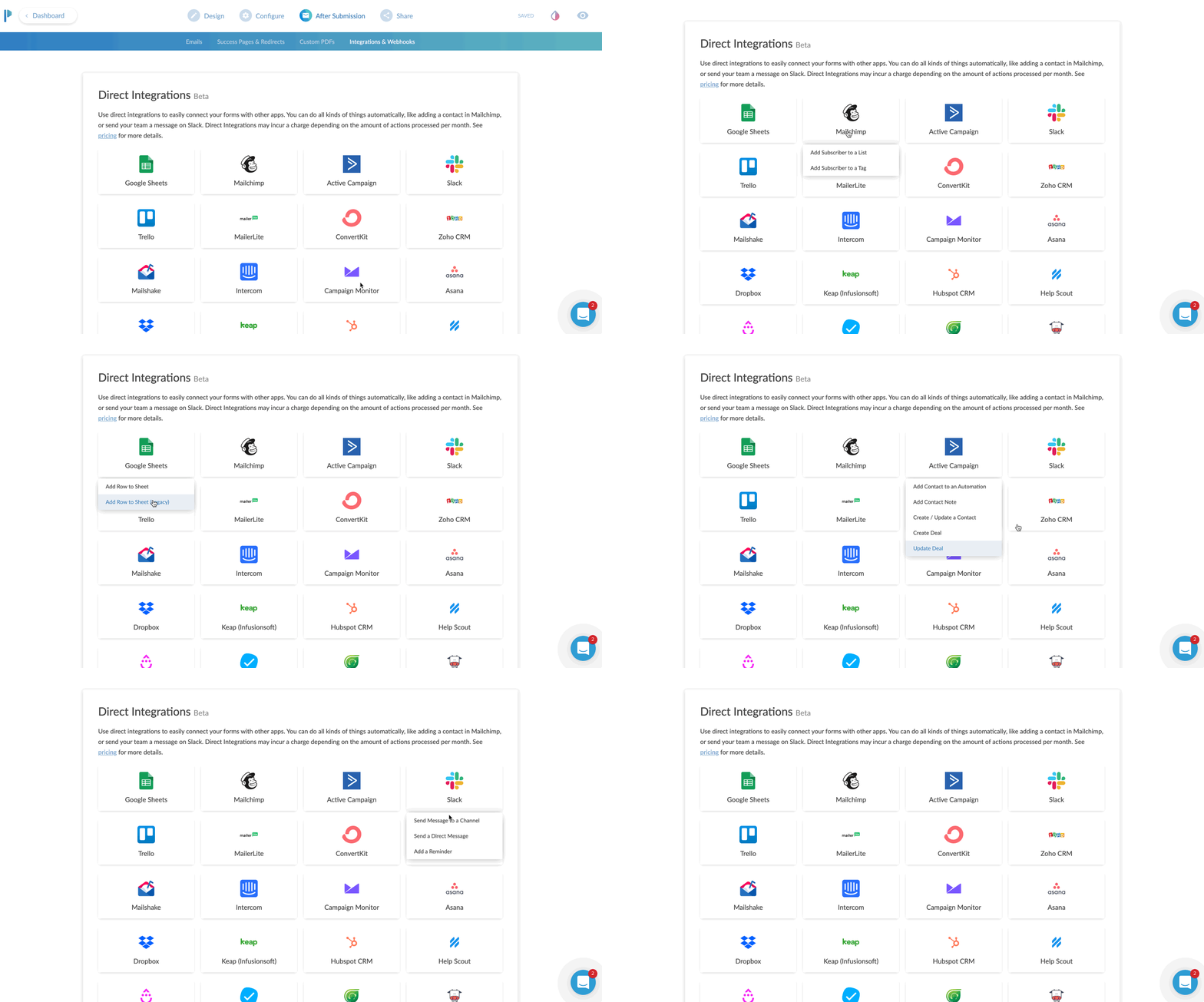
The next part of CONFIGURE is your integrations area.
You can send just about any data you collect over to an existing partner integration. Common uses would be sending data to your CRM or email marketing program. If you don’t find an existing integration, no sweat. Just choose Zapier and then configure your zap to go out to any of Zapier’s 1,500 plus apps.
The Share Tab
The share tab is pretty straightforward and easy.
This tab gives you two options. Either a direct share link to copy to your clipboard. Or an Embed option, which offers three ways to embed your form directly to an existing website.
For my client, I chose the inline embed. This places the form natively in the flow of the page it’s on.
The full screen embed is kind of neat. You place it on the page of website you want it to appear on, but instead of squishing in line with your content, it just takes over the page. BUT, it keeps the URL of your website. This is great for SEO and traffic to your site. Instead of sending traffic to a paperform.co URL, you get to send traffic to your own domain, but without having to configure a new page in your website editor.
Lastly is the pop-up option. I really like this actually. This would be a great option if you wanted to place a button on your website that says something like “Click here to subscribe to our newsletter”, and then a little box pops up with an email address field.
This is another type of micro-conversion. If the visitor clicks that button - it was intentional. They are WANTING to sign up for whatever you’re asking them.
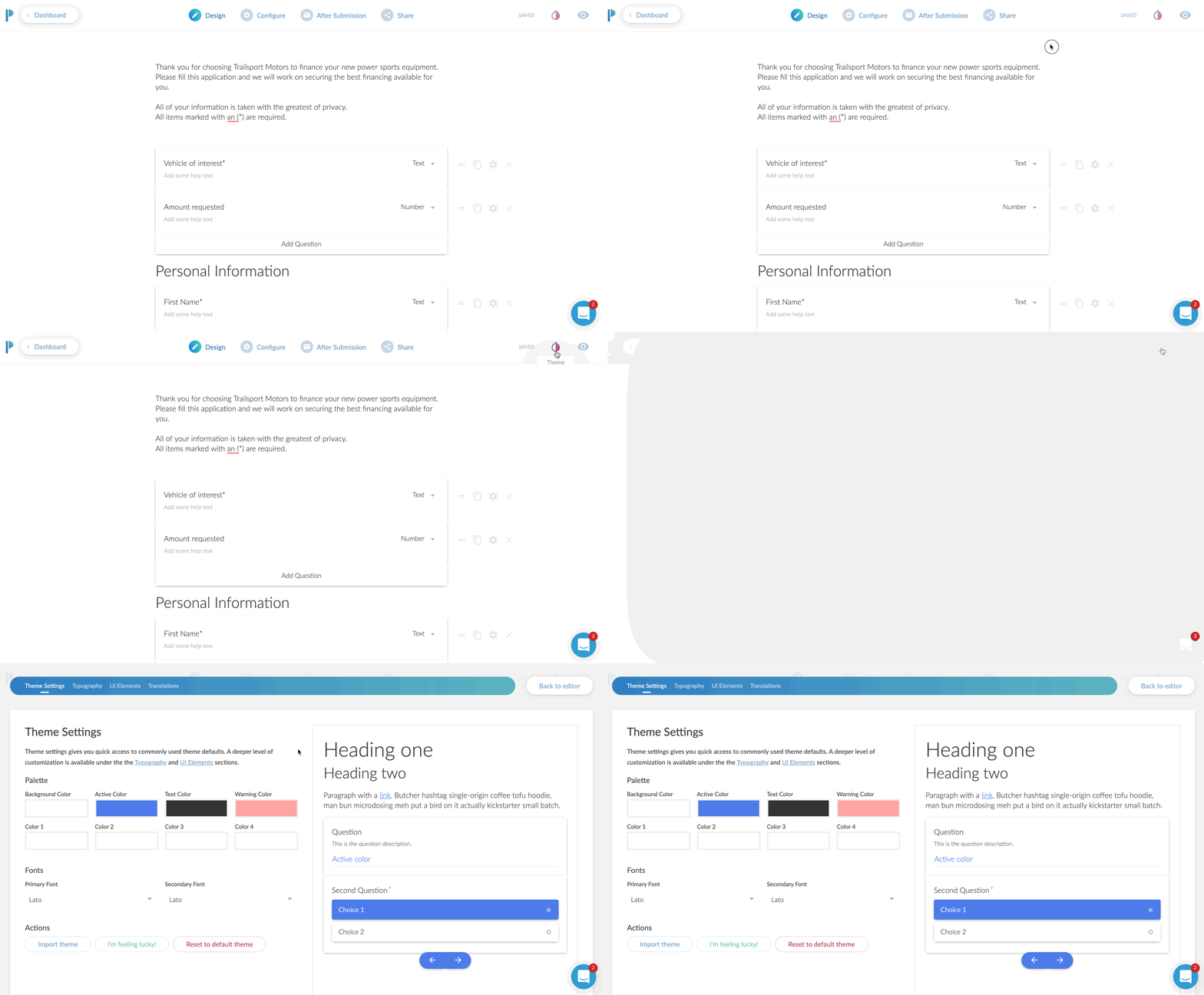
Bonus: Theme Settings
This isn’t really a tab, but it is in my opinion, and important part of your form.
Click the little ink drop icon in the upper right and you’re brought to a theme settings area.
Here I was able to change the default blue to my client’s branded color of orange. I also customized the font choices here and as a nice surprise the background choice. The default was a light gray background. However, I was going to place this on their Shopify website, and there was already a background color of that page.
I set the color to NONE. You do this by clicking on the background color, then moving the transparency slider all the way to 0%.
Optionally, you can choose a background image instead of a color.
The Final Product
Here’s how it all looks once placed on the website. It looks and feels like a natural part of the Shopify site, but all pulling from Paperform!
From start to finish, I’d say this form took me about 15 minutes. Now truth be told, it took me longer but I was creating GIF recordings the entire time as well. I’m estimating 15 minutes.
I did go back and create another form for the client, which was limited to 5 questions. It was to request a service appointment.
Now that form, took me about 3 minutes to create I think? Since I already had one form under my belt, this second form was extremely easy and fast to create.
The Best Online Form Maker ?
All in all, I would say Paperform is the most versatile form creator on the web today. It’s easy to use and highly customizable to fit a variety of needs.
Remember – forms today are more than just name, email, phone, and message.
The ability to take payments, use smart logic to navigate the form, accept signatures, route responses to certain emails, and a crazy easy form editor makes Paperform my go to form editor for now on.
*Please note: In exchange for an unbiased review of Paperform, I received free use of the Paperform service. My opinions of the product were in no way influenced by this.

5 Ways To Turn Warm Leads Into Hot Leads
Congratulations, you did it! You got those leads. It took a while to build the right infrastructure to get those leads pouring in, but now your business has more leads than it knows what to do with… quite literally in fact. A lot of businesses pour their efforts into generating leads in the hopes of buoying their sales. But here’s the thing...
Congratulations, you did it! You got those leads. It took a while to build the right infrastructure to get those leads pouring in, but now your business has more leads than it knows what to do with… quite literally in fact. A lot of businesses pour their efforts into generating leads in the hopes of buoying their sales. But here’s the thing...
Lead capture is only half the battle!
Being able to capture leads doesn’t necessarily mean that you’re able to convert all those leads into sales. In fact, statistically, the vast majority probably won’t convert… Ever. Depending on the industry, average conversion rates fall somewhere between 2% and 10%. Still, that doesn’t mean that the majority of the leads you’ve worked hard to generate need to go to waste.
A strong lead qualification criteria is essential in separating the “hottest” leads and ensuring that your sales team get to work on them as quickly as possible to avoid a loss of momentum that could cause them to go cold.
But what about the rest? They may not be the cream of the crop, but that doesn’t mean they’re not still of value to you. Warm or even lukewarm leads that score medium to low-medium on your lead scoring rubric can be turned into white-hot leads that practically zoom through your sales funnel.
Here are some effective ways to heat things up!
Give them highly targeted content
Any marketing executive will tell you that content is king when it comes to moving leads through your funnel. High-quality content delivered on multiple channels helps to build both familiarity and value in your brand for the lead. This content has to be about giving the lead something they want and is of real practical use to them.
Deliver this kind of value-rich, high-quality content and you can establish your knowledge, credentials, and authority in ways that will help to build the lead’s trust. But in order to deliver the kind of content that motivates warm leads, the personal touch is all-important.
Deliver a “drip campaign” of highly targeted content in your email shoots and social media engagements. Deliver offers that will appeal to them or blog posts that will help them to solve a problem that they encounter regularly. Address them by name. Help them to realize that the content they’re getting is just for them.
Highly targeted content can generate the kind of value that converts a casually interested lead into a loyal customer.
Let them know, it’s all about them
Why do consumers rail against marketing and advertising content? Because they see it as brands trying to get something from them, whether it’s their time, their money or their attention. And nobody likes giving to brands without getting anything in return.
Thus, if you want to make warm leads hotter and prevent them from going cold they need to realize that you’re all about them. Enter them into a competition to win something that you know they want. Reach out to them with a free gift or a special discount on their birthday. Have they been looking at a particular product on your website but never pulled the trigger? Give them a personalized and exclusive offer that’s only for them.
Combine this with your highly targeted approach to content and you can make the lead feel truly valued.
Build that relationship
A warm lead can start to cool at any time, which is why it’s important to invest real and genuine effort in building your relationship with them. Leads are more likely to warm to your brand (and, thus, move through your sales funnel) if they feel that you have an interest in them as a person and not just as a consumer. Seek them out on social platforms. Like things that they post (assuming, of course, that they align with your brand’s values). Respond when they tag you or @ you in their posts.
Yes, it can be painstaking, yes it can take a while, but it’s certainly a more sustainable strategy than plowing efforts into generating leads which only go to waste.
Create a network
Warming up leads isn’t just about helping them to find the products, services and content that’s of value to them. It’s also about helping them to find each other. If your leads (and social followers and customers) feel like they’re part of a community, they’re much more likely to engage with your brand.
Identify beneficial connections between leads and you might just find that you increase the value of your brand and your network exponentially. You see that one of your leads has a nascent startup that’s just gotten off the ground? That’s so cool! You can’t help but notice that another is an accountant who specializes in small business taxes. They should get to know each other.
Casting yourself as a professional and social matchmaker can help leads to build a personal connection with your brand… And that’s the kind of value that simply can’t be bought!
What’s more, if you can make this network into an elite club where members get exclusive access to special offers, discounts and promotion, that’s a little extra added value which will help prevent the lead from cooling.
Get them in the same room as you
When all’s said and done, no matter how high in quality your targeted content or how much you agonize over getting the wording of your email shoots just right, there’s no substitute for good old-fashioned face-to-face contact.
Get a lead in the same room as you and you stand an excellent chance of keeping them interested and engaged. Try to convince them to join you for a coffee (or maybe a spot of lunch) and a chat about their needs. While this might not be a viable strategy for every business, it can be a fantastic way of heating up lukewarm leads and creating meaningful and valuable early interactions.
Although it goes without saying that this is not an opportunity for a hard sell. Think of it as a networking opportunity and a chance to get to know the lead and their needs a little better.
A combination of these strategies can seriously reduce your risk of warm leads going cold and help you to gain maximum momentum on the leads you’ve put so much effort into capturing!

7 Effective Ways To Nurture Your Leads
Our businesses need leads just as our bodies need oxygen, but there’s a complex process at work making that oxygen useful and nourishing to our bodies. The exact same thing goes for leads. It’s important to have them… But even more important to know what to do with them.
We’ve said it before and we’ll say it again. Leads are the oxygen of business. The more of them you have the more you can accomplish… But be mindful of the operative word here… can. Many enterprises invest a lot of their time, effort and capital on inventive lead capture activities, only to find that an abundance of leads never quite translates to success in business. Our businesses need leads just as our bodies need oxygen, but there’s a complex process at work making that oxygen useful and nourishing to our bodies. The exact same thing goes for leads. It’s important to have them… But even more important to know what to do with them.
It seems that there’s a lot of information out there when it comes to generating leads, but decidedly less information on converting those leads into loyal repeat customers. Here we’ll look at effective and actionable strategies for capitalizing on the momentum you pick up with your new leads...
The importance of Lead Scoring / Qualification
Generating leads is a bit like panning for gold. Can you be sure that every little sparkly nugget you dredge up will be worthy to make a necklace or a wedding ring? Of course not. By that same logic, it’s important to remember that not all leads are created equal. You’ll need to qualify the incoming leads and separate the wheat from the chaff if you’re to capitalize on your lead generation effectively and efficiently.
Of course, that’s not to say that some leads are wasting your time, but some will be “hotter” (and by hotter we mean more intent-rich) than others. Knowing the interested from the intent-rich can help you to set your sales team at work on the prospects which are ripest for conversion while your marketing efforts can help nurture those leads which need a little more help along the way. Don’t worry, we’ll get to that part later. It also prevents you from inadvertently turning cold leads colder by “harassing” them with unwelcome sales calls.
So, how do we score and qualify these leads? Glad you asked...
How to score your incoming leads
With a scoring criterion that’s appropriate to the needs of your business, scoring leads can be a quick and easy process. While every enterprise’s needs are slightly different the following rubric can serve as a rough guide which you can later personalize to better suit your needs;
Demographic Information- This helps you to build up a customer profile. How old are they? What’s their income? Who do they work for? Where do they live? Do they have children? How can this information inform their consumer behaviors? You may also find outliers that make the lead unsuitable for you due to geographical restrictions.
Company information- B2B businesses will want to get to know the company the lead works for. What industry do they serve and how much quantifiable need is there for your product or service in that industry?
Online behavior- What social platforms do they use? What other brands are they engaging with?
Brand engagement- How, if at all, are they engaging with your brand? Are they clicking through to links sent on email shoots? Are they retweeting you? Are they commenting on your Facebook posts?
Types of interest- The type of interest a lead has shown will demonstrate whereabouts in your sales funnel they are. Are they downloading your free e-book, requesting a free sample or demo or simply viewing a product page repeatedly?
Activity level- How active are they on your website? Which pages are they spending the most time on? How many inquiries have they made and how much content have they downloaded?
Spam detection- Finally, your qualification criteria should also weed out the spammers and bots.
Determine your own points system based on which of the above criteria matter most for you and align the closest with your priorities.
Nurturing your leads
Once you’ve applied your lead scoring criteria and filtered out the “hottest” leads, you’ve redirected them to your sales team who are ready to work their magic and get some conversions. But what about all the cooler leads?
Don’t make the mistake of assuming that just because a lead isn’t red hot right now that it won’t have value later.
Lead nurturing is the process of helping cooler leads through your sales funnel and guide them successfully to the point of sale. Here are some effective lead nurturing strategies which will help convert the tentative lead into a faithful customer.
Keep giving them something for nothing.
A steady stream of content is a useful lead nurturing strategy for two reasons. Firstly, it keeps you a constant presence in their mind. Even if the lead doesn’t read all of your email shoots, simply getting them helps to build familiarity with your brand… And familiarity is a building block of trust.
Secondly it helps to build value in your brand. It establishes your knowledge, authority and expertise and gives them what we all want… Something for nothing! For optimum impact, make sure that your content is useful to the lead. It should help them to solve a problem, save money or make their lives easier in some way.
Deliver targeted content
Targeted content gives leads the personal touch. It gives them content that’s just for them rather than a generic piece of marketing content. Leverage the information you have to deliver highly targeted content including special offers and links to products and services that you think will be of use to them.
Embrace multi-channel marketing
Leads cannot be nurtured by email shoots alone. Hedge your bets by reaching out to leads across the channels that they use the most. Effective marketing takes place over email, social platforms, retargeted ads and, of course, direct sales outreach.
Fail to keep your name, your logo and your brand at the forefront of a lead’s mind and they may drift over to your competitors.
Keep in touch
Do you expect leads to convert after the first time you make contact with them? If so, your expectations may be a little unrealistic. It can take an average of 10 “touches” to guide a lead through the top of your sales funnel to the bottom.
With an effective lead scoring criteria and the right approach to nurturing cold leads, you can make sure that not a single lead that you’ve worked hard to generate goes to waste.

How to Make A Facebook Messenger Chatbot in 2019 – Free Easy Setup
If you want to learn how to set up a chatbot for your website or Facebook page then this video is going to blow your mind.
Today, I'm going to show you how to:
Set up a chatbot for your Facebook page or website without writing a single line of code.
I'm going to show you how to create auto-responses for your chatbot to interact with your audience while you're not even there.
I'm gonna show you how to put this on your website so you can get messages to your Facebook page from your website as well.
Which Facebook Messenger Bot Service Should You Use?
The messenger chatbot service that I use is called Mobile Monkey. And the founder Larry Kim had this to say about chatbots.
People already overwhelmingly prefer messaging for communication, but yet businesses haven't figured this out.

100% Mobile Monkey Facebook Messenger Chatbot
More often than not, I don't want to have to call up a business. I end up either messaging them on Facebook. It's not because I'm antisocial, in fact I'm completely the opposite of an anti-social person.
I just find that messaging oftentimes is much quicker especially when I'm trying to get support from a company that I'm already using. You know most of the time when you call in for phone calls nowadays, it's all automated anyways. So I would much rather get an automated response back from a messenger bot because it's just gonna lead me to the place that I need to get to very likely.
The thing of it is most people aren't using chatbots so this is kind of a really nice way for you to get a competitive edge because people aren't using these chatbots right now so this isn't like a flooded market feature that everyone is using right now.
So I'm gonna keep this video as short as possible so you can just finish up with this and then just get to installing your chatbot right away. But this video is part of a five-part series on web design trends to boost conversions in 2019, and this is part one.
I recently published a highlight of the top five web design trends to boost conversions in 2019. So I'll throw a link up in the cards if you want to be able to check that video out as well. But if you find this kind of content helpful then consider subscribing right now so you can get notified of the other four tips that I'm going to show you in-depth on how to boost your conversions in 2019.
Okay, so let's get into the meat and potatoes. Let's just quickly talk about why chatbots are part of my web design trend.
Why Chatbots Are Part Of My Web Design Trends
First of all, Facebook Messenger messages have an open rate of 80%. Those same messages have a click-through rate of up to 20%. Now, 20% doesn't sound like a whole lot but go ahead and look at the last email campaign that you sent out and look at the click rate of that email campaign.
I thought so.
So 20% is actually a really really good click-through rate when it comes to one-to-one message communication. Plus, when you set up a chatbot properly, it's going to be your best sales and marketing person 24/7.
It's going to deliver the same messages everyone in the same format. And not only that, but it works on both your Facebook page and your website simultaneously and seamless. And lastly, once again, it's currently not being used by everyone, hence, this is why I call this a trend.
If you don't know me. My name is Brad Poirier. I'm the owner of Bear City Impact which is a web design and video marketing business. Now, I'm going to show you exactly how to create this chatbot in just a few seconds.
But before I do that, if you want to pause this video, and in the description box below there's a link that says click this to start a chat, that's going to open up a new messenger chat through my Bear City Impact page and I've created a special chat sequence for this exact YouTube video.
Click this link to try out the test chatbot sequence: https://bit.ly/2JCWCIm
Okay, so we are now over at the computer and I'm gonna jump in and I'm gonna show you how to create a chatbot for your website and your Facebook page. Let's jump in.
So we are on the Mobile Monkey web page. So if you need it's just mobilemonkey.com. So we're just gonna click login. You'll notice basically there isn't like a get started kind of thing. The app itself is free. They do have paid plans.
When I click login, it's actually asking me to sign in with Facebook. So there isn't an option to like sign in with an email or something, it's basically just sign in with Facebook so that's all you got to do. So we're gonna click sign in with Facebook. That's just gonna take my account. In here I already have the chatbot set up, okay. So this chatbot basically already set up here.
The first thing actually I want to show you is how to install this on your website because it's super super easy. Once we get that out of the way then I can show you how to create the bot and you can create multiple sequences for your bot depending on what you're trying to do. So to do that we're actually going to click on lead magnet and over here it says customer chat widgets, okay. And basically what that will do, I already have one set up here but to create one is super-easy and so basically we’re gonna do add customer chat widget. We're gonna give this a name. We're going to call this website chatbot, okay. The dialogue is one of the dialogues that you've already set up. So I've already set these things up here and so I'm gonna do the welcome dialog, okay. So basically when they click this button here on my website, I want them to go to the welcome dialog which is sort of just like the sequence that I want to put them into. And then you can also change the color of it. Then from there you just need to copy this code and then add it to the header of your website. So depending on what website you have, it's gonna be different for every kind of website. I'm not gonna get into it.
I do mine through Google tag manager. Google tag manager is super easy. Basically I just go to tags and from here I just add a new tag. If you don't use tag manager now, I highly recommend it. Much easier to add these little plugins to your website. So I'm just gonna call this one Mobile Monkey chatbot and in the tag configuration I click custom HTML and I add my script there. And then on the triggering I'm going to do all pages. It's the way it comes up on every page and then that’s basically it. So once you click submit then from there it's going to automatically activate that and again it's gonna look something like this on my particular website. So in yours it's gonna a little different. And so here you'll see the little chat button again here so this basically opens up a chatbot.
So now we have installed the chat widget to your website so now we're gonna show you how to build a bot. And I'm gonna build this bot for this particular YouTube tutorial that we just basically talked about in the very beginning. So again if you haven't interacted with it yet and you want to try it out, click the link in the description that says click here to start a chat and you'll see basically what happens. You'll basically see what we’re… Basically what we're building right now is what's gonna go to that little click here to start a chat so you can kind of see what happens in the future of this video which is now. [Phew] Mind blown, told you.
Okay, so the first thing we need to do is basically build a new dialogue for the YouTube bot that I'm creating right now. So we're going to do is click on the bot builder from the home page wherein click on dialogs. And basically we're going to click on add a new dialog and we're gonna call this one YouTube video. I'm going to create this dialog. And basically the first thing we want to do, so you’re kind of like it's almost like building out a web page but just kind of like step by step so you're building out a series of text here. So let's go ahead and just throw in perhaps an image to start with. I'm just going to grab an image. I'm going to speed this up real quick. Okay, my dial-up internet is finally working so I have the image uploaded now. So then we're gonna add another little widget here. So basically this will happen, this is the first thing that someone will see. Just click add a widget and we're going to say I want a little text piece here actually so we're gonna put a little typing box. So this kind of simulates the fact that someone is typing right now and then we're going to put in some text and we're gonna say hi, first name, and then we're gonna add another little typing piece. We're gonna add another widget. We're gonna add this texture that says, “Thanks for watching my YouTube video. If you'd like more helpful content like this, please tap the subscribe button below.” And we're gonna add a little button here and we're actually gonna click.
So there's a couple things here. So if I can click a dialog and basically this button will take them to another dialog so this is kind of how you can funnel them into different parts but right now I'm going to keep it super simple. I'm going to just click a URL and basically that URL is going to be my subscription link so when they click this or when you click this, it'll subscribe you. So I'm going to click this add button. I need to enter a button name, duh. Subscribe on YouTube. Okay, now we're gonna click this add button. Okay, so that's basically it there. So this is all that it's going to do. I mean this is like a very very basic bot. But from here… That's pretty much it. So I'm just gonna go back here we can see that this is all done here. I'm gonna copy this link so I can test this dialog by clicking the test dialog and then opening in messenger. And now when I do this, you'll see here you this is the sequence here. So it's basically has through that picture in there and then it says hi Brad so that's obviously that's me that's logged in here. And then here's the thanks for watching my YouTube video. If you'd like more helpful content, please tap subscribe button below. Subscribe on YouTube. And when I do that [Pop], it opens up the YouTube sub confirmation. Are you sure you want to subscribe to Brad Poirier Bear City Impact? That's basically it, so that's like super super simple.
Now even a little bit simple, you can basically take this now and you can do this for a lot of other things so this could be from your YouTube. So perhaps if you have a video on YouTube, you can use this to send them to a content upgrade that you want them to download but you're doing this all from messenger, right. So they're already logged in. You don't need to grab their name and email, all kind of stuff. You basically already have their contact information from Facebook's database and then you can simply say if you want this you know content upgrade just confirm your email here. So it's gonna assume their email which is the one they're logged in from or they can change it up and then you can give them the content upgrade link right from within your Facebook Messenger. So it's super super easy.
So this is a very very basic kind of bot but that's basically the bottom building from Mobile Monkey. I mean it's literally just a few minutes and you can pretty much get yourself going here and really what you can do is this just limited to the ideas that you have. So again that's basically that's how you create a chatbot for your website or Facebook page it's, pretty easy.
Okay, wasn't that super helpful? So if that was helpful maybe perhaps hit that little thumbs up button, that would be great. I'm really interested to see the chatbots that you create so go ahead and drop a comment with what your Facebook page name is and I'll go ahead and visit it in a few days and I'll go ahead and check out the chatbot that you've created. And now remember this is part one of a five part series that's going to show you how to boost your web design conversions in 2019. So be sure to subscribe and hit the bell button so that way you can get notified when I show the other parts to these web design conversion trends. And throughout the week I'll be posting some additional content on these web design conversion trends on my Instagram. So be sure to visit @bradpaulp for more tips. But that's it for now. I will see you on part two.

7 Local SEO Tips for Contractors
As a general contractor, you’re accustomed to handling many of the same problems as many other businesses. You face stiff competition from other businesses, who are competing with you for the same local seo attention of customers.
As a general contractor, you’re accustomed to handling many of the same problems as many other businesses. You face stiff competition from other businesses, who are competing with you for the same local seo attention of customers.
You know that you need every inch of inside track you can get when it comes to making yourself visible to the people who need your services. Unlike many other businesses, however, contractors cannot rest on the laurels of repeat customers.
Your customers either need building, repairs or maintenance work carried out… Or they don’t.
Of course, if you make a great impression, customers may well contact you when they next have need of your services, but that may be months or even years down the line.
Thus, a contractor who hopes to gain a leading edge in a highly competitive field must ensure that their Search Engine Optimization (SEO) game is strong.
Here, we’ll look at some SEO tips that will make you more visible to local customers when they need you most, positioning yourself above your less proactive competitors and ensuring ongoing success for your business.
For contractors, it’s all about the local game
As a contractor, you’re largely (or even wholly) dependent on your ability to attract local business. Yet, what many small businesses don’t realize is that you need to adopt a subtly different strategy if you plan on dominating your local market.
“Unlike many other businesses... contractors cannot rest on the laurels of repeat customers”
Local SEO is slightly different to national SEO. That’s why we’re going to spend this post discussing the subtle art of local SEO and how you can master it to provide a steady stream of customers for your business.
Keep your NAP data up to date
One of the simplest, yet most effective local SEO tools is your NAP data.
Your NAP data is:
Name
Address
Phone Number
Keeping this up to date on all local directories in which you are listed is crucial in ensuring that you remain visible to prospective local customers.
When first starting out it’s likely that you submitted this data to a host of relevant local directories. Nonetheless, if any of these changes, it’s vital that you update this information in all directories in which you are submitted.
Local directory listings are like a vote of confidence in your business to search engine crawlers, and inconsistencies in this data will be off-putting to search engines and frustrating for customers.
BONUS: Get your free Local SEO report in less than three minutes.
“Your Google My Business page is also a fundamental building block of your local SEO.”
Get Google verified
Going through Google’s verification process is a relatively straightforward procedure but can go a long way towards legitimizing your business not just in the eyes of local customers but in the metaphorical eyes of the search engine giant itself.
List all your services
Your Google My Business page is also a fundamental building block of your local SEO. However, some contractors sell themselves short by only submitting their primary specialism, thereby limiting the number of search terms in which your web page pops up. It’s a good idea to list yourself in 3-5 categories e.g. general contractor, home builder, bathroom remodeler, kitchen remodeler.
Optimize your homepage
Your homepage should give prospective customers all the information they need to place their trust in your services. However, it should also be a calling card to search engine crawlers, helping to ensure that your services are a good fit for the needs of local customers.
There are certain tricks to getting your homepage noticed by the search engines. One of the most important aspects of your homepage is the title tag you use. This is like the chapter title of a reference book; it tells you what the content therein will be about.
Optimal title tags are usually around 50-65 characters long. If you’re struggling for ideas, “General Contractor in {Name of City} - {Name of Company}” is an effective format.
Next, you will need to turn your attention the the homepage meta description. This should be 100- 150 characters long and is essentially a blurb for your business. Try to end it with a Call To Action (CTA). For example;
{Name of Company} offers the very best {Name of Services} in {Name of City}. Call {Phone Number} today for a free quote!
Your homepage will also need a visible headline, (known as the H1), which is a brief description of the business and the services you offer. The page copy below is your opportunity to tell prospective customers all about your business.
This is your opportunity to earn their trust. Provide a little background information, describe your services, and sign off with a compelling CTA. Try and squeeze this into around 500-1,000 words. Anything longer may be off putting to prospects.
Leverage your service and landing pages
Your service pages offer you a better chance to describe your services to local prospects. These should be optimized in much the same way as your homepage. Use intent rich keywords to ensure that your page gets noticed by prospects who have a specific service in mind.
For example, “Kitchen renovation in Austin TX”, is the kind of keyword that will ensure that your page reaches the eyes of prospects who are looking to pull the trigger on the work they need doing.
Develop citations and links
A citation is any listing on a local online directory for your business. Anything from your Facebook page to the Yellow pages or your local Chamber of Commerce websites. The higher authority these sources are, the more credible your business will appear to search engine crawlers.
What’s more, if you can get local newspapers, other trusted businesses and other high-authority sources to link to your business, this can also be extremely helpful in upping your local SEO game.
Incentivize customer reviews
Social proof is a hugely important aspect of conquering your local market. It proves the legitimacy in the eyes of local prospects when your previous customers have nothing but glowingly positive things to say about your business.
Customer reviews are one of the most effective forms of social proof you can get so it behoves you to take steps to incentivize reviews from happy customers.
Take these simple steps, and conquering the local landscape with your SEO prowess becomes a cinch!
If you haven't already done so, get your free Local SEO report. In less than three minutes you'll see exactly how you stack up against your competition for your top keywords.

What to Look for in a Contractor Website Design
If you’re looking to upgrade your business website or create an entirely new design to draw in more customers, then it’s important to understand what elements of website design are important for your specific business.
If you’re looking to upgrade your business website or create an entirely new design to draw in more customers, then it’s important to understand what elements of website design are important for your specific business. In terms of contractor web design, the idea is simple; you want it to be easy to read, you want your contact information readily available and you need to encourage your viewers to contact you.
To help illustrate these points, let’s take an in-depth look at the elements that make up a good contractor web design.
Be clear about what services and products you’re offering to customers
There’s nothing worse than a contractor that can’t make up their mind about what services they offer. Sure, you might have a wide range of services, but actually listing them instead of being vague is a good way to actually let your visitors know what you can do for them. Of course, you shouldn’t list every single thing especially if there’s a term to generalize them. For instance, you don’t need to list every type of flooring option you have; simply mentioning that you have a variety of flooring options and then listing them on a separate page is good enough.
Understand your target market inside out
If you understand your audience then you understand what services they’re looking for. If you’re targeting a high-end renovation market then your website needs to be clear, modern, elegant and showcase some of the work that you’re most proud of. If you’re a construction contractor that wants to appeal to a wider audience and different price points, then don’t make your website too wordy and keep the language simple so that your services seem accessible.
Make the content short, concise and meaningful
One of the biggest pitfalls of any contractor website is writing too much stuff on the front page. Keep it clear and concise and focus on keeping your content short so that it’s meaningful and not full of useless words that don’t contribute to the overall experience. The more straight and to-the-point you are, the less time your customer wastes and the higher the chance that they’ll pick up the phone and give you a call if you appeal to them.
Big and bold statements are attractive
Simple, big and bold statements like “You dream it, we build it” and “Beautiful Yet Affordable Landscaping” are ideal for contractor websites because they catch the attention of your viewers and it’s immediately clear what your business offers. This goes back to the idea of keeping your content short, meaningful and concise.
Let your audience know the benefits of working with you
Don’t list all of the services you provide and the accolades you’ve achieved. Instead, describe your services by letting your audience know the benefits of working with you to make it more attractive. For instance, “Realize your dream garden designs with our professional landscaping service” is a much more attractive title than “We are experts in professional landscaping”.
Keep the design simple
Navigation of your website should be simple. You should have a menu somewhere to switch between main pages and nothing on your website should ever take more than two single clicks to reach. Burying information in a labyrinth of links is a no-go and you should always simplify your website navigation to make it more accessible.
Always have a “services” page
While your front page should offer some basic information about the services you offer, it’s always a good idea to include a more detailed services page which goes into more detail about what you can offer. This will help your audience understand your services better before getting in touch with you.
Pictures tell a thousand words
If your contractor web design is full of text and zero pictures then something needs to change. Make sure you add pictures where necessary such as for your front page and in your “about us” page in order to break up text and make your content flow better.
Have a “team” or “About Us” page
A great way to introduce more customer trust is to have a team page or an about us page so that your viewers can get a better understanding of your philosophy, your services and also your experience. Having pictures of your staff members can also be a great way to introduce more trust in your brand especially if they are the contractors that you’ll be sending out.
Make sure your website is viewable on desktop and mobile devices
Smartphone users account for roughly half of the internet users in the country so it’s vital that you create a responsive web design that fits the orientation and size of the viewer’s browser. This is something that can be automatically done with the right web services, but the idea of optimizing your website for mobile users should be a consideration from the very beginning. This means less text, more images, bigger links and having information reachable within 2 clicks at most.
Ensure your contact information can be clearly seen
Every page should have some kind of contact information. Whether it’s contact details at the foot of your website or having your phone number at the top near your logo and banner, it’s vital that your contact information can easily be seen so that your viewers don’t get frustrated trying to find it or forcing them to click on your contact details page just to find it.
Adding a portfolio page is a great way to create trust
Every contractor website design should have some kind of portfolio page that shows real work that you’ve done. This helps to create trust in your brand and also shows your customers what you’re capable of. It’s a good idea to take pictures (with consent from the client) of the projects you work on so that they can be used on your website as background images and as part of your online portfolio. A brief description of each photo can also help your audience understand what they’re looking at.
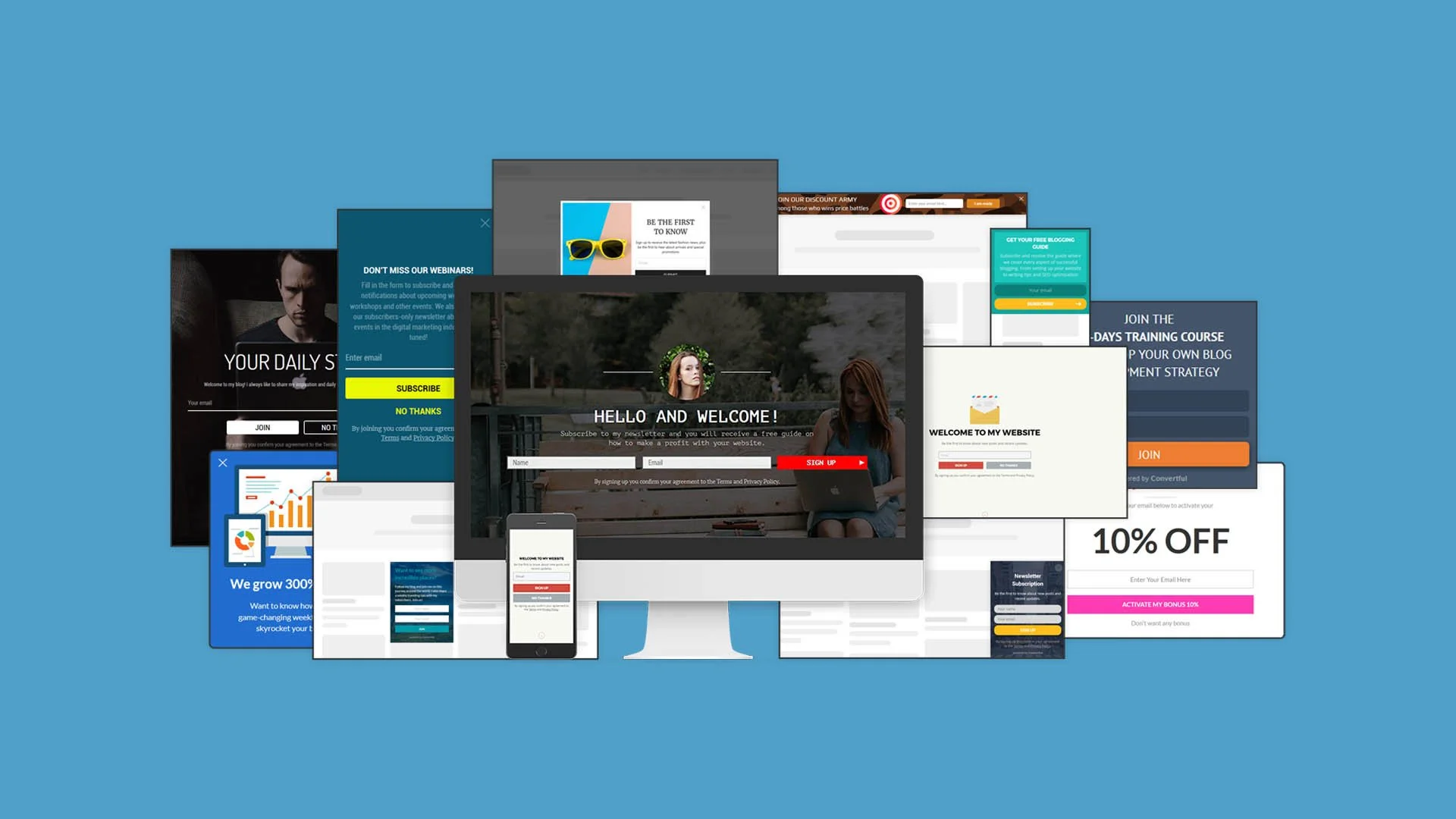
Increase Your Website Conversion With Easy Opt In Forms
What if I told you that only a few percent of your website visitors will hit that “contact” now button. Then, what if I told you there was a way to automate the growth of your email list - for free. No, I’m not kidding around.
What if I told you that only a few percent of your website visitors will hit that “contact” now button.
Then, what if I told you there was a way to automate the growth of your email list - for free.
No, I’m not kidding around.
Convertful is a website tool used to acquire more leads using smart behavioral-based sign up forms. The problem with most email tools are that they send the same offer to everyone. Convertful kind of knows your website visitors better than your visitors knows your visitors.
Imagine your website is a local shop for a moment. Here’s how most websites work for a first-time visitor, playing the role of a local business here:
I open the door to your shop and I’m immediately greeted by an enthusiastic employee saying “How can I help you”.
I say “No thanks”, and I continue walking into the store.
Then, a few steps later, another enthusiastic employee comes over and hands me a coupon for 10% if I give them my email address.
Again I say “No thanks” and move on.
Two steps later, a third employee walks over to me and says “Here is our store security policy about how we monitor your shopping”.
All they ask for is a simple acknowledgement that they told me they are monitoring the store for security purposes.
Now, let’s take this one step further. I’m about to leave but I see another person walking in. This person has shopped here before - but guess what - they get the same speel by those three employees.
This is basically how some websites are creating a distracting user experience - for everyone. Local business owners who want to get an edge over their competition have been lured into using these strategies and their websites have turned into some sort of a casino.
What’s the problem here? In the example of the local business, there’s two problems here:
They are giving the same offers to everyone, regardless of their shopping behavior
They are overloading the visitor with too many offers at the wrong times
How To Fix Your Website Conversion With Convertful
In this article you are going to learn how to:
Setup and install Convertful on ANY website
Create your first Email Opt-in widget
Show your opt-in widget to targeted visitors
Send your opt-in subscribers to your email service
1. Setup and install Convertful on any website
ConvertfulImage source:
Getting Convertful on your website couldn’t be easier. Seriously.
Create your free account, enter the website address you want to place it on, and then you will get a code to place on your website. Each website will be a bit different, but you’ll want to add this to the </head> section of your website, so refer to your website’s help docs on where to place custom code.
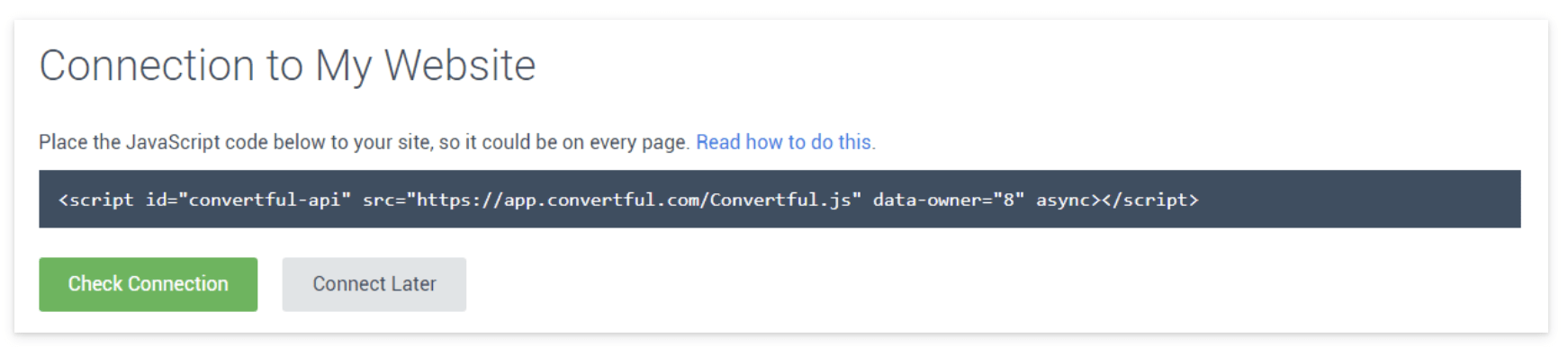
If you’re using Wordpress, it’s even easier. After you create your free account, you just install the Wordpress plugin.
When you click the “Connect to Convertful” button it will open a window logging you into your Wordpress site for authentication.
That’s it, in both instances, you have now completed the step to installing Convertful to your website.
2. Create your first email opt-in widget
The whole point of Convertful is grow your email list. By using a combination of the right offer at the right time, you can grow a (loyal) email list, turning visitors into customers.
Click on WIDGETS in the blue bar at the top
Click the green button that says “Create” widget
Choose your template as shown above
Currently there are 50 different templates across 5 different opt-in styles to choose from. Each of the styles can be used for capturing email addresses, but they each have their best case use.
1. Inline Widget
This will be place in line with the rest of your content, in a static position so to speak. When using this widget, it will always show, because you are manually injecting it into your desired content area. It’s best to use this in a sidebar of your blog, or as a strip below some content.
ConvertfulImage source:
ConvertfulImage source:
2. Scroll Box
When using the scroll box, you’ll be able to control to whom and how this appears. Slide in from the bottom right is the default, but you can choose the position and the type of animation. Use this for any type of subscriber opt-in, from content upgrades, to growing your social audience, to offering discounts to first time visitors.
3. Popup
In general, this is the one that is most abused on websites. This is the one that immediately pops up in your face when you enter a website. (Keep reading the article for a MUCH better use of this and a MUCH more effective use) In either case how you use this, it will create a pop-up box. Use this type when you have a high impact offer that you’ll make irresistible to refuse.
4. Welcome Screen
Many have argued that the Welcome Screen is the most effective for capturing email addresses. The welcome screen has all of the same targeting and display options as the other opt-in widgets. The benefit is that it’s a full screen take-over. So, with the right messaging and call to action, it’s both impossible to miss and and to not opt-in.

5. Floating Bar
The floating bar is a strip that goes from edge to edge and can be positioned either at the top of the page or the bottom. Your choice. This is useful when used with short, persuasive copy, one single field of information and a submit button. This isn’t the place to ask for all sorts of information - we only want their email essentially.
The Floating Bar is also useful to use as a social media tool to increase your followers.
All of the widget types with the exception of the inline widget, can have display rules attached to them. So that means, the scroll box, pop-up, welcome screen, and floating bar can all be targeted by several different user behaviors.
3. Show your opt-in widget to targeted visitors
The power behind an app like Convertful is that you have very advanced targeting methods that are super simple to implement.
For instance, on the pop-up widget, stop showing that to people soon as they enter the website. It’s annoying. Google hates it by the way, especially on mobile. Your site is penalized if you show pop-ups to users if it’s within seconds of entering the page. Read it straight from the Google Webmaster Blog.
Here’s 3 better ways to use the pop-up widget.
Show it to people:
When they are about to leave
If they have scrolled a certain percentage down the page
If they click a specific button or link that you specify
Let’s break that down
1. When They Are About To Leave
This is what we call the “last chance offer”. The app is so smart, it knows when a user is about to exit the website based on mouse movement and position. Soooooooo you’re about to hit that x-button to close the tab and then suddenly you are presented with an offer you cannot refuse. Well you can, but the copy is so good that you just have to say “Yes!”
You have to think about a few things here when using the “last chance offer”. Think of the exit intent. Were they just reading a blog article? Were they on your homepage and about to bounce? Were they viewing a service page and went to your contact page but then chickened out?
2. If they have scrolled a certain percentage down the page
This is highly effective for article pages, like this one! If someone is reading an article and they are presented with an offer while they are reading the opening paragraphs - That’s gonna be a no for me. If the reader is let’s say, 50% through the current article and they are presented with an offer that is relevant to the article they are reading, you have a much higher chance of converting that reader into a subscriber.
Now, you can take some guestimates as to how far into the article to place your widget, or you can scientifically know when to place it. We use HotJar to track article depth via their Heatmap tool. In short, HotJar records mouse clicks along your page but also will tell you the average read depth for a page. Take your most viewed articles and run them through a heatmap. If you see your top performing article people are exiting by the time they hit the 65% mark, then show them your opt-in widget at 60%, right before the average person leaves.
3. If they click a certain button or link on your page
This is another powerful targeting as the user is in 100% control of viewing the opt-in box.
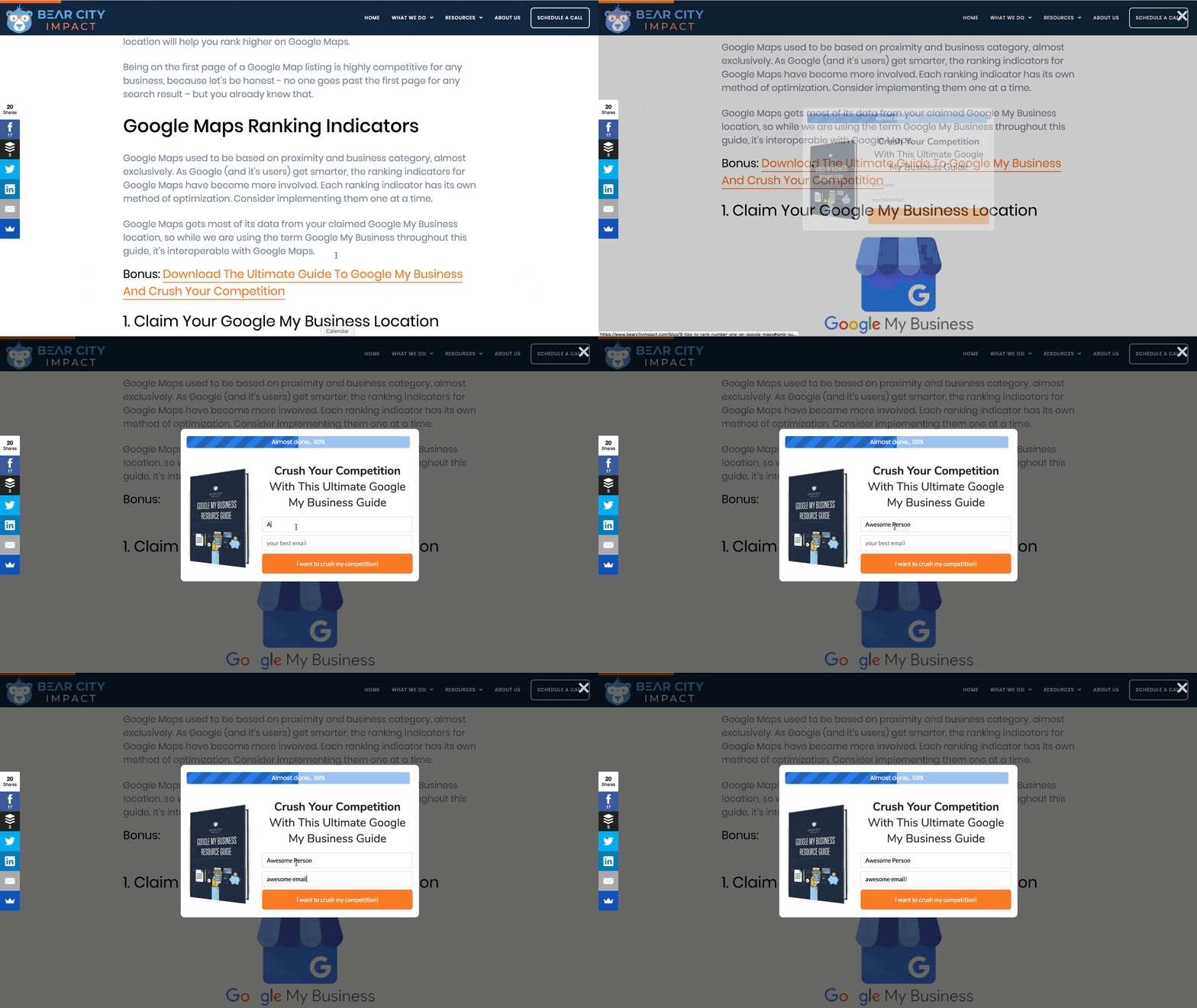
It doesn’t matter if you are using a pop-up box, slide in, welcome screen or floating bar. In this scenario you are telling Convertful to only show the opt-in box IF the user clicks a certain link or button on your website.
For instance, on our blog article 9 Tips To Rank #1 On Google Maps, we have a content upgrade to download a complete guide on using Google My Business. In order for this opt-in to be shown, you must click on the link: “Bonus: Download The Ultimate Guide To Google My Business And Crush Your Competition”.
Or, if you want to try it out right now, click this link and you'll see a pop-up appear.
4. Send your opt-in subscribers to your email service
Now that you have people opting into your email list, you’ll want to actually email them! Convertful makes it easy to send your subscribers to your email service provider of choice. They work with all of the major marketing providers such as Mailchimp, ActiveCampaign, HubSpot, and my new favorite, ConvertFox.
You’ll specify where to send the email data while you’re creating the widget. Just tab over to the “Success Actions” area, and choose your integration. Since this will likely be your first integration here, you’ll want to click on the “Add Integration” button, which will then pull up a list of supported 3rd party tools.
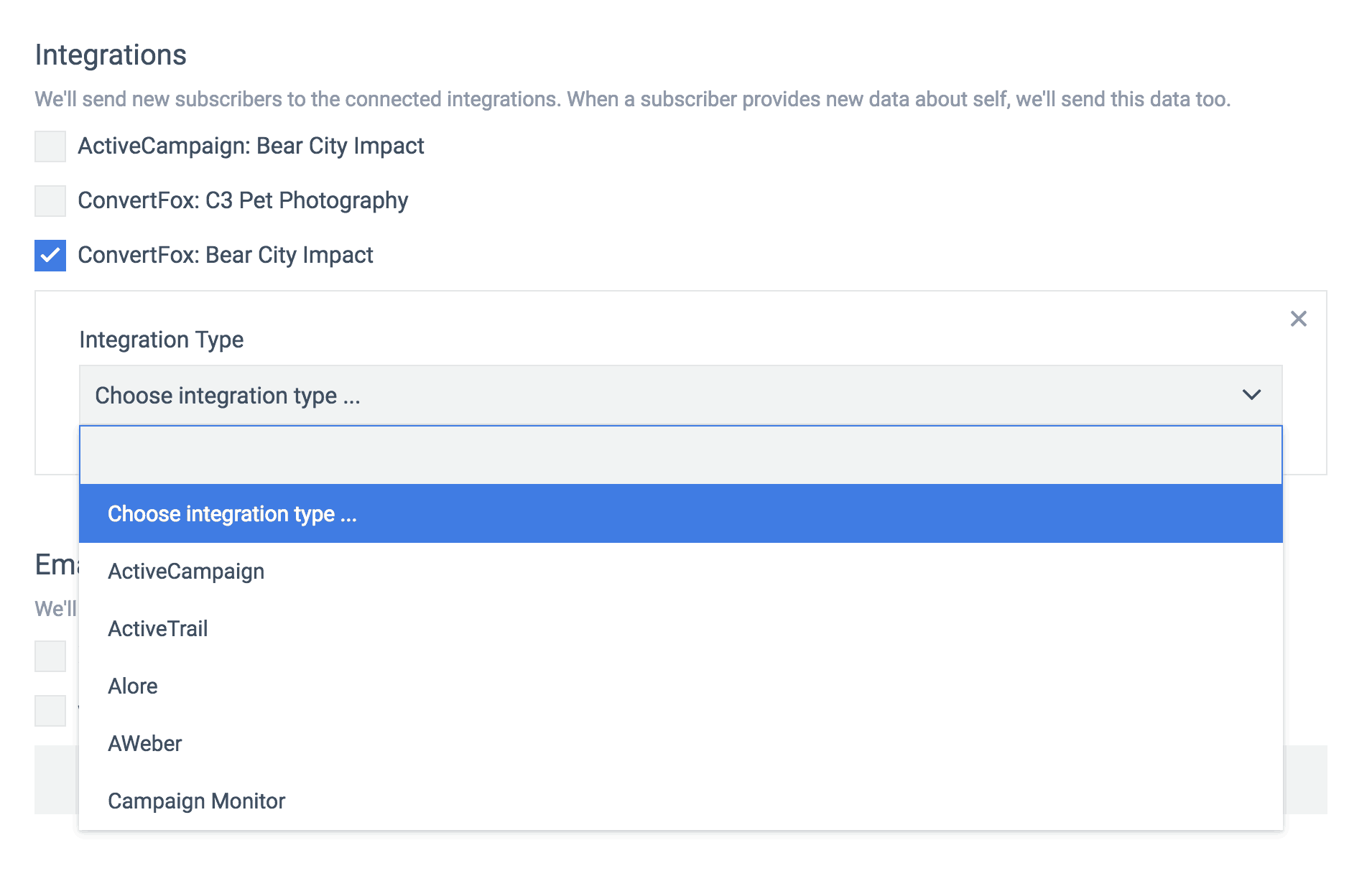
From this tab you can also set up notifications to your email, if you want to be notified everytime there is a new subscriber. Lastly, you have the option to redirect them to another URL or simply display the success message you might have created.
The option to redirect to another URL is useful for a couple of reasons.
The offer might have been to download a content upgrade, in which case you are placing the upgrade on a new webpage and also emailing it to them
You want to send them to a thank you page, for more information and/or tracking
Or, you want to send them to a tripwire page as part of your 5-step funnel system.
Combine Matching Conditions To Your Targeting
Since you are able to specify which pages you want the widget to appear on, you can choose advanced targeting methods to only show it if certain conditions are met.
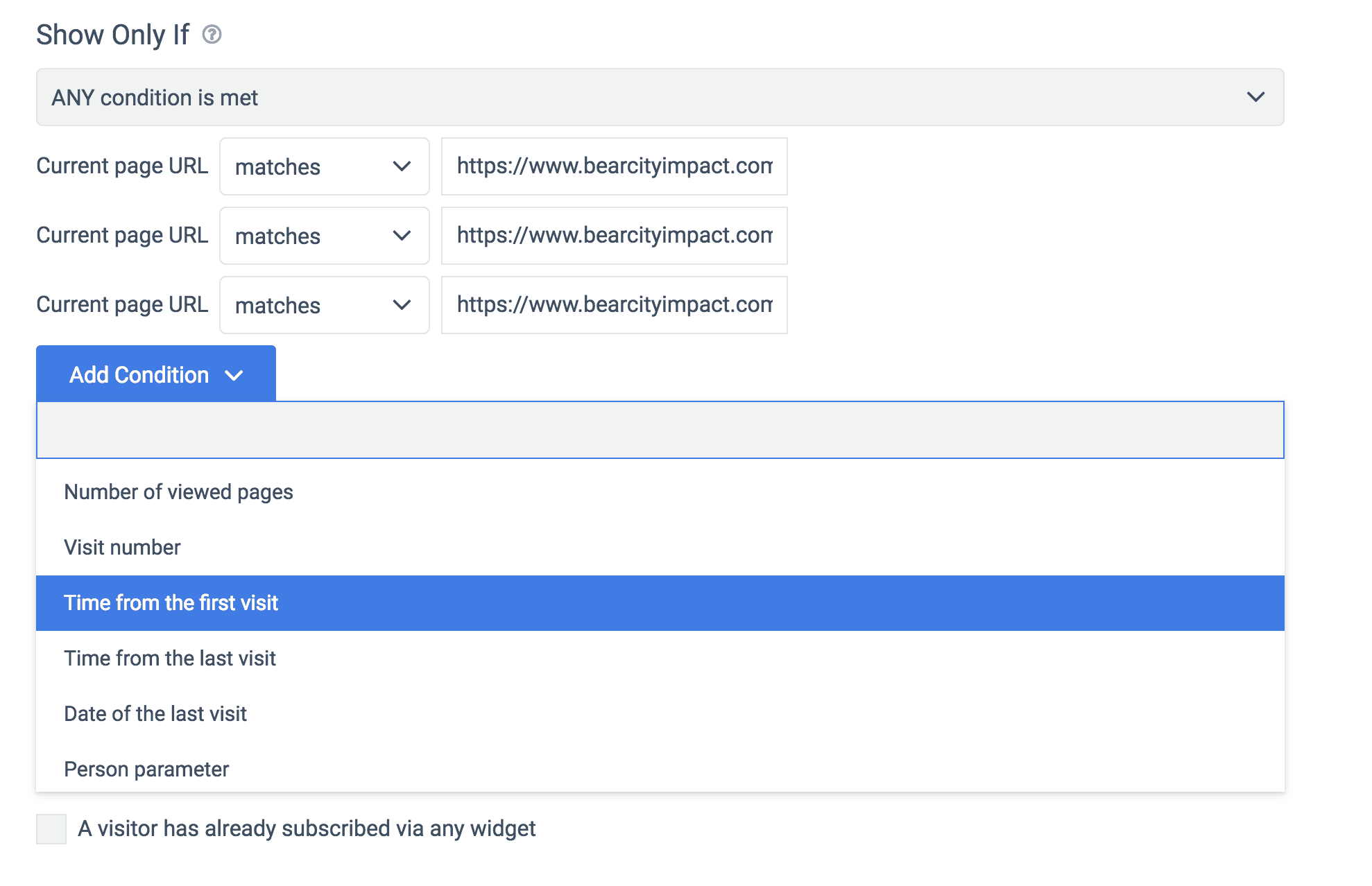
Here you can see we are telling Convertful to show this opt-in when a visitor intends to leave.
But we are adding the condition of time from the first visit. So here we would specify the amount of time we want the visitor to be on page to then trigger the intent to leave opt-in.
For example, if we set the time from first visit at 3 minutes, 30 seconds, and the visitor goes to that page and has only been on your site for 1:30, then it will not show the opt-in box, even when they are about to leave.
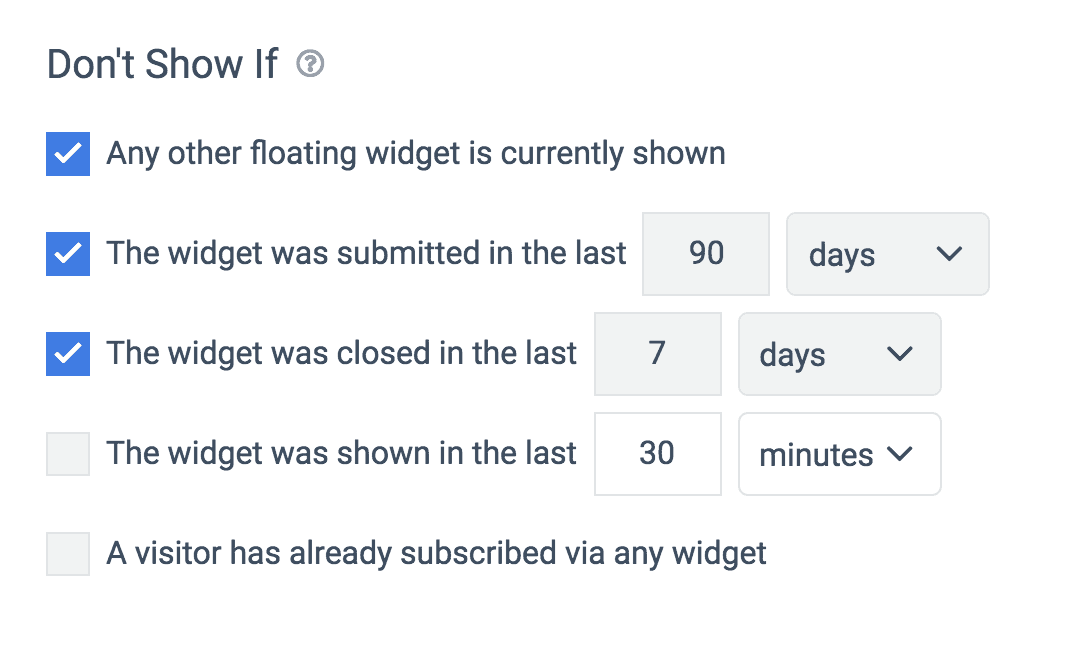
Lastly, you are able to exclude the opt-in box from showing based on several conditions as well.
For instance, the most important in my humble opinion, if any other floating widget it currently shown. This prevents having two different opt-in boxes from showing at the same time. I.e. a slide-in box and a pop-up box showing at once. Hello! Annoying!
Convertful has a good memory also, so if the person has already submitted their info within the past X-number of days, it won’t show it to them again until a time you specify, or if the person closed the offer box recently.
Get More Leads & Customers With Convertful
When you spend so much time getting traffic to your website, be it from social, paid ads, etc, you want to make those visits count. Using a powerful tool like Convertful will give your website it’s silent marketing partner. Combined with an irresistible offer, you can easily double or even triple the email signups you might be getting now.
Try out Convertful for free today.
Disclosure: Some of the links on this page are affiliate links. Meaning, at no additional cost to you, I will earn a commission if you click through and make a purchase.
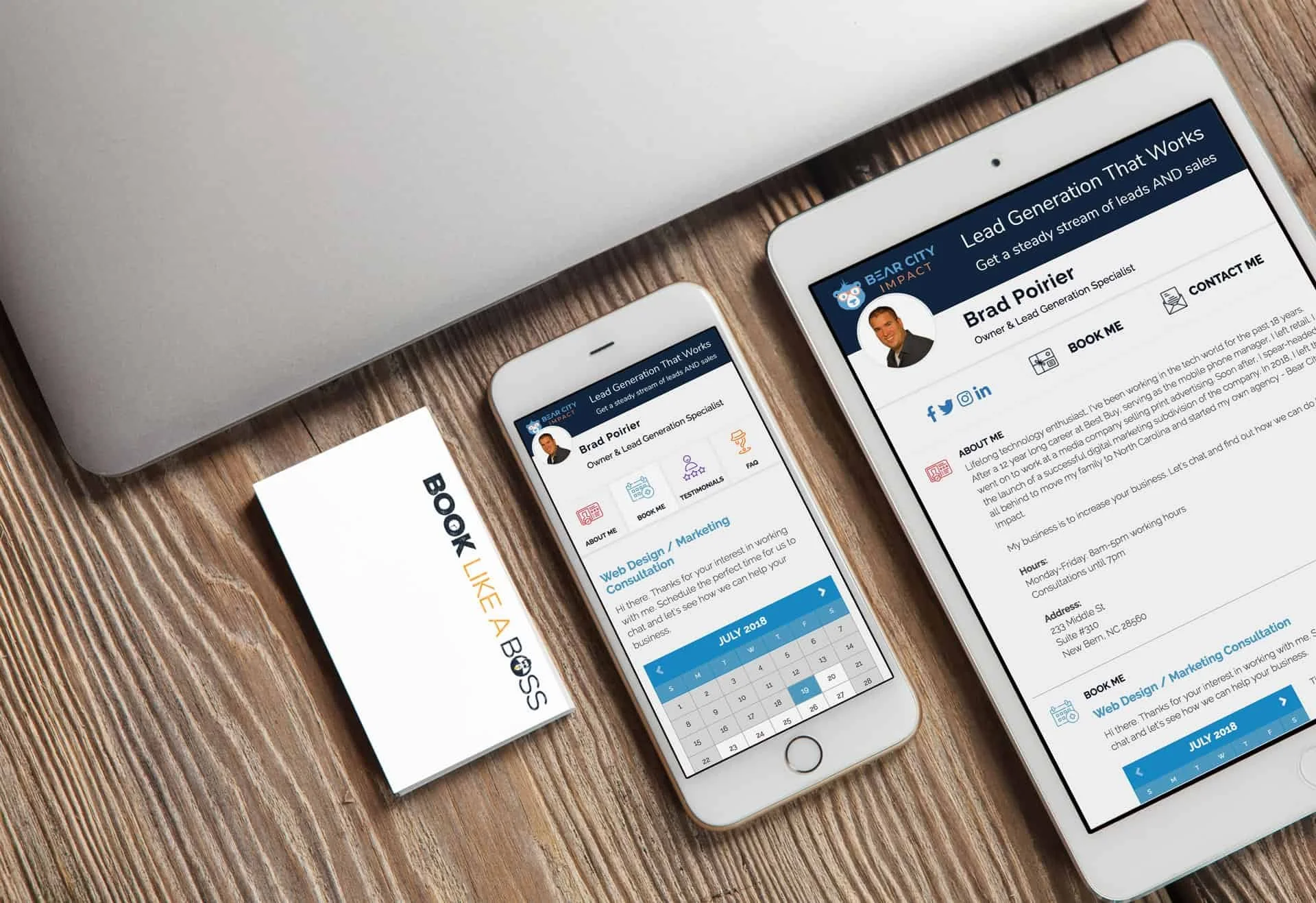
Book Appointments Like A Boss
If Rick Ross was in the service industry needing to take appointments, I’m 100% certain his scheduling app of choice would be: Book Like A Boss. Few things are more frustrating than the back and forth emailing and texting your clients trying to find a time that works for the both of you. Yuck. Meet: Book Like A Boss.
If Rick Ross was in the service industry needing to take appointments, I’m 100% certain his scheduling app of choice would be: Book Like A Boss.
Andddd if you don’t get the reference, here you are, you’re welcome.
Few things are more frustrating than the back and forth emailing and texting your clients trying to find a time that works for the both of you.
Not to mention, once you find that time, they have to reschedule and the fun starts all over again – and you still haven’t been paid for any of this!
Yuck.
If you haven’t been paying attention to the internet, I basically just described how client scheduling worked in 1999. Yes, as in when snake was still cool on your Nokia and gas was $1.20/gal.
It’s 2018 now. Get yourself a scheduling app or wreck yourself.
Book Like A Boss is all that and a bag of potato chips (smoky bbq flavor, mhmm)
So how can a scheduling platform help out kitchen designers? Book Like A Boss (BLAB) will make it significantly easier to take appointments. Oh, and you can set up several different appointments.
Think of your current workflow for taking in new potential clients:
Prospect visits your website
They go to your contact page and actually send you a message
You get this message at some point and call them back and email them
Takes a bit to get in touch with them
Finally you two schedule a time for them to visit your showroom for a consultation
They don’t show
You call them back and reschedule this
They finally come to your showroom
You find out they are a qualified customer and schedule an in-home measurement
The rest is $$$
Now, this is how it will work when you’re a boss and using online scheduling software:
Prospect visits your website
They go to your contact page and are presented with your calendar
They immediately find a time and day to visit your showroom, and they answer a couple of pre-qualifying questions
They get a reminder email about their visit and they actually show up
You find out they are qualified and schedule an in-home measurement
The rest is $$$
Boom. I just cut your sales cycle in half. LIKE. A. BOSS.
Yeah, let’s dig into this a little more.
Here’s what you’ll get with Book Like A Boss:
Calendar Integration – It connects to all of your calendars so that people can only book the times you are actually available. It works with Outlook, Gmail, Office 365 and iCloud.
Confirmation / Reminder Emails - They’re automatic too, soon as an appointment is made, your client will get a confirmation email. Then, a reminder email before the appointment.
Tracking - Connect your Google Analytics or Facebook Pixel to track progress and completion and retarget those that have not compelted a scheduling.
Support - Excellent support team and an active Facebook group with over 2,700 members to get success tips and help
Website Integration - Easily embed your booking page into your website. Skip the contact form. (Try it out here)
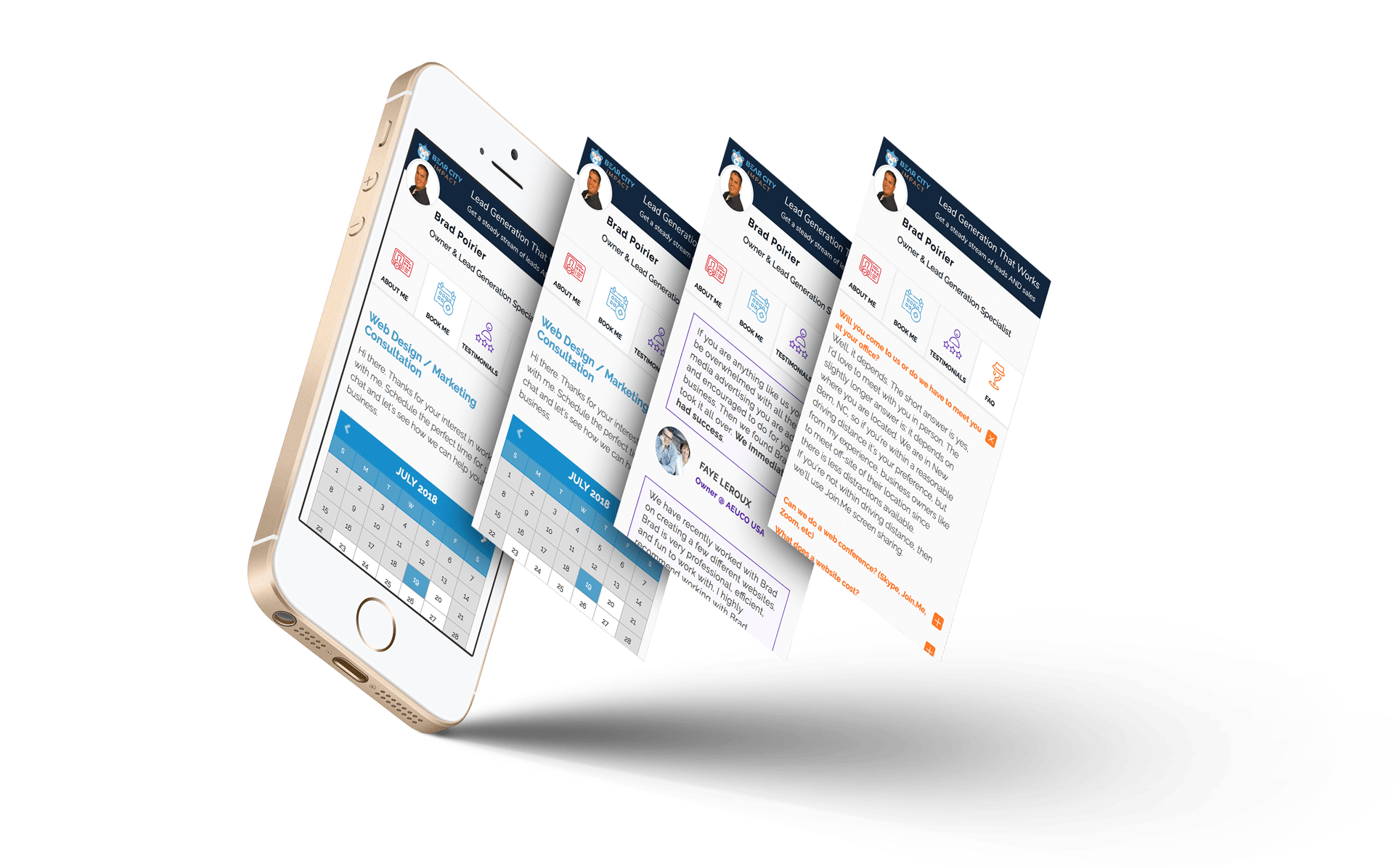
Those are the most important features in my humble opinion.
What if super easy client scheduling isn’t enough for you though?
What if you need to get paid for your service? (Greedy!)
You can do that too. With Book Like A Boss, you can get paid during the checkout process.
Do you charge for your in-home measurements? Just setup your service and assign a price to it, connect with either PayPal or Stripe and voila - you can get paid right when they book the appointment.
Hashtag MindBlown.
If this all sounds ridiculously easy, it actually is. Literally all you need to get started is to create an account, choose your page name, set up your available hours, list your services offered, and then BOOM - you’re good to go.
Optional fifth step is to add your payment options if you’re going to require payment to schedule any services.
I forgot to mention that… they have several plan options including a free forever plan.
It’s perfect if you’re just looking to explore what they offer and want to try out their scheduling platform.
The free forever plan includes:
Unlimited Appointments
Google Analytics
Facebook Pixel
Zapier Integrations
Want to learn more? Head over to their site with the link below and check out all of their plan options, including the free forever plan.
Or check out their intro video below.
Website to learn more: >> Book Like A Boss <<

How To Get Your Own Kitchen Remodeling Leads
If you’re a contractor or remodeler, generating leads can be a timely, costly and aggravating experience. Word of mouth and reputation can go a long way, but when the phone isn’t ringing like you need it to, harnessing the power of the internet to grow and position your company for long term success is critical.
If you’re a contractor or remodeler, generating leads can be a timely, costly and aggravating experience. Which is likely why you’ve ended up on this page in the first place.
Word of mouth and reputation can go a long way, but when the phone isn’t ringing like you need it to, harnessing the power of the internet to grow and position your company for long term success is critical.
Where to Start Getting More Remodeling Leads
One of the key problems faced by kitchen remodelers is knowing where to start with their online lead generation efforts. The internet is wrought with scammers, and full to the brim of shiny “new” and (allegedly) effective ways to make you millions.
Because of this, most kitchen remodeling business owners have a hard time discerning what methodologies represent the best use of time, energy, and hard earned dollars for their unique business.
Do you focus on your website, social media, search engines, or pay per click ads (PPC) like Google AdWords? You don’t have to do everything, but the best plan is usually a combination of the above, leveraging each to bolster the next with a holistic and well-rounded game plan.
Funnels
It’s not a great idea to pick a favorite child, but if online marketers did, it would probably be funnels. If that term is new to you, don’t worry. A funnel is essentially just a series of steps prospective customers take to find your business and take some sort of action leading up to a sale.
But just because you build a funnel doesn’t mean anyone will come to it. Below we’ve included a quick rundown of how the tools mentioned above can work together to “funnel” new remodeling leads to your business.
The Game Plan – How To Get Your OWN Remodeling Leads
Let’s say you want to generate kitchen remodeling leads. If you can just get prospects to call you, you know they’ll love what you have to offer, and will become satisfied customers for years to come.
But how do you get them into that funnel in the first place?
1. PPC – Pay Per Click Advertising
When someone is looking for kitchen remodeling, they usually start searching for contractors on Google. One way to get their attention is to use Google Ads, formerly known as Google AdWords.
Your ad will show up at the top or bottom of the search results page and, hopefully, get more attention than the regular results.
Pros – If you’re willing to pay a bit more, you can get results quickly and a treasure trove of data that can be used for other marketing channels like social ads and SEO
Cons – Some people ignore sponsored ads, and commonly searched keywords are very expensive to advertise. There may also be a testing period while the campaign is “fine-tuned”, during which you may experience a lower ROI, or even an initial loss.
How to make it work – Targeting and ad grouping is key. If you can target very specific keywords and demographics, the ad will be shown to people who search for those specific keywords in a geographic area that you service. Further segmenting this traffic into various demographics and interests will also help you find which type of visitor converts best.
Targeting and fine-tuning campaigns is imperative because you pay for every click, whether they buy from you or not. You don’t want unqualified or uninterested people to click your ads just because of a catchy headline only to realize the offer isn’t for them.
2. Social Media
Setting up social media pages for your business is another way to generate remodeling leads. It takes a little more time than advertising, but can be very cost effective and great for building a trusting and interactive relationship with your target audience.
It’s better to focus on one or two social media sites (like Facebook, Twitter, YouTube, or Pinterest) and build a solid presence rather than spreading yourself too thin trying to be on all of them.
Pros – A free or low-cost way to build your reputation and connect with clients. Most of your prospects are already on social media daily.
Cons – It can take a lot of time to build your presence enough for people to find you.
How to make it work – One great way to use social media is be providing helpful and valuable content. If you have insights on kitchen remodeling, you can create videos, how-to articles, or share pictures of recent projects or DIY suggestions. People love to share this type of information with friends, which can quickly spread your name and reputation if you play your cards right.
Another way to use social media is to ask your existing clients to review your business page or recommend you on social media. As you know, testimonials and reviews mean a lot in this business. Positive reviews on social media have extra power because they are shared with people your clients already know, boosting the credibility of the reviews.
3. Your Website and SEO
Your website is a powerful tool for reaching new clients, as well as growing your relationship with current clients. In fact, your website is likely your best performing employee, and you don’t even give it a raise.
Your company site is a 24/7/365 digital representation of a physical store and showroom. It is your sales team, helping to convert new visitors into paying customers, as well as your customer support staff, answering questions by providing information to those that need it.
But gone are the days when slapping a website up was a guarantee that traffic will appear from the ether. With competition as fierce as ever, the “if you build it they will come” mentality just won’t cut it.
Unlike social media or paid ads, people don’t run across your website during the course of their normal day to day activities online. Rather they generally find service sites like yours with a “Google search”. And if you’re not ranking on page one, you’re missing out on the 97% of web traffic that never bothers to click past the first page.
The simplest way to grow traffic to your website is to tell everyone about it. Print the URL of your site on your business cards and at the bottom of all your marketing materials. Put it on invoices and receipts, so your current customers can check it out. Place a link to your site on your social media pages and anywhere else you can think of.
But the most effective way to bolster your website’s online visibility and ranking is by employing a search engine optimization (SEO) strategy that focuses on website optimization as well as high quality link building and content.
Putting it All Together
Here’s where the rubber meets the road and you really start making progress.
By effectively employing the above tactics, either in part or as a whole, you can leverage the power of the internet to drive more remodeling leads faster than ever before.
Remember the sales funnels from earlier? At the very top of the funnel, you’ll bring a fairly wide group of people into your world. Sharing great content on social media is one way to do that. People see the value you offer and even share it with friends.
Paid ads are another way to get your business in front of people who aren’t already in your circle. In either case, you don’t want to go TOO wide with the funnel, so make sure your ads and content are relevant to the ideal client you want to attract. This is especially true with ads, where you will pay for the traffic whether they are a good fit or not.
Next, you can bring those remodeling leads further down your funnel and closer to becoming customers by getting them to your website. With ads, this is as simple as linking them to the appropriate page on your site when they click the ad. With social media content, you can provide a link to more information or start a story on social and let them click to finish it on your website.
The final stretch of this basic funnel is to make sure your website contains all the info they need (in the most compelling language possible) to convince them to do business with you. This is where can sell your services, and what makes you the best choice for their remodel, without spraying sales pitches all over people who haven’t yet shown an interest. By the time your readers are on your website, they are more likely to be receptive, interested prospects who are seriously seeking the best contractor.
Not Sure Where to Start? – We can help
Our agency has helped countless kitchen remodeling companies just like yours drive more traffic, generate more leads, and boost sales and revenue month after month, often for a fraction of what you’re spending on “traditional” marketing methods.
Give us a call today for a free consult to learn how we can help. We’d love to hear from you.

Best Ways to Get Your Own Construction Leads (Updated 2020)
Business in today’s economy is a cutthroat and competitive landscape. While marketing and lead generations come and go, with some tactics employed by entrepreneurs ranging from laughable to downright outrageous, one thing is a certain fact: no business can survive without a steady stream of qualified construction leads flowing in daily.
The average consumer today is nothing like who they were just 10 years ago.
They want to feel connected with the brands they shop with.
This means they want you to share the same values, desires for the future and solving problems that mean something to their everyday well being.
This is the direction of marketing you need to be heading in if you want to gain qualified construction leads that understand and like what you do.
You don’t need to reinvent the wheel, but you need to reinvent your narrative as the world changes around you. This is perhaps why content marketing has become the focal point for millions of business owners.
Changing with the times means you have longevity, i.e. staying relevant in whatever kind of consumer climate you’re in.
Never forget those who have been loyal to you, and produce content that will show them how you have advanced and improved your services and products for them too.
Importance Of Lead Generation For Construction Businesses
Leads are the oxygen your business breathes.
As more and more people enter into the middle-class, the world will begin to see millions of micro and small business owners.
Without a constant stream of new customers such as these, you won’t stand a chance against the competition.
They want to see what kind of offices, warehouses, retail stores, high-rise buildings and event halls you are creating.
They want to see with their own eyes, what kind of materials, styles, designs and interiors you create from scratch.
But only if they click on your content, read your story and watch you at work, will you convert your leads.
Leads are the oxygen your business breathes.
Construction Lead Generation – The Correct Approach
Say it with me now, “content is king”. This is a term that was used sort of a funny joke in the early 2000s. But sweet heaven above! Now it's like a battle cry or a mantra you must chant in your sleep every night! Well, okay, perhaps not that serious. However, you have to realize that consumers are no longer falling for clickbait, what they want is emotional marketing. They want to feel as if the products and services they use, matter in their lives; more than just pleasure, they want to feel a part of the growing world.
Let’s Have A Look At The Best Ways To Generate Construction Leads:
Blog Posts
Business blogs have become part of consumers’ daily lives.
They read them as frequently as you used to with a newspaper.
This means that the average customer who knows who you are will read your blog posts once a week at least. This could be at home just browsing before sitting down for dinner, it could be on the train heading into work or even as a dedicated read because you’ve just released some jaw-dropping news.
The best part of blogs is, they drive completely organic traffic to your website and can be from SERPs and social media.
On the other hand, you have new consumers who are not quite sure what you do. They should be seen as a juicy lamb to a wolf.
All they want to know is, how on earth will your products and services make their lives better?
If you’re wondering how to get construction leads, write fun posts about how your products have been used in the past, what your desires are for the future
For example, how people will use your products and services and how you intend to design them in the future.
Be honest, talk about the troubles you’re having when making or improving products. Consumers are very understanding and just like a rambunctious puppy, they wag their tail when you show them more about things that are normally ‘behind-the-scenes’.
Helpful Videos
Video content is by far the most popular of all the contents. Why? Well, it's kind of like audiobooks, why read something when it can speak to you?
This is why you need to have videos on your landing pages and homepage, to show customers exactly what you do.
On your services page, you need to have short videos, preferably around 1 minute or so, that show what it is you do.
Cover the process from start to finish
How do you plan things
How do you design things
How do you then set about achieving them, etc.
YouTube is the obvious platform where you should be uploading but also, using your 5-second to 15-second ads to drive leads from the traffic. Post your video content on your social media pages and watch direct messages from your accounts come rushing in.
Podcasting
One of the most underrated techniques for how to get construction leads. Podcasting shares the same value as blogs.
Everyone thought they were going away and that they were just a fad from the 90s. Wrong!
Now, a podcast is one of the best ways to become an industry authority. People listen to podcasts to chill out, listen on the way to work or just while they’re doing their laundry and ironing.
They are, however, nice relaxing places where you build a rapport with your customers by talking about fascinating insider-details about the industry you work in.
You should bring guests on to talk about their experiences in the same field you work in and have a genuinely interesting conversation.
It also gives you a chance to inject your personality into the content, which consumers love!
Photography
Photos are used even to this day but they have to be high-quality. With commercial photography, you’re trying to showcase your products in great detail, from all angles and show the customer what they would be getting. It also gives them a chance to see the dimensions, colors and style of what you produce. Higher quality images are shared more often on Instagram, than low-quality blurry embarrassments.
Remember, content is king. Don’t be afraid to be quirky, show your personality, talk honestly about the troubles and challenges you face in your business, but also, inspire your customers to be hopeful about the future with great blog, podcast and video content.

4 Ways To Master Instagram For Your Remodeling Business
As with any social media network, Instagram is about connecting people. In the case of Instagram, it’s about connecting people with pictures. So how can a home remodeler connect with Instagram users? In short, tell a visual story.
With the reach of Facebook consistently going down, home remodelers have been turning to Instagram to up their social media game. It’s no surprise, wIth over 800 million daily active users, Instagram has become the go-to photo sharing platform for all ages.
As with any social media network, Instagram is about connecting people. In the case of Instagram, it’s about connecting people with pictures. So how can a home remodeler connect with Instagram users? In short, tell a visual story.
There are several ways you can use Instagram, including the recent addition of IGTV, Instagram’s newest feature aimed at longer length video content. Here are specific ways you can use right now to master Instagram and get more remodeling leads.
What Types of Instagram Content Can I Create
Instagram Posts
First and foremost, you must post to Instagram, regularly. How often should you post to Instagram? As often as possible. This can be daily, or multiple times per day. Each post has a certain life span. There are over 95 million photos and videos posted per day on Instagram. So, chances are that a photo you post today, will reach its lifespan by the end of the day. Get into a rhythm of posting at least once per day.
Try to keep a consistent look and feel for what you are posting. Feel free to mix up the types of posts as well, but stick to a rhythm. Think like a magazine publisher. If a magazine were to publish different style editorial every month, people wouldn’t read it. People like reading a certain publication because they’ll know what to expect next.
When building a following on Instagram, keep within a particular style. This way, your followers will be in anticipation of your next post. They’ll know what to be expecting.
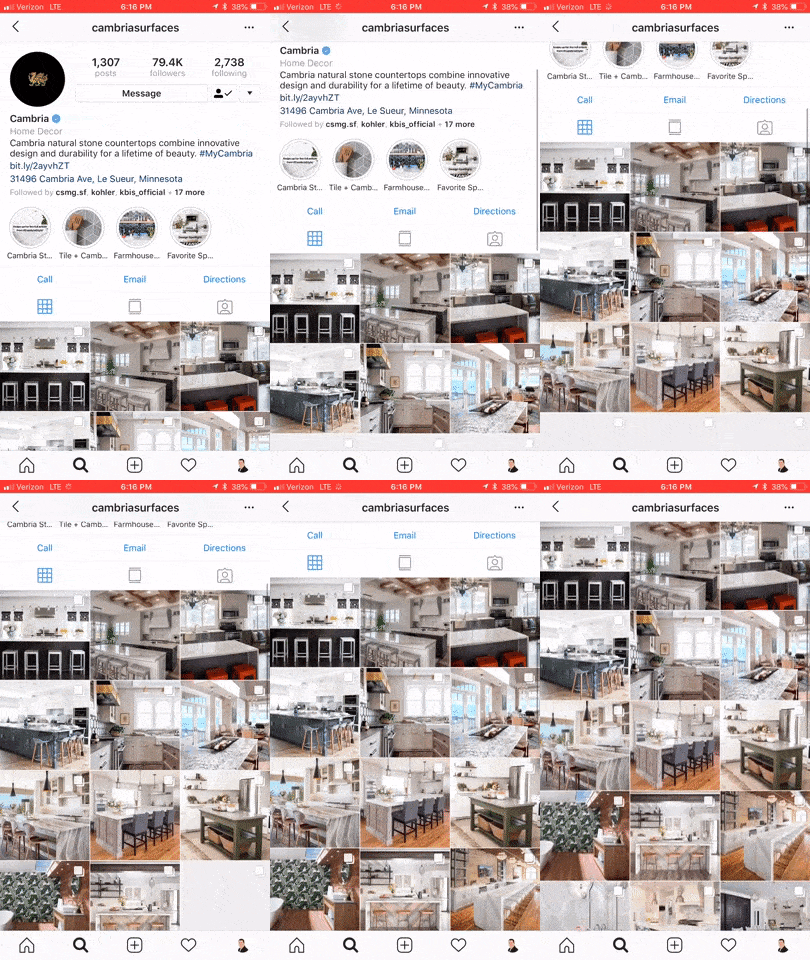
@Cambria has a consistent visual style to their posts
Instagram Stories
In August 2016, Instagram released their stories function, taking a stab at the popular Snapchat platform. SInce its inception, over 300 million people are using Instagram Stories every day. 70% of those folks watch with the sound on. Instagram is constantly adding new features to Stories. Back in May 2018 you now can natively take an Instagram post and reshare to your Story.
Normally stories only last for 24 hours and then they disappear. You can, however, setup Highlights which saves the story to your specified highlight for as long as you want it to stay there. You can create as many highlights as you want, and save as many stories to each highlight as you want.
Think of highlights as blog categories. You can create a separate highlight for bathrooms, kitchens, accessories, and perhaps one called showroom. In each of these highlights, you’ll want to save your best Instagram Stories that relate to that highlight, or rather, category.
Highlights are accessible at any time to your followers and potential followers, until you delete them. Between posts and stories and story highlights, you can just about create your entire website from just Instagram. Though for obvious reasons, we don’t recommend it. You get the point of its power though.
You can add to your story one of two ways. One option is to go to your profile and tap your profile picture to add a new story. Note, this only works if you currently have no active stories. So the best way to add any new content to your story is by going to the home screen, then swiping left to open up the story composer. Just snap a pic, record a video, or use existing media on your device to add to the story.
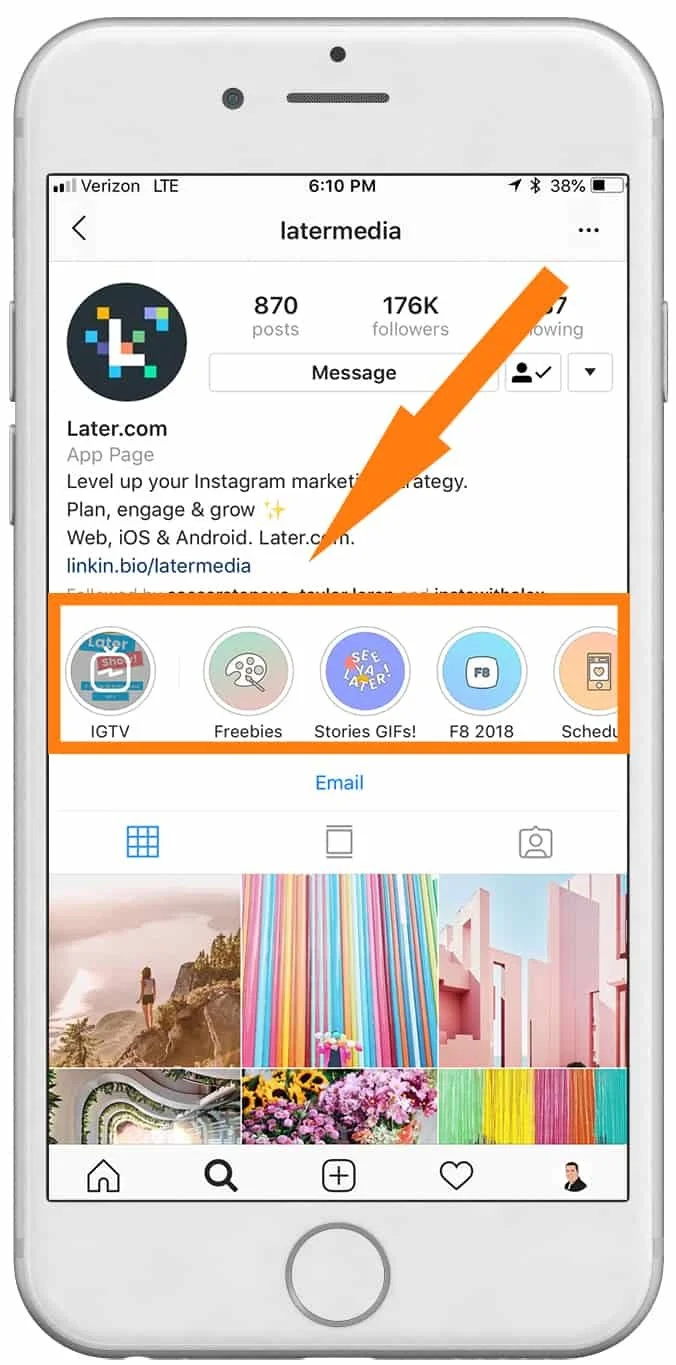
@latermedia Instagram Stories & Highlights
👉 BONUS: Get more strategies like this straight to your inbox each week. 👈
Instagram Bio
You only get one chance to make a great first impression. Think of your Instagram Bio as your company’s about us page on your website. Except, you have a limited amount of space available to you. Right now, Instagram gives you 150 characters to work with in your bio. That’s less than a twitter post so get crafty.
Here’s a nifty Instagram Bio hack for you, two actually. You can (now) insert #hashtags into your bio. So now, your entire account becomes more discoverable when users are browsing or following their favorite hashtag.
The second hack is in your name. Your name is the only thing that is searchable on Instagram, besides your actual @userrname. Your Instagram display name can have up to 30 symbols, including emojis and punctuation. Consider placing your number keyword in your display name. For instance you might put something like: “Company - Kitchen Remodeling”. That’s a total of 28 characters right there, so if your actual business name is longer than 7-9 characters, you’ll want to consider removing extra spaces or coming up with a different keyword.
Instagram Bio Hacks - @bradpaulp
New: IGTV aka Instagram TV

On June 20th, Instagram changed the world of online media once again. They released IGTV. IGTV is aimed at content creators who want to upload videos longer than the current 60 second restriction on posts and the current 7 second limit on stories.
Of major importance to know: It’s vertical or bust for IGTV. Instagram is doubling down on vertical oriented video with IGTV. Videos can be anywhere from 10 seconds to 10 minutes in length, but the company is rumored to increase the maximum length in the future.
When a user first “turns on” their IGTV by tapping the IGTV icon in the upper right of their news feed, it starts off with a blank static screen, much like turning on an old television set before it was tuned to a station. As with any new feature, Instagram is going to heavily promote new content uploaded to IGTV. In fact, if an account you follow uploads a new video to IGTV, you’ll get a subtle alert in your news feed.
You can get started with IGTV one of two ways. Instagram has developed a completely separate app for IGTV, which is a free download on your app store. When you open the IGTV app, it will already know who you are based on your login with the Instagram app. From there, you will need to create your “channel”. A channel is simply your TV feed. Each time you upload a new video, it’s like a new episode to your channel.
New IGTV by Instagram
Creating content for Instagram isn’t hard, it’s barely even time consuming. Considering the fact that you can snap, upload, and go – there’s no excuses. At minimum you should be optimizing your Instagram bio for your keywords and hashtags. If you want to master Instagram for your remodeling business, try working on each of the other three areas week by week. Get into a regular rhythm of posting content daily. Next, work on your stories content. Finally, dive into IGTV and explore the possibilities.
Want to learn about our upcoming article on How To Use Instagram Like A Boss? Click here to get an email alert when it’s published.

How To Pre-Qualify Your Remodeling Leads
When you focus your sales and marketing to qualify your leads that fit your expertise and availability, you’ll have better clients and better projects.
Question: Clicks or Customers?
What I’m asking is, do you want clicks or do you want customers?
If all you want is clicks, Google and Facebook are plenty happy to send thousands of clicks your way – you just have to whip out your wallet.
If customers are more your style, then lend me your ear for a second.
Here’s what a typical journey your remodeling prospect should be taking:
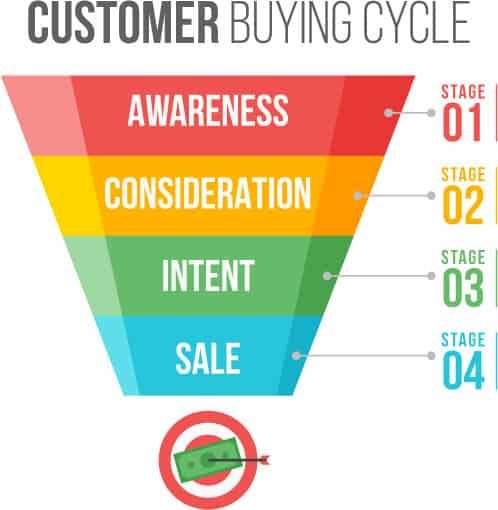
Awareness
Consideration
Intent
Purchase
Let’s break that down in real world terms
Person does a Google search for remodeling contractors
They come across your website
They contact you for more information
They contract you for their project
In a perfect world, those four steps would happen quickly and successively. But they don’t.
There’s a couple of steps in between 3 and 4, they are:
(3. They contact you for more information)
3a. You get in touch with your new lead
3b. You ask a few questions to see if you are a good match for them
3c. You go out for an estimate
3d. They kick the tires around for a bit
3e. They get other quotes
This isn’t all doom and gloom. It’s just a part of the buying process today. Even with a referral, people are still going to shop you.
What you need is a pre-qualification process. You need a way to make sure that every new lead coming to you is already pre-qualified.
Otherwise, you’re paying a lot for tire kickers. (Sorry Angie)
And, you’ll be spending (wasting) a lot of time going out giving estimates for leads that aren’t qualified for your skill level.
Here’s how to get your leads pre-qualified:
👉 BONUS: Get more strategies like this straight to your inbox each week. 👈
Start the pre-qualification process in the contact form on your website
While you don’t want to ask 15 questions to a website visitor, you do want to make sure you ask short, pointed questions.
To save room on your lead form, combine first / last name with just one field of Name. Also, don’t ask for their address yet.
Use a multi-step contact form. This way you can get micro-conversions. Micro-conversions are short steps a customer takes to get in touch with you. Not only does this boost your website conversion rate, but it actually helps pre-qualify your customer.
Your multi-step contact form can be just two or three steps. On the first step, ask a very easy, simple question. It doesn’t have to even be qualifying related.
For instance, ask:
“What’s your zip code?”
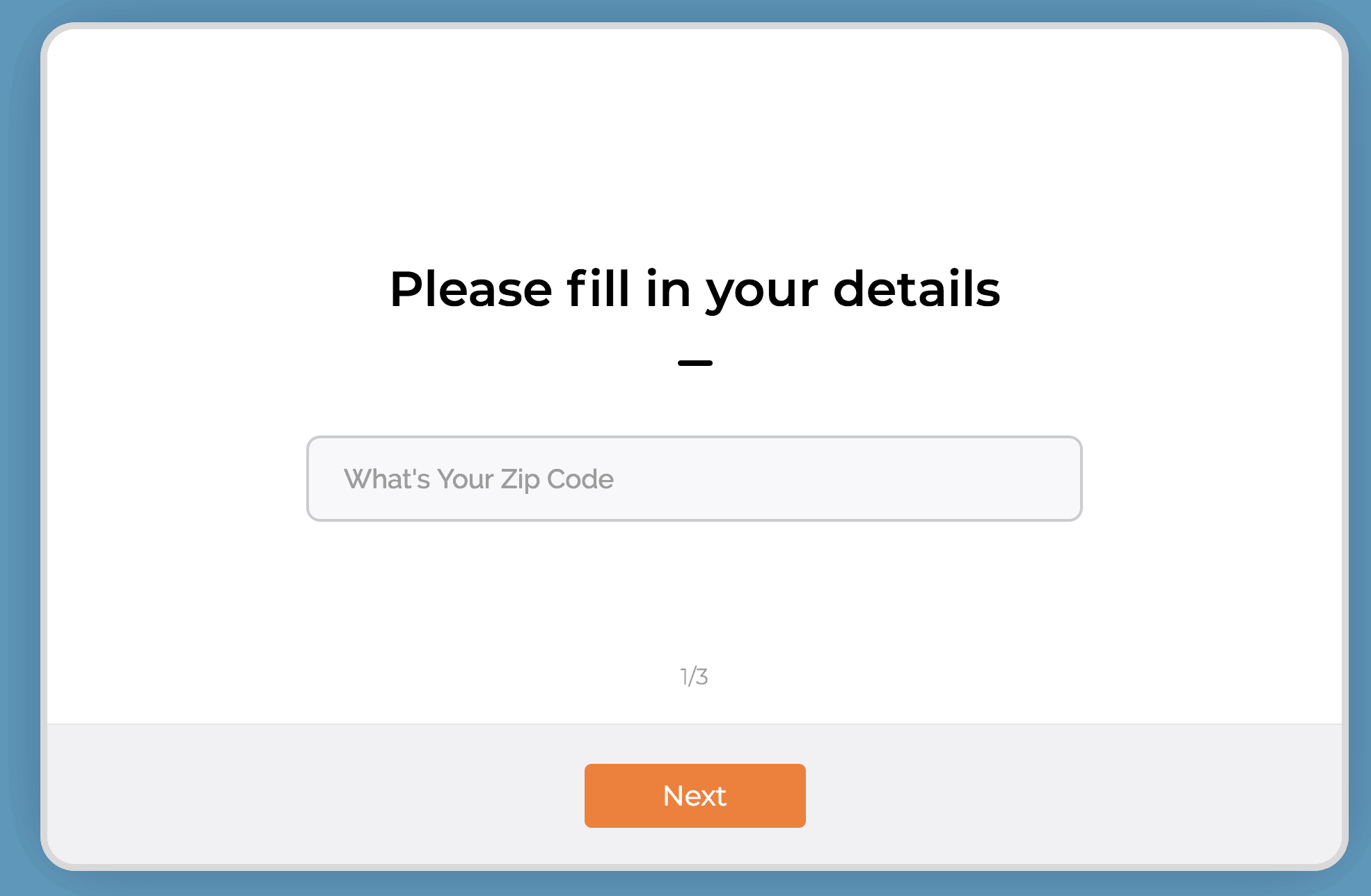
Now, does it really matter what zip code they are in? Within reason of course and your coverage area. But likely, you’re going to work in their zip code. So why ask this?
Micro-conversion. When they type in their zip code and hit “Next” - you just pulled a micro-conversion. For the win!
Now there is a higher likelihood of them completing the rest of the form and becoming more qualified.
The second question can be a little more pointed. Try this:
“What TV personality inspires you the most”.
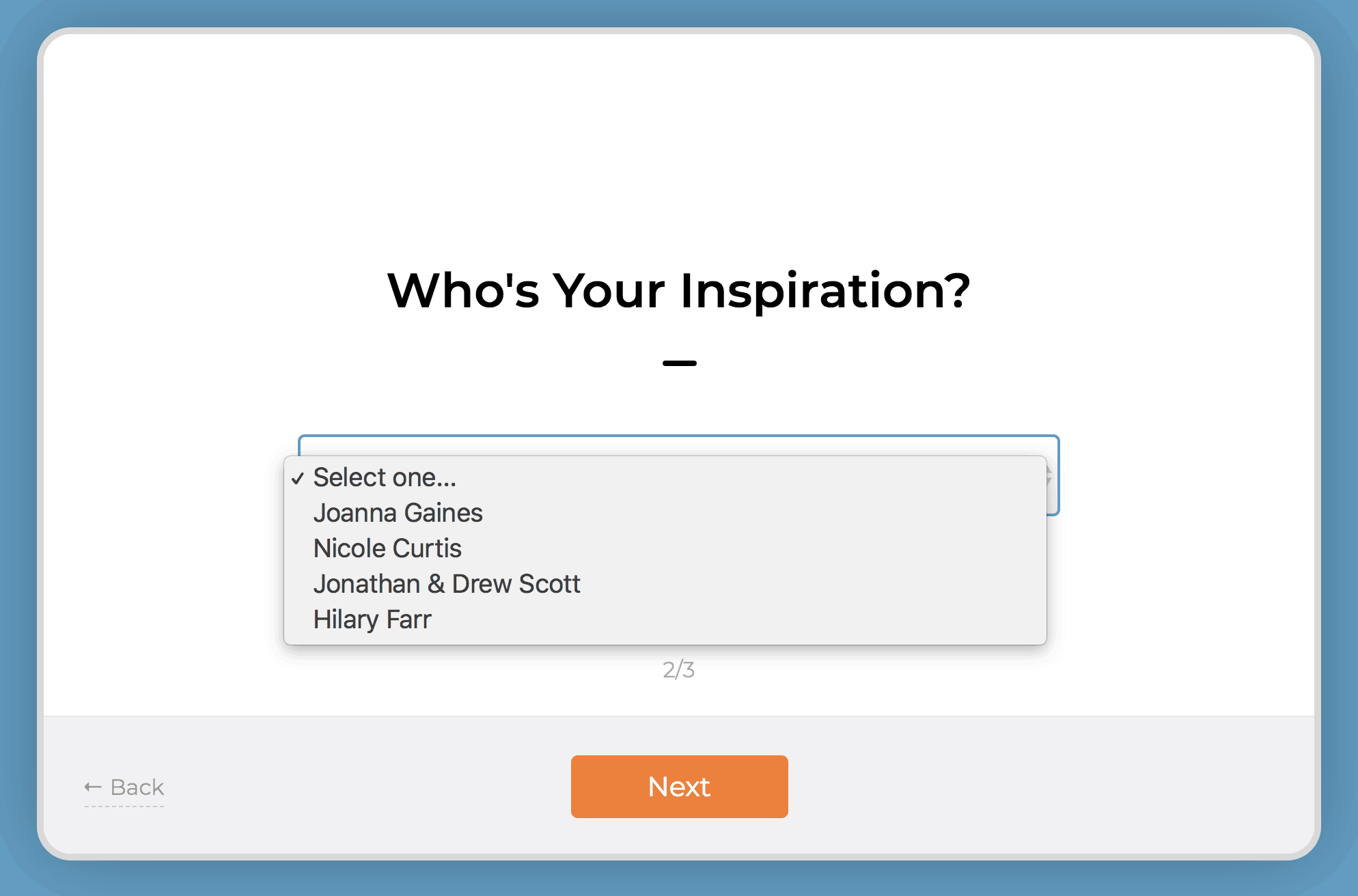
Use a dropdown box and fill it in with some home remodeling TV personalities. (Chip Gaines is my spirit animal btw)
Lastly, in the third step, ask for the juicy stuff - you know, their personal information.
Remember, name, email, phone numbers - that’s all currency in the world of lead generation. In order for someone to give up their email and phone number and be willing to be harassed (sorry) by a salesperson – you need to make them feel super comfortable.
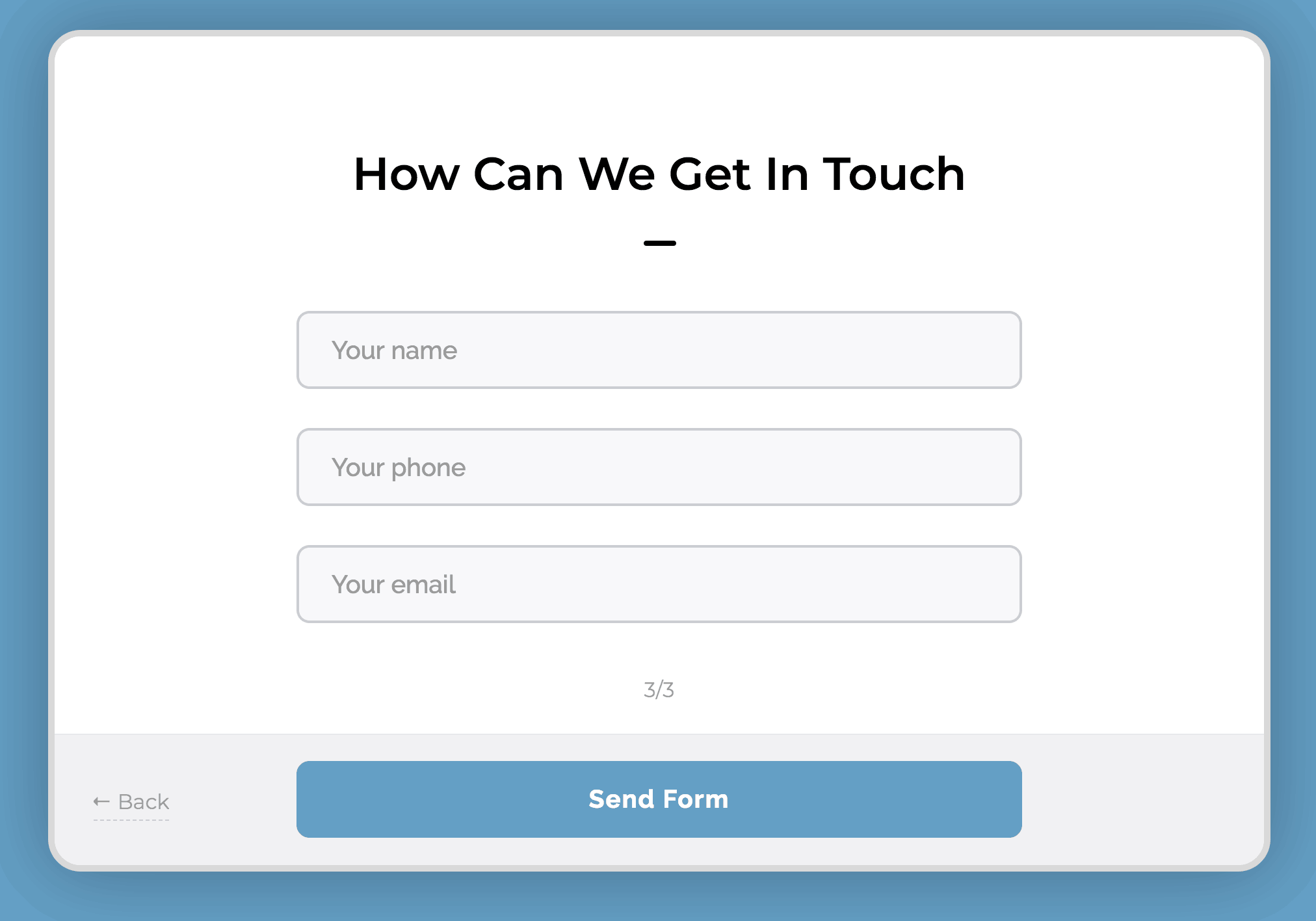
The micro-conversions do this for you.
Make sure to leave room for an open ended question like:
“Tell me about your dream home”
Finally, ask:
“Do you have a budget?”
These two questions are where you have an opportunity to pre-qualify them. Make this field mandatory. The budget question is often debated as to whether you should ask or not.
I’m not suggesting though, that you ask for their budget.
I’m simply suggesting that you ask them if they have a budget. Make this a yes or no toggle.
Why?
If they respond to those two questions in this manner:
Budget: No
Tell me…: I need my kitchen redone
It’s highly likely they haven’t done their research on how much an actual dream home will cost them. They are very much still in the “awareness” stage, though in their mind they want to be in the intent stage. You don’t have time for that.
Quick note on this, you’re going to get these requests no matter what. Treat everyone the way you’d like to be treated… even if they are unqualified to hire you, you want to make sure they have a positive experience during your phone qualification or in-person qualification. You’ll get better qualified referrals that way.
On the other hand, if the response is something like:
Budget: Yes
Tell me…: I’m looking to hire a contractor to redo my kitchen. Looking for someone to both design and build the whole thing.
This lead is definitely more qualified. I’ve seen this type of response come in many times to my remodeling contractors. Then I’ve seen them get in touch with the customer, send out a designer to get a measurement of the room and provide a quote - and then get the sale.
Qualify your new lead on the phone
Heads up – you should be calling your new leads within 5-10 minutes of the new lead notification. It’s highly likely that they are copy-pasting the exact message they sent you, to at least two of your competitors. It might just come down to whoever called them back first.
Call right away. They won’t care. They asked to be called.
Again, you want to be tactful. You’ll get more bees with honey than with vinegar.
Here are three questions to ask a pre-qualified lead on the phone.
Try to leave these all as open ended as possible.
#1: Tell me about your project.
They should be giving you a quick overview of the project. This will give you a little better idea of their personality and inspiration. Make sure you discuss priorities, their must haves and their timeline.
They say God gave us two ears and one mouth so that we can do twice as much listening and half as much talking. So, listen to their responses. Are they indecisive? Are they unwilling to listen to you when you’re talking? Are they demanding you give them quotes right over the phone? (It’s ok to give a range here, especially if they already indicated in the contact form an actual budget)
These types of responses though, can indicate a lead is unqualified.
#2: What’s your ideal completion date?
No, Mr. Homeowner, your project isn’t going to be done in two weeks. And no, it’s not going to be aired on HGTV.
TV Remodeling shows have done wonders for the remodeling business. It helps homeowners get inspired and get motivated. They want what other people have!
It does create some unrealistic expectations though. Not all homeowners understand the complexities of managing a full scale remodeling project. If you know your top-notch quality work for a 250 sq. ft. kitchen will take 3 months and they’re insistent it should only take you one month – run. Taking their deposit will mean taking their repeated phone calls as to why the project isn’t finished on time.
#3: Have you researched your project?
Homeowners that do their own research before calling a remodeling pro are much more likely to provide clear direction during the project. If the homeowner hasn’t done their homework, you will very likely end up with indecisive people and the plans will change – frequently.
When to move on
I know it’s tempting to just take any job that might come your way. In some instances, however, it might be better to just pass the job.
Pro Tip: Recommend another company that is smaller than you to them. They’ll appreciate the good recommendation and would be happy to refer your service to someone else, even though they aren’t qualified for you.
When you focus your sales and marketing to qualify your leads that fit your expertise and availability, you’ll have better clients and better projects. Take control of your lead generation today.